

28% Decrease in Lead Follow-Up Time
35% Decrease in Ad Generation Time
15% Increase in Feature Adoption
Project Type
Saas Dashboard
My Role
UX Research, Product Design
Team
8 Designers, 2 Product Managers, 2 Developers
Date
Aug - Dec 2024
5 Months
TL;DR
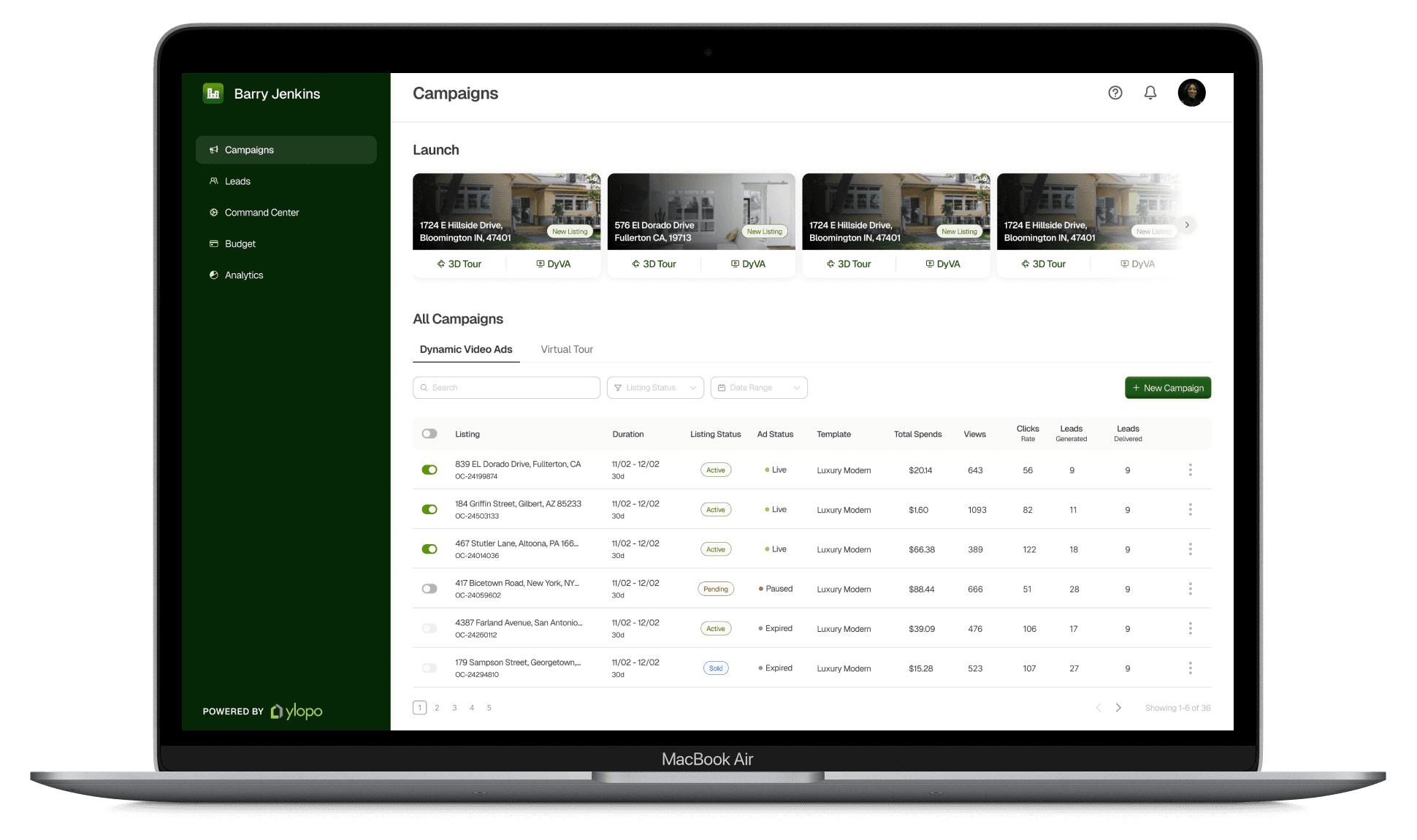
I designed Ylopo’s Mission Control agent dashboard to help real estate agents run targeted ad campaigns, track performance, and convert leads into home sales. By giving agents direct access, the dashboard removes the need for admin-mediated campaign setup and makes the entire process significantly more efficient.
Impact
Decrease in Lead Follow-Up Time
Decrease in Ad Generation Time
Increase in Feature Adoption
Significant
Boost in customer satisfaction
The Context
Ylopo is a real estate tech startup that uses cutting-edge digital tools to help teams and agents attract, nurture, and convert potential home buyers and sellers. Its Mission Control dashboard enables users to create, manage, and optimize ad campaigns
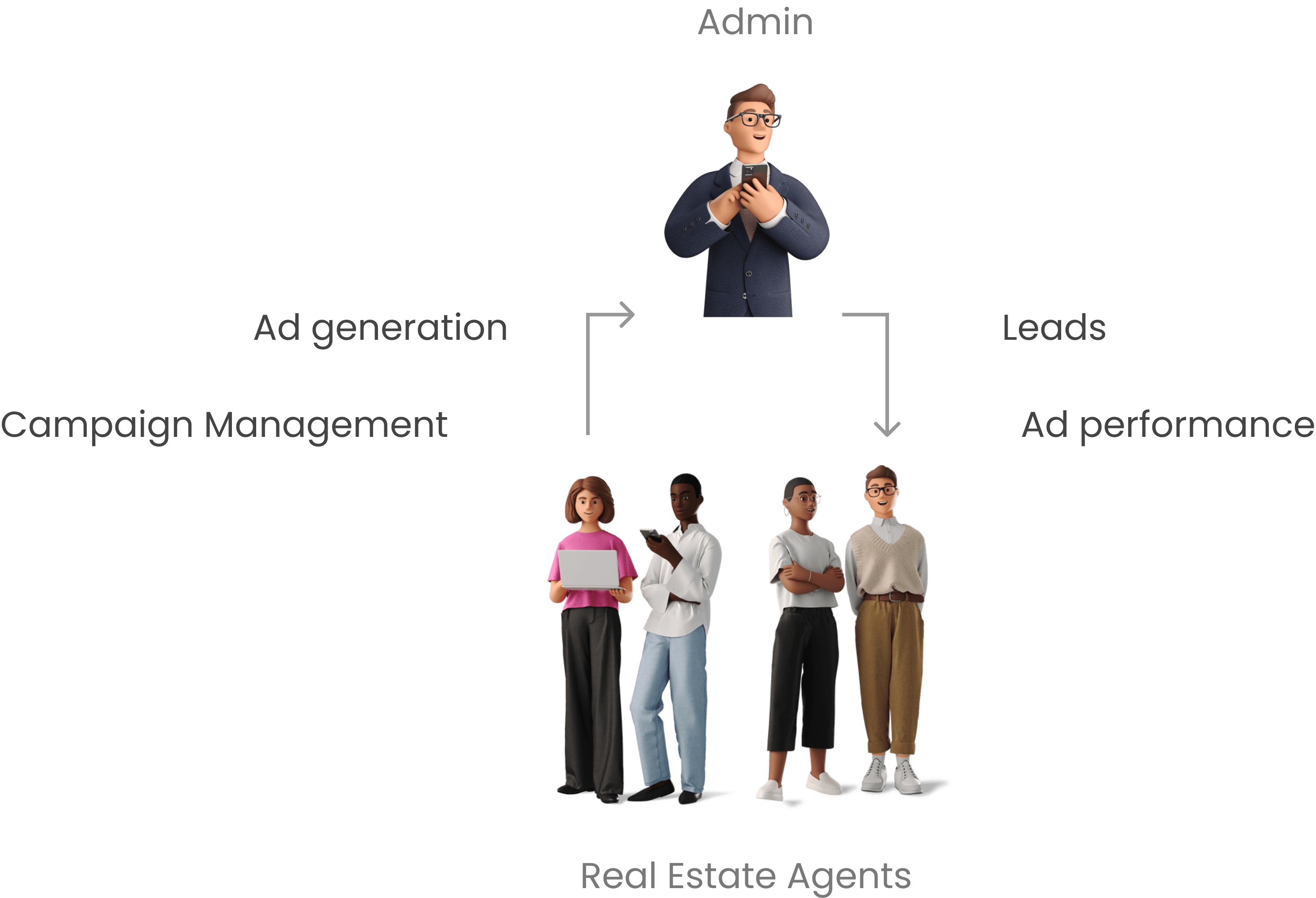
Before 2024, Ylopo’s Mission Control operated as a single-access tool used primarily by administrative teams to run ad campaigns on behalf of real estate agents. Although the broader product ecosystem served the company structure well, Mission Control’s core value of ad generation was most needed by agents who lacked direct access.
Agents had to request admins to create and manage campaigns and then wait for lead handoffs, which created an array of problems in this workflow.
The Design Problem
The existing workflow, built on agent dependence on admins, created several problems for the customer, including:
Delayed Ad Generation
Missed & Delayed Leads
No Control Over Campaign Management
No Ad Performance Feedback
These workflow inefficiencies were resulting in lost revenue opportunities for customers, limiting Mission Control’s impact and ROI.
The Solution
To address this gap, I designed a dedicated Mission Control dashboard for real estate agents, giving them direct, autonomous access to the tools they use most and enabling them to achieve the ROI they expect. The dashboard allows agents to create and manage targeted ad campaigns, monitor performance, manage budgets, and access leads in real time without relying on admins. This project builds a new dashboard for a very specific use case, as well as streamlines existing user flows as we adapt those features for a new user group.
What did I do?
1.
Conducted a Heuristic Evaluation and Design Audit to identify shortcoming of the existing platform.
2.
Identified what real estate agents need from their platform by conducting user interviews and contextual inquiries. I conducted 4/13 stakeholder interviews.
3.
Designed a portal tailored to agent workflows by building on existing functionalities and using research insights to prioritize rapid ad creation and efficient lead follow-up.
4.
Improved the existing flows to be more intuitive, efficient, and aligned with real estate agents’ natural workflows as they transition into the new agent-access experience. I worked on Campaign Management, Campaign Creation flows and Leads Page.
5.
Evaluated and iterated on design flows by conducting usability testing and heuristic evaluations.
An Overview of Existing Platform
Given that a significant part of the redesign relied on refining existing features, I conducted a detailed audit of the platform to understand where users were struggling. Through this audit and a heuristic evaluation, we identified several issues, gaps, and potential opportunities. Notable problems are as follows.
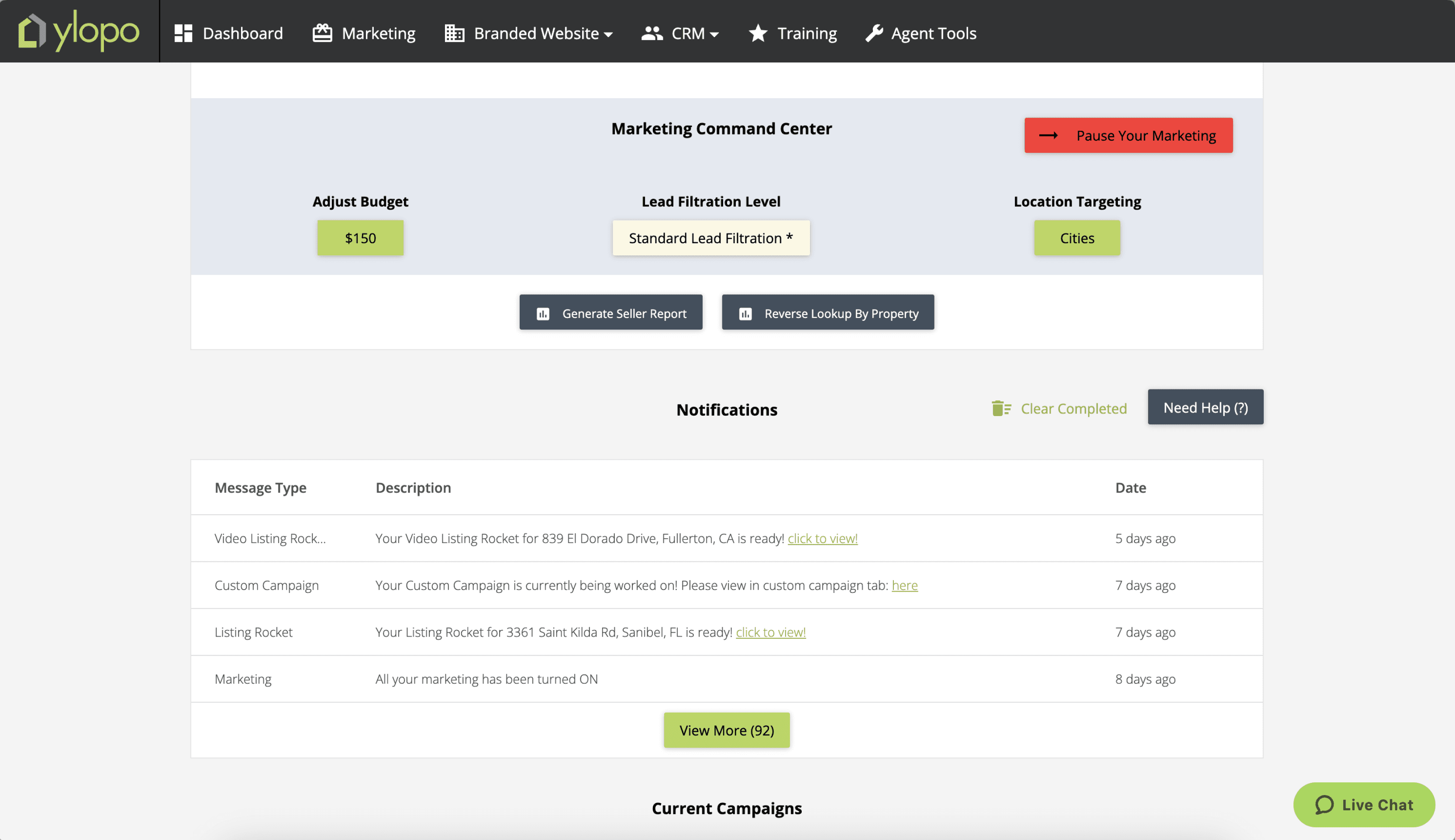
Lack of hierarchy and overload of action items with zero context.
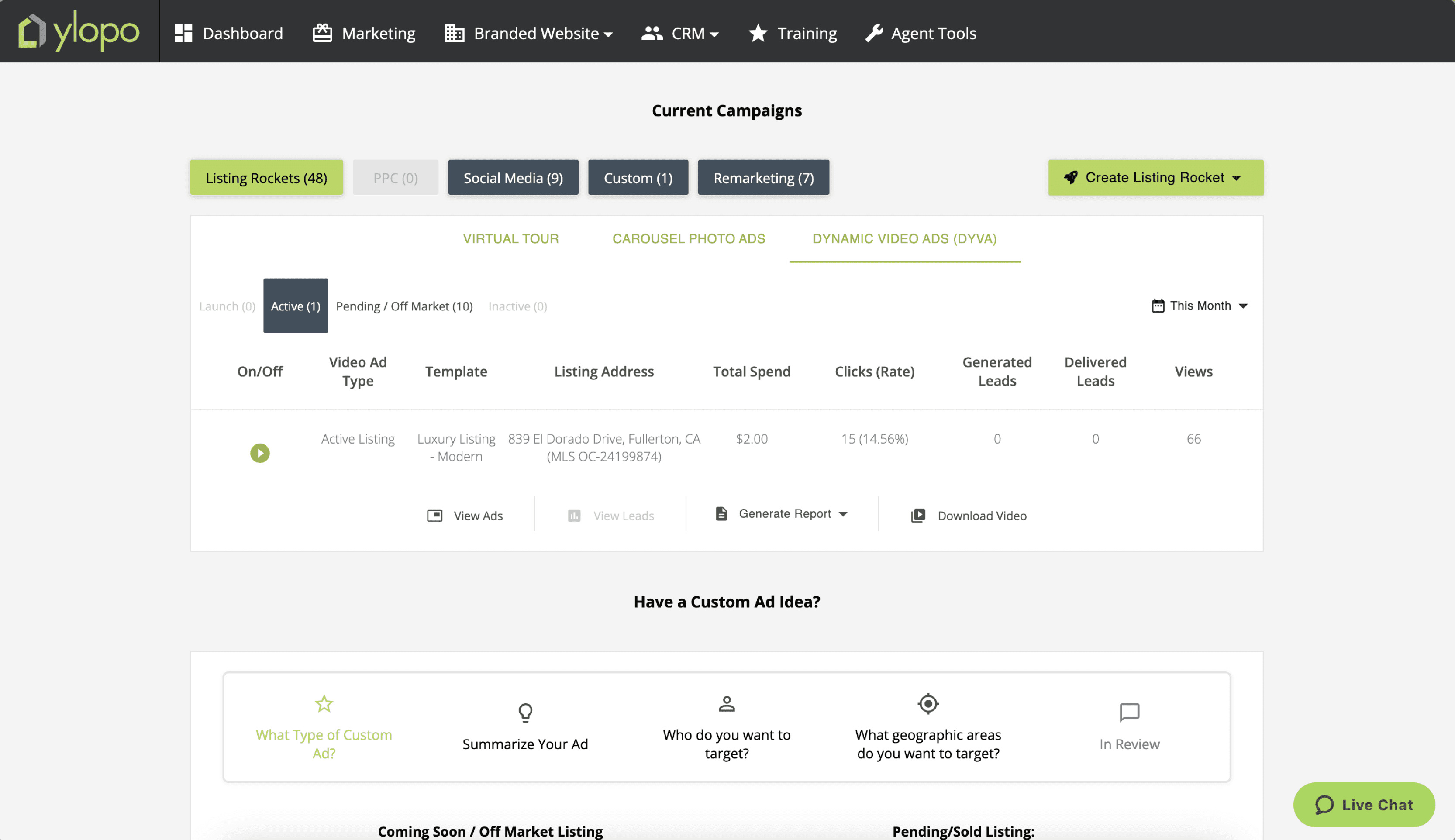
Too many tabs make the campaign listing section unnecessarily complex and hard to navigate.
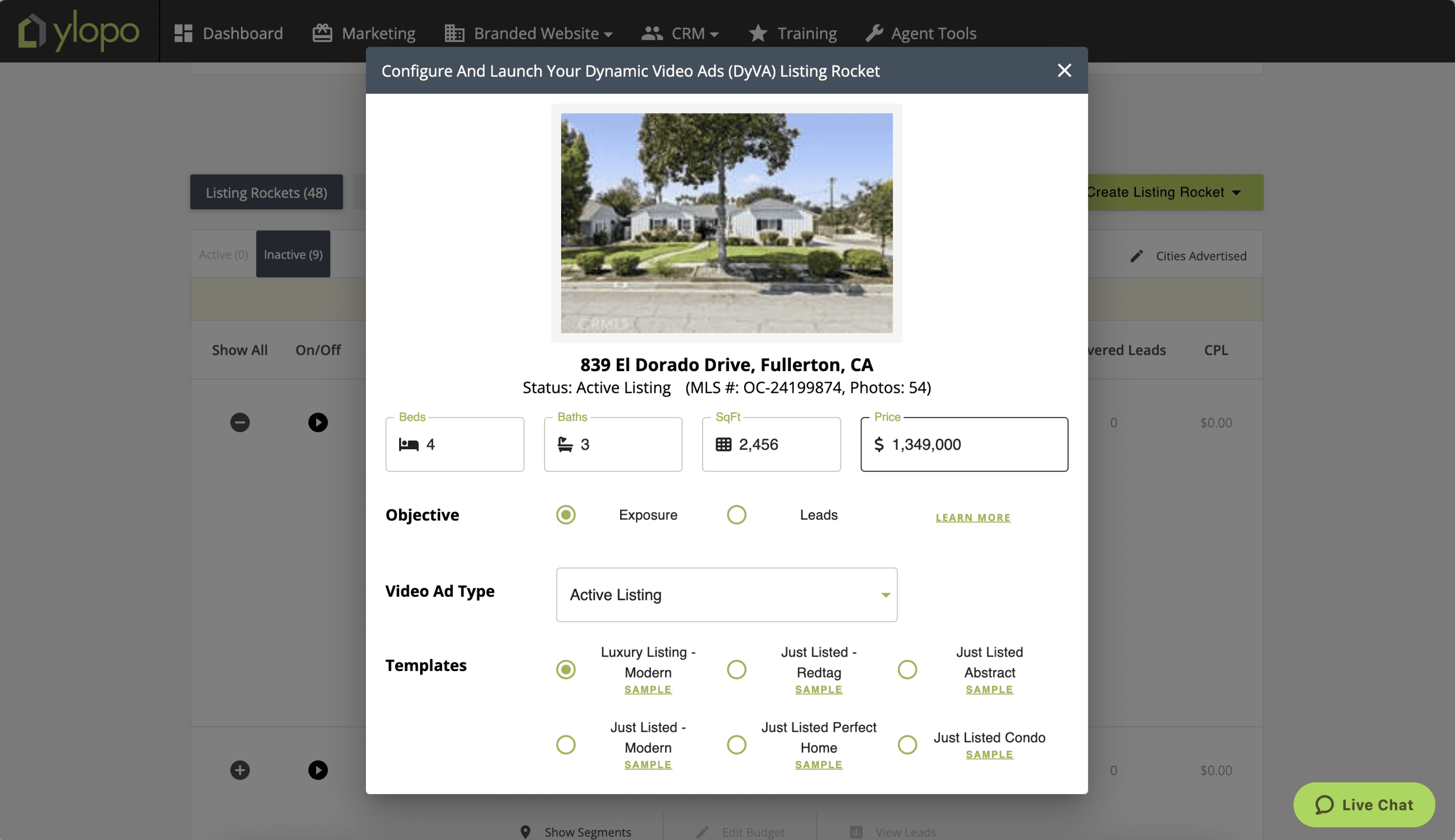
There is limited creative control, and users cannot visualize what their ad will look like. They do not know what their choices here mean.
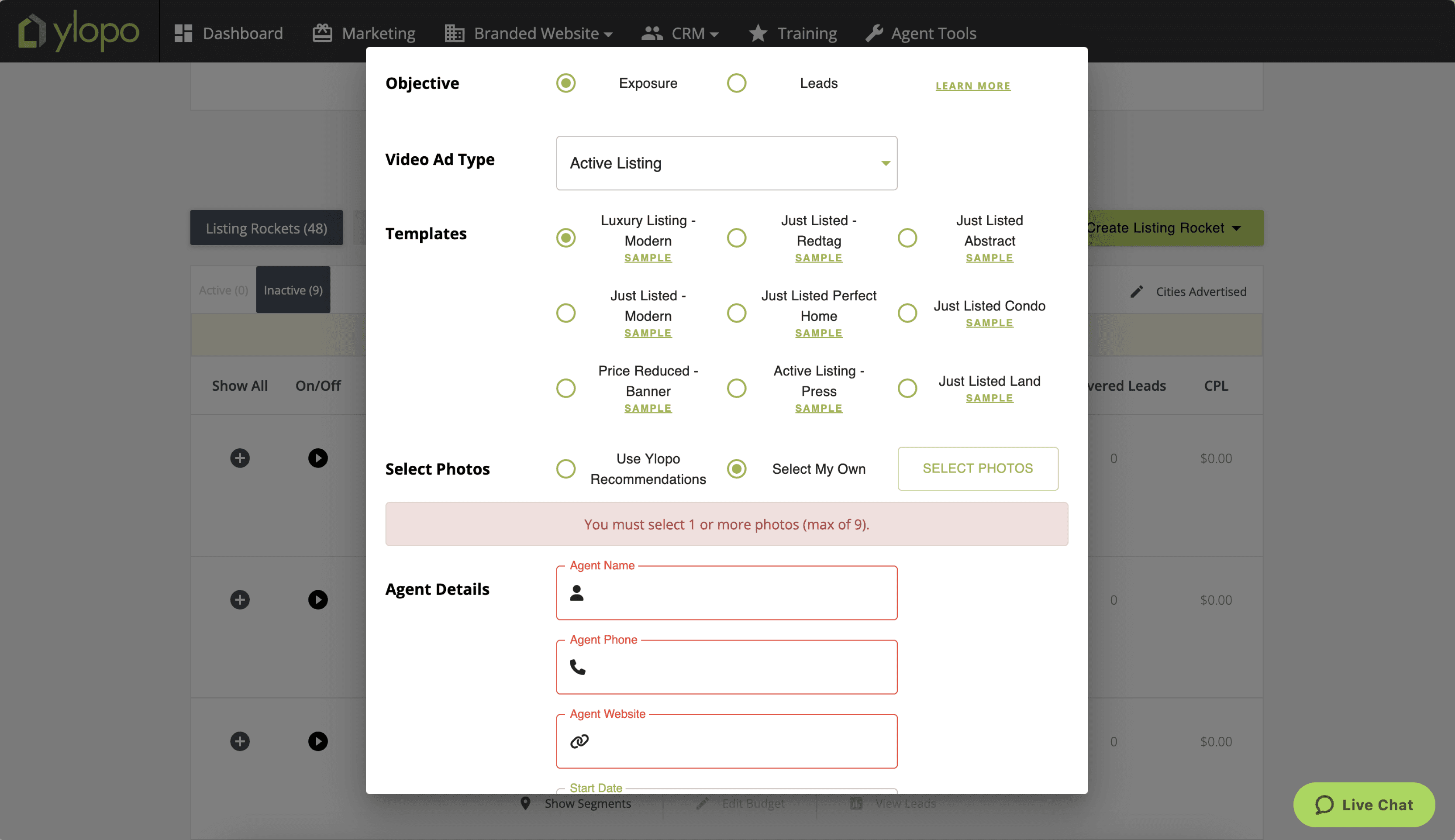
The flow includes unnecessary sub-steps (e.g., photo selection in a separate popup)
Mission Control’s Dynamic Video Ad feature is powerful, but it isn’t supported by the additional tools needed to complete an agent’s workflow. We explored this opportunity gap further through user research, which revealed deeper insights into agents’ needs.
What do agents really want?
To understand how we can make the new agent dashboard worthy for agents, the team and I conducted in-depth user research to understand agents’ pain points and define what a meaningful dashboard experience should look like.
13
stakeholders interviewed
Semi-Structured
interview method
5
different teams interviewed
150+
Insights collected
Key Takeaways
All
agents want the control to modify and pause campaigns directly
All
agents want the immediate access to any lead generated
55%
Users are frustrated that they can’t use their own custom photoshoot images and must rely on MLS stock photos.


“We want to launch our own campaigns and have immediate access to every lead that is generated.“
-Real Estate Agent
Pain points > Opportunities
The pain points identified during the interviews revealed key areas for improvement and opportunities to enhance the dashboard.
The Outcome (MVP)
By synthesizing user insights, we identified the most essential features and translated them into a focused MVP. After several cycles of wireframing, testing, and refinement, the team and I finalized the designs. With a tight project timeline, we intentionally scoped the MVP to address only the most critical screens for our user group.
Manage Ad Campaigns Autonomously
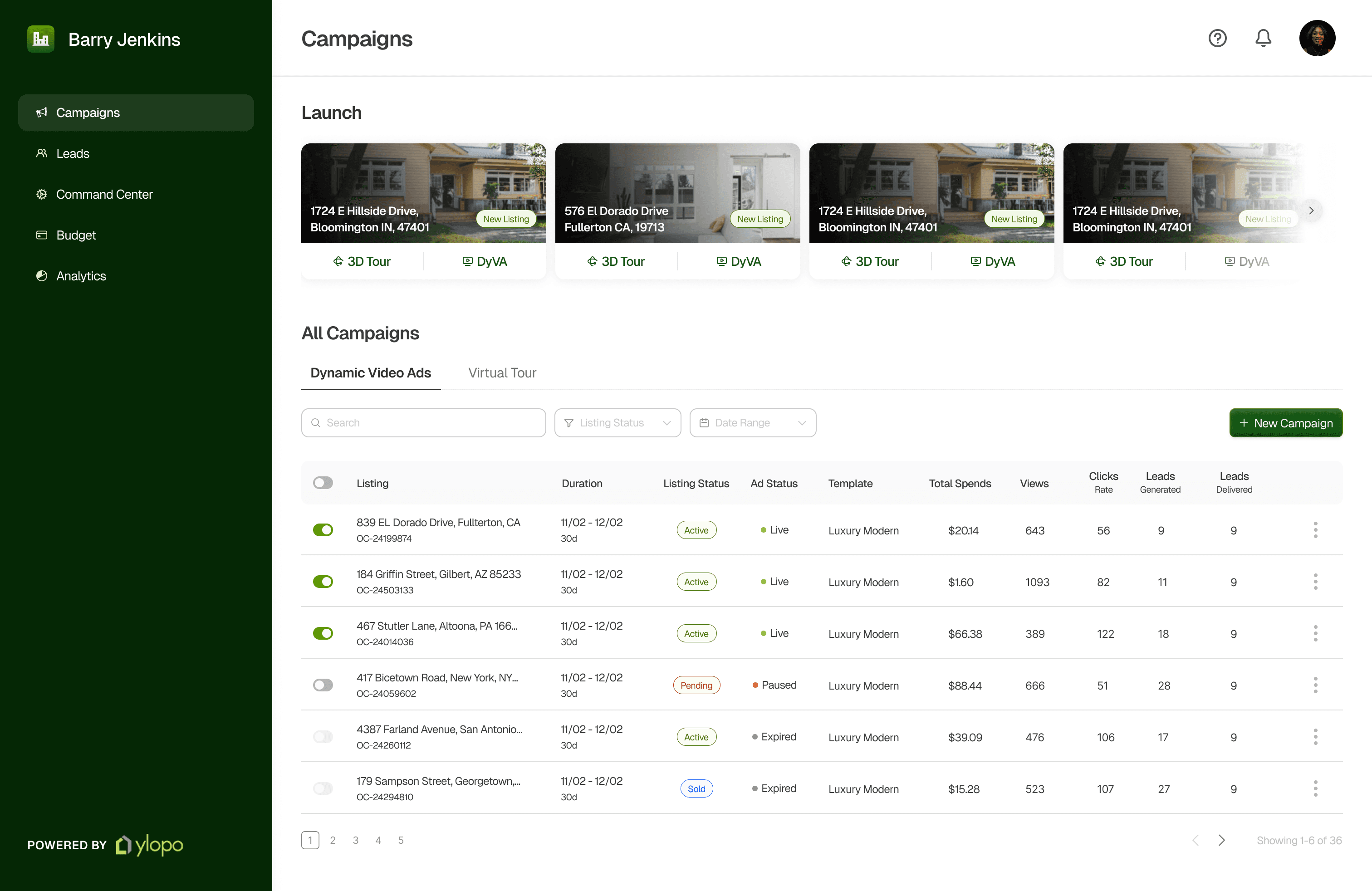
The Campaign page, also the landing screen for the dashboard which lets users launch campaigns instantly and view and manage all active campaigns.
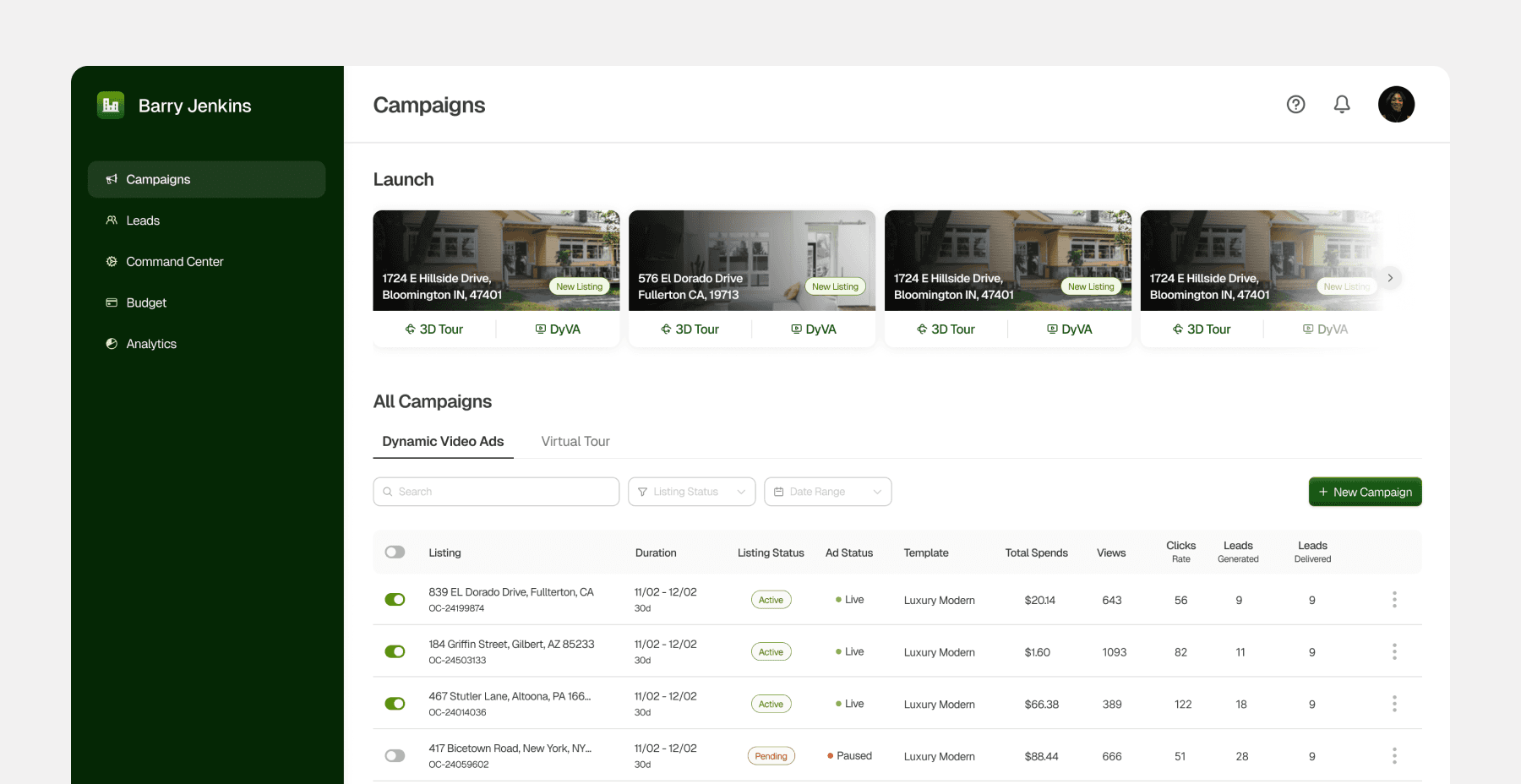
Feature: Quick Launch Section
New
Introducing Quick Launch Cards. They automatically run ad campaigns for listed properties, enabling agents to launch campaigns instantly. Placing this section at the top of the dashboard ensures quick access when agents need to run ads fast, and encourages higher campaign volume and supporting Ylopo’s business goals.
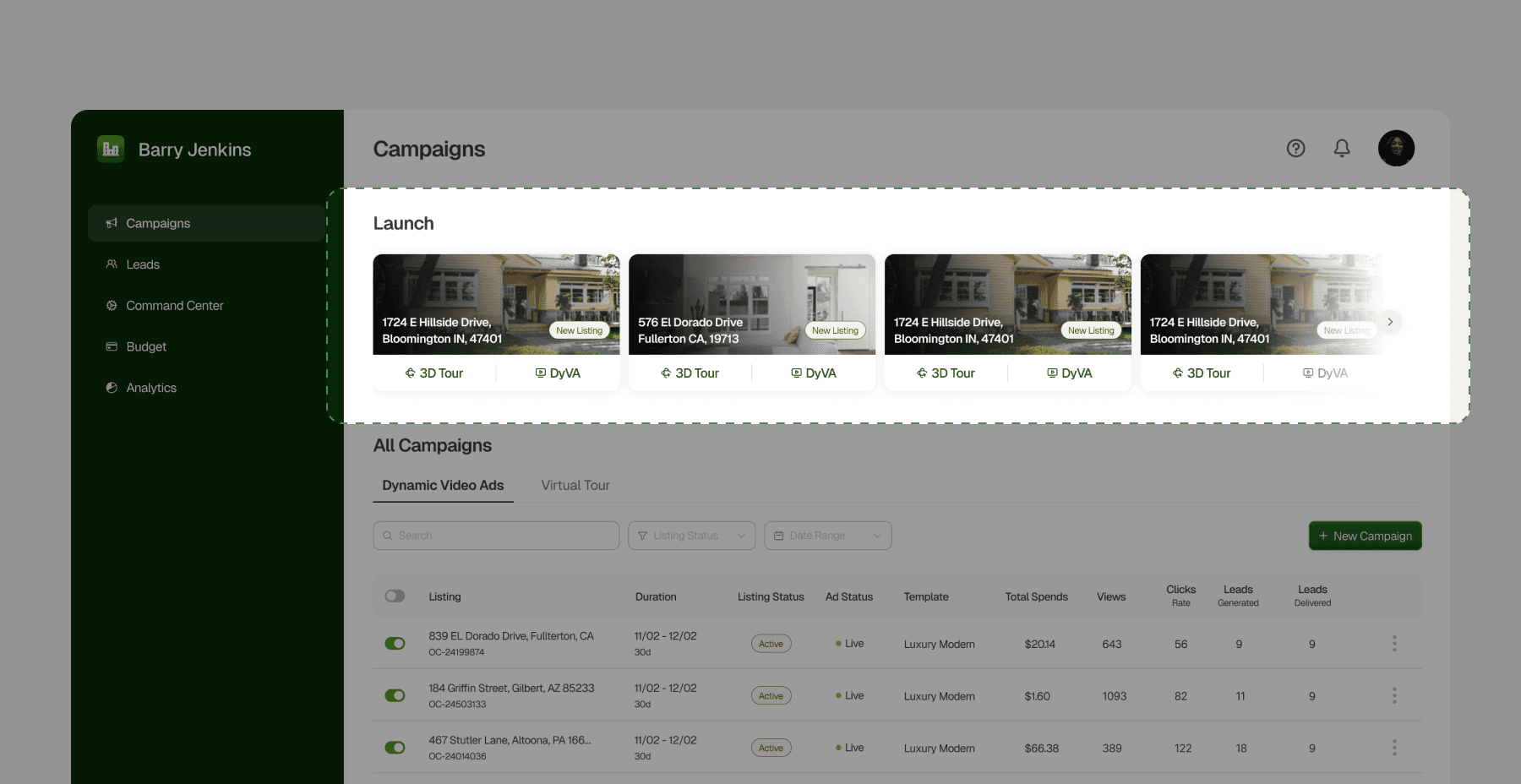
Feature: Campaign Management
Redesigned
I redesigned the Campaign Management section simplifying campaign listing and streamlining different statuses which created the hierarchy issues in the older design.
The previous design used nested tabs for listing and ad statuses, which made navigation confusing. Representing them as list items with pills and tags simplifies the section and makes it more intuitive.
I also updated the status labels to make each distinct. The previous design used “Active” for multiple statuses, which caused confusion about their differences.
Drag the arrows to see before vs after
Create Ad Campaigns
Redesigned
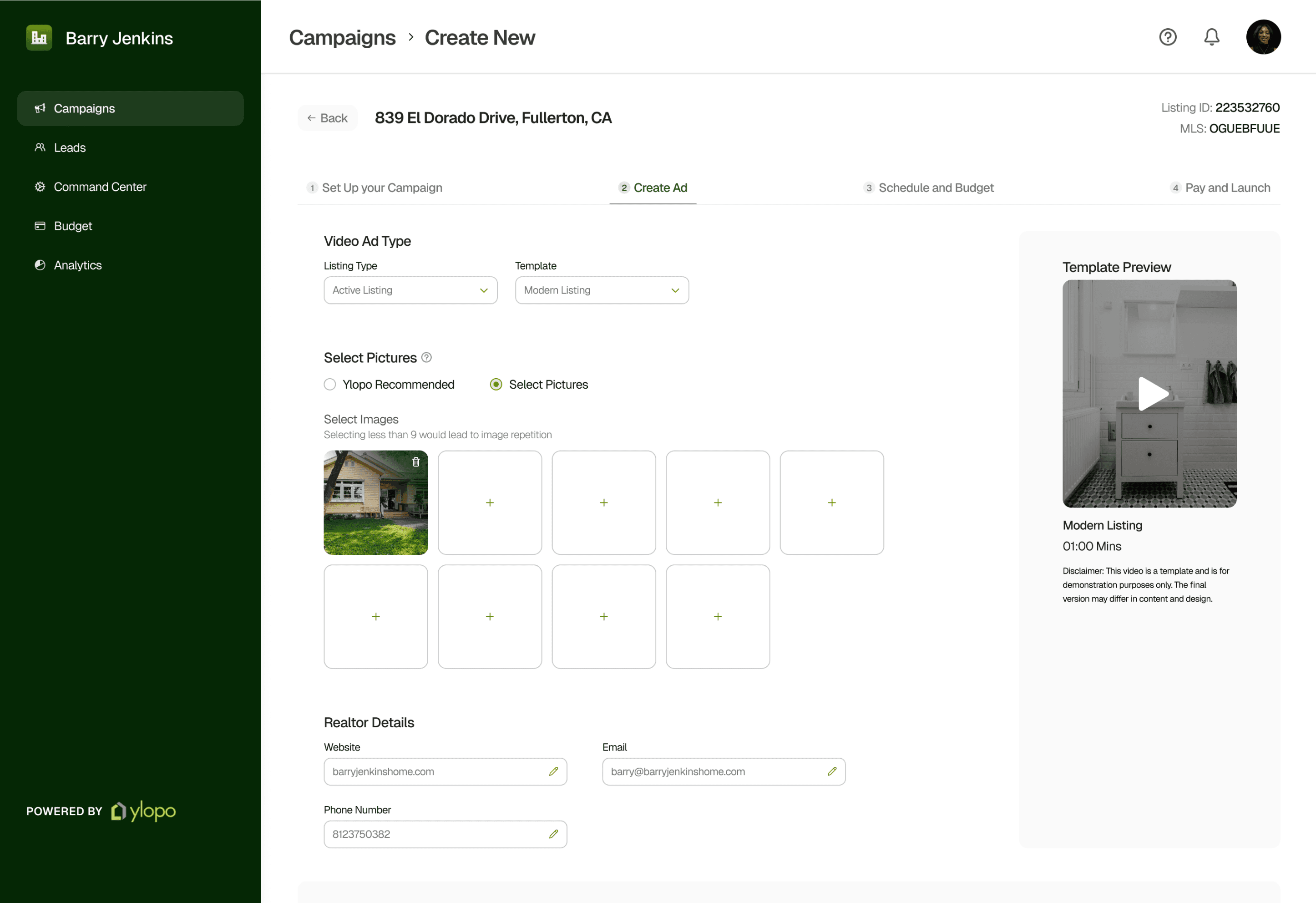
The core feature of Mission Control is Dynamic Video Ads (DyVA), which pulls property data from MLS to generate ads. The new design gives users creative control by inlining editing and preview features, eliminating the need to open separate pages as in the previous design.
Micro-feature: Auto-population of Data
New
Previously, an admin or a manager created ads, requiring manual entry of each agent’s details. Now, with agent autonomy, contact information is auto-populated from profiles, and property data such as rooms, location, price, and area is pulled directly from MLS, reducing redundant steps.
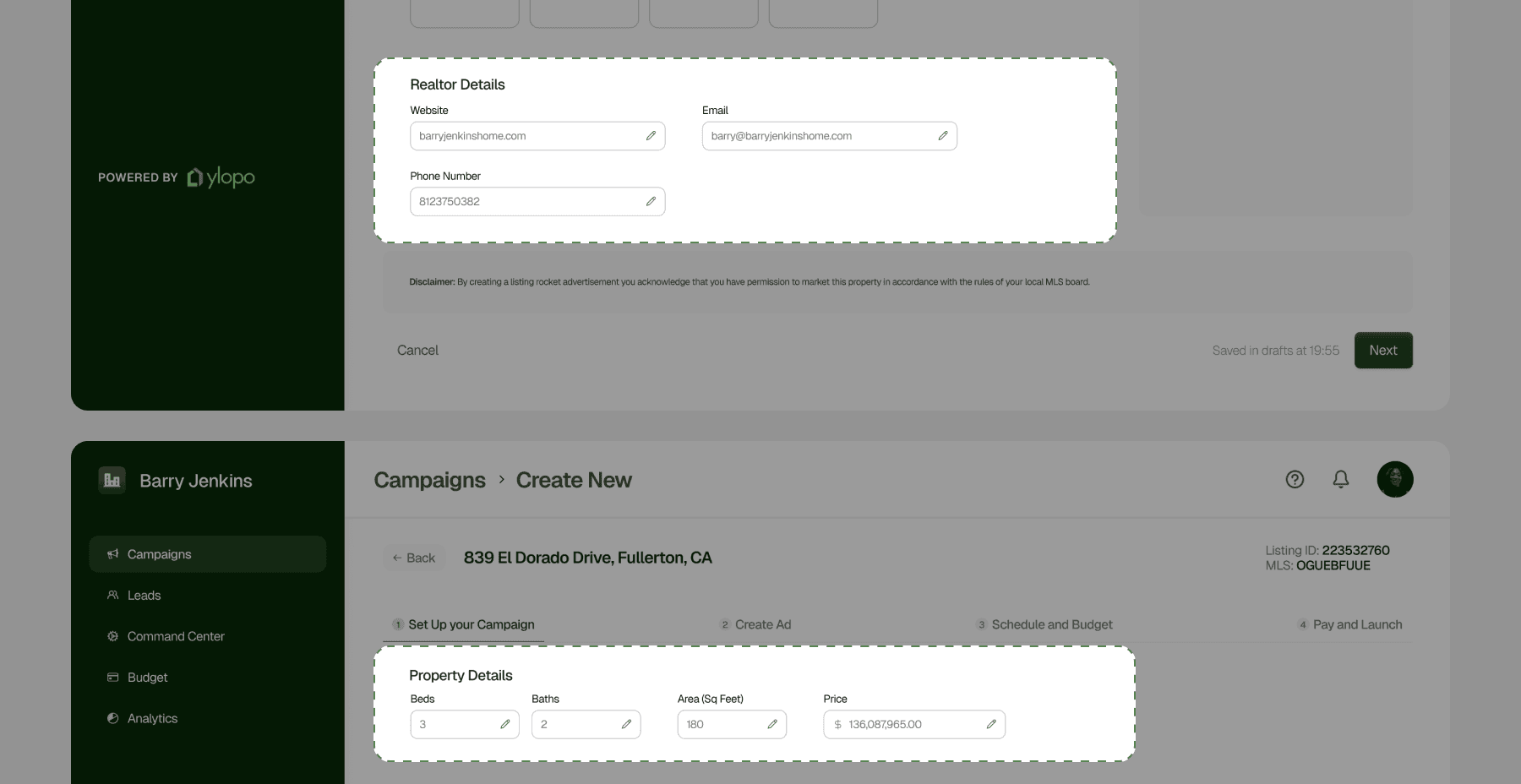
Micro-feature: Previewing Template and Images
New
Users can now preview templates and select images on the same page.
Constraints
While I initially wanted real-time ad previews during creation, the technology incurred a cost per preview generation. Allowing full previews at the campaign-abandonment stage wasn’t feasible, so I pivoted making the process more visual to help users imagine the final ad as much as possible.
Drag the arrows to see before vs after
Micro-feature: Uploading Custom Images
New
Real estate agents can upload custom images, enabling them to personalize ads and exercise greater creative control.
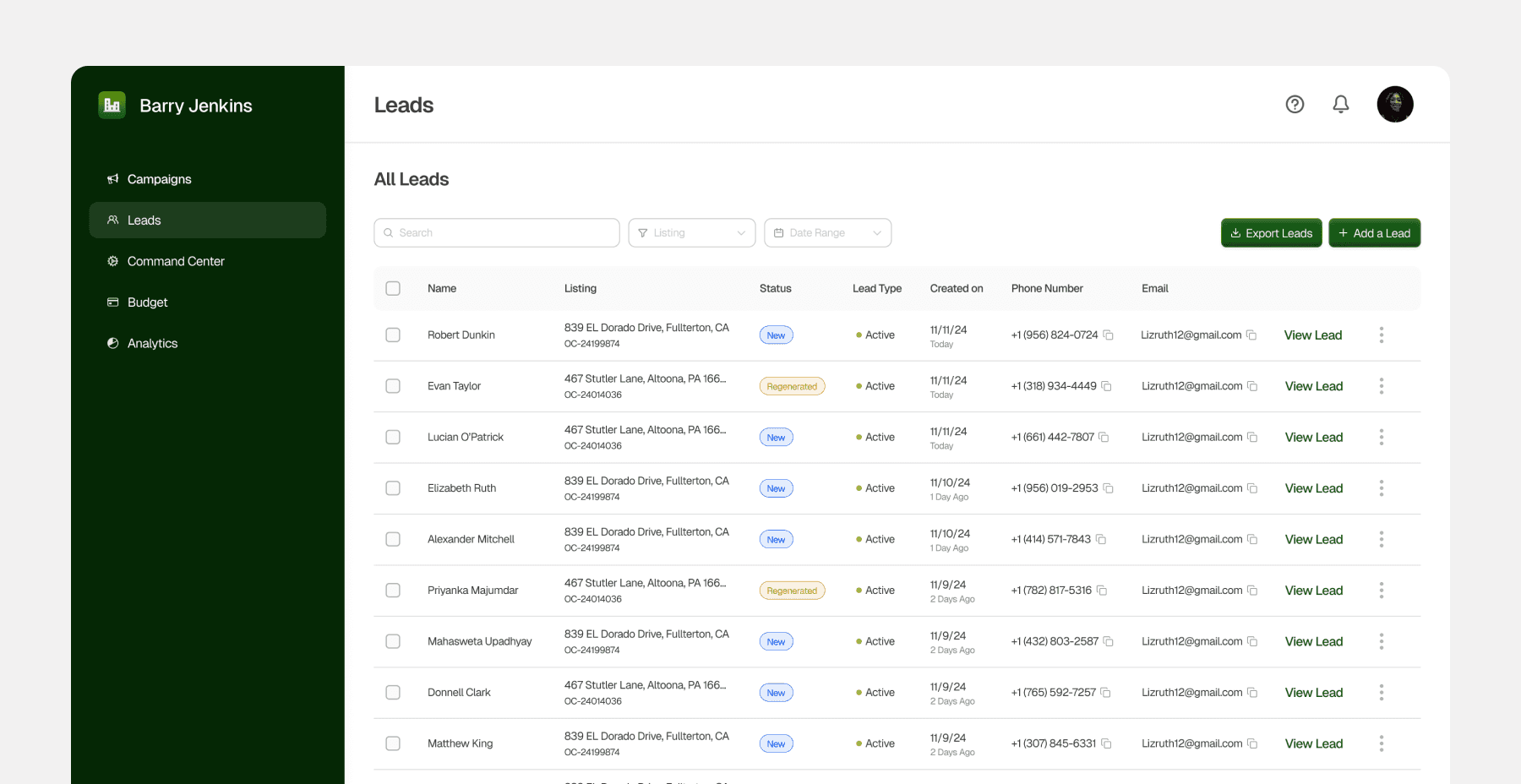
Accessing Leads ASAP
New
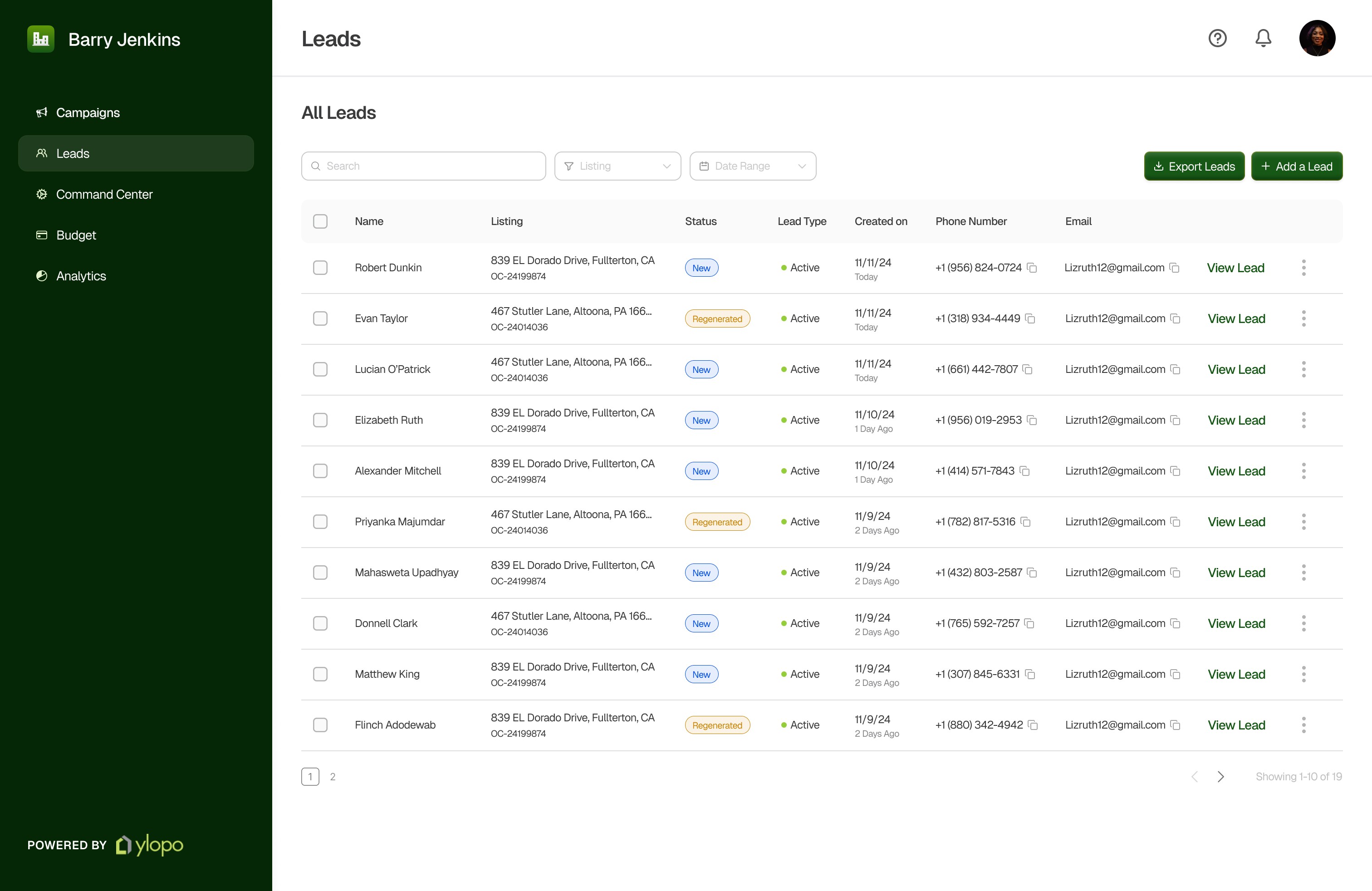
Real estate agents can now access leads as soon as they are generated, eliminating the wait for a third party. This allows them to act quickly, maximizing conversions and reducing losses due to the time-sensitive nature of leads.
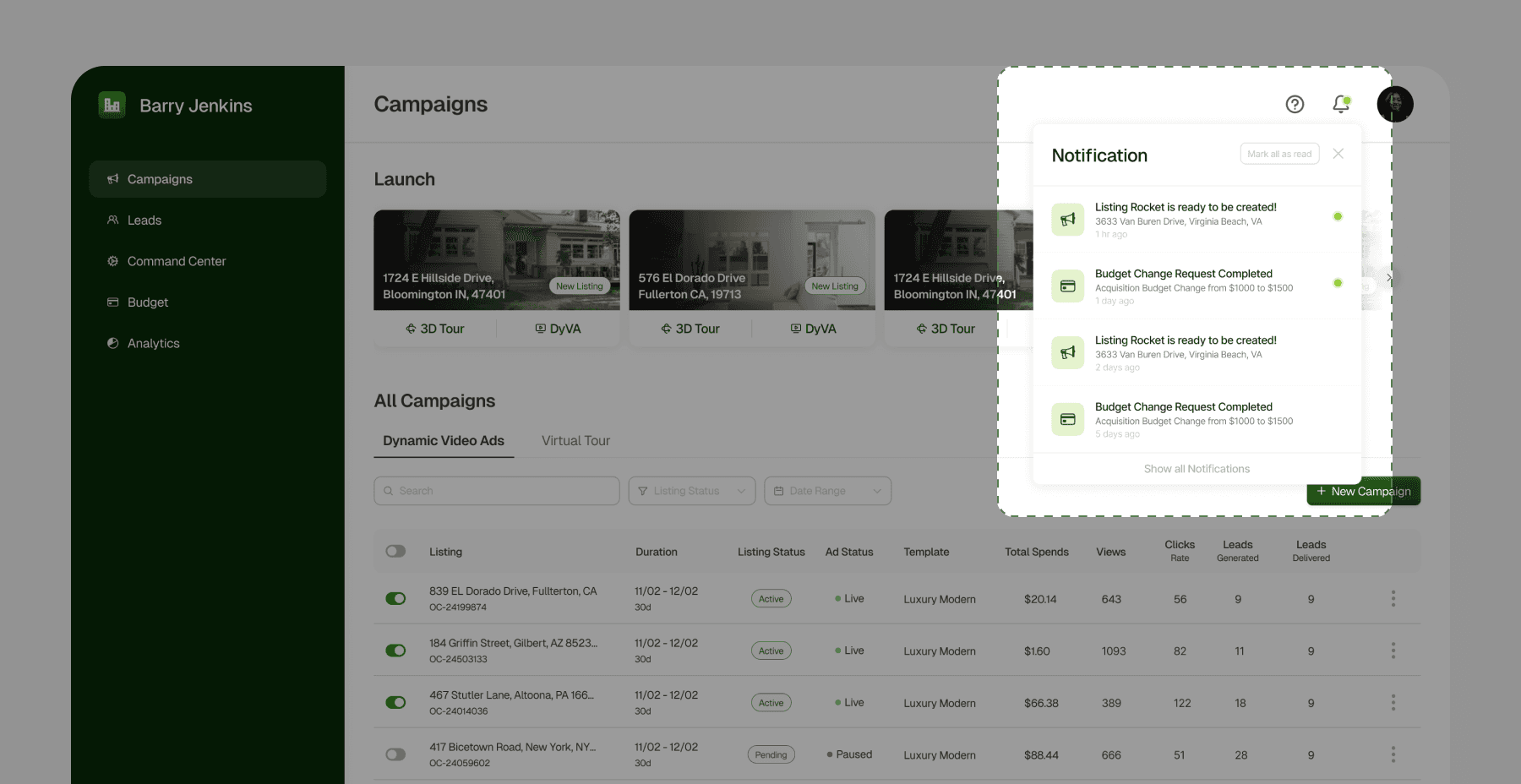
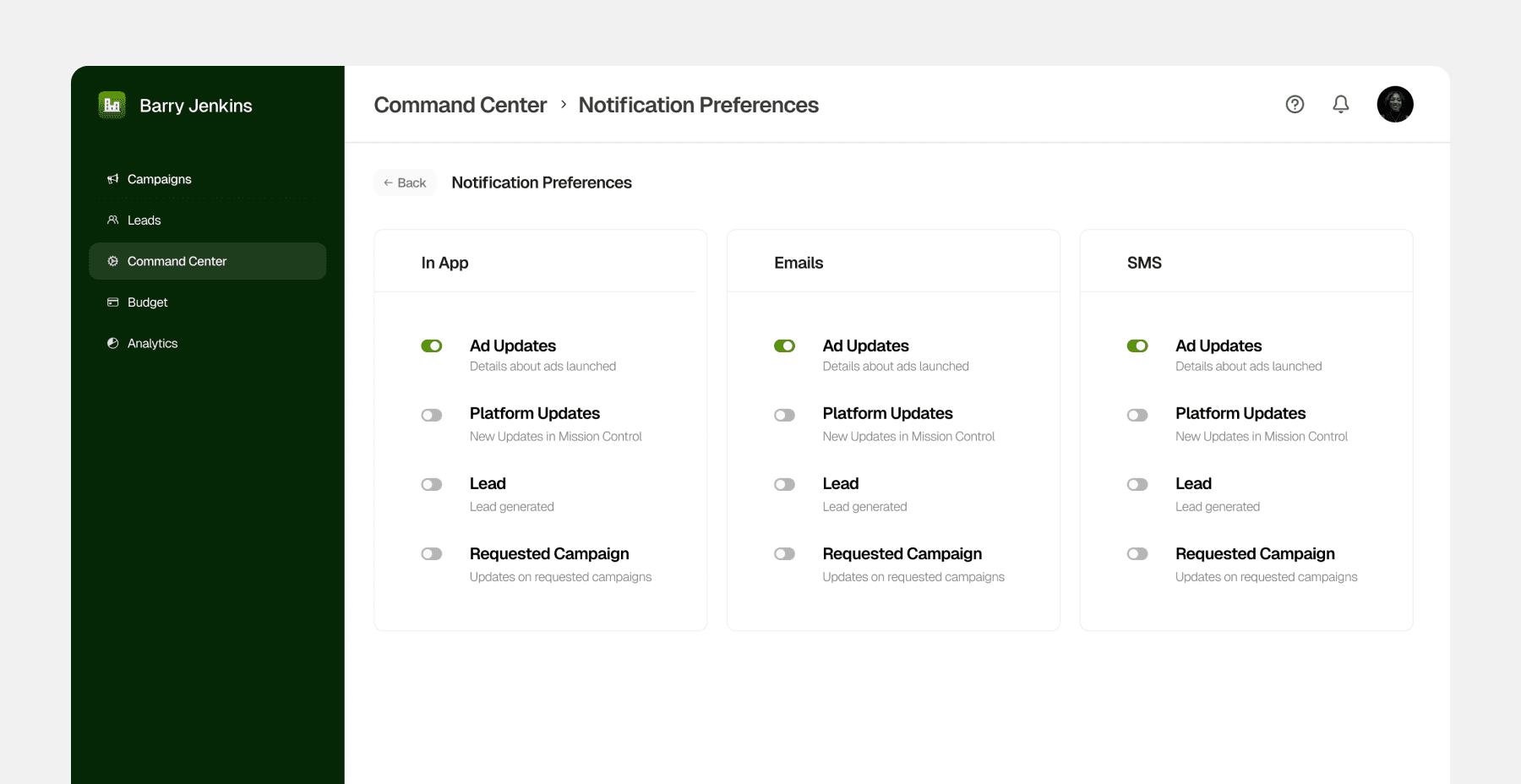
Feature: Notifications
To ensure agents don’t miss new leads, they can set up notifications via email or phone. While notifications existed previously, agents couldn’t customize their preferences. Adding this feature helps them avoid spam and receive only the information they need.
The Impact
Decrease in Lead Follow-Up Time
Decrease in Ad Generation Time
Increase in Feature Adoption
Significant
Boost in customer satisfaction
What did I learn?
Design Research
This project provided me with exposure to conducting design research to support rationales.
Feature Prioritization
This project gave me hands-on experience in scoping a project and determining what to include or exclude.
User + Business Needs
This project enabled me to design with a strong focus on business needs
New Domain
This project was insightful in learning how to design for a new field or industry while balancing ambiguity.