

How I designed an AI-driven tool that helps students in academic decision-making
Sponsored by Salesforce
An AI driven academic planning tool that bridges fragmented information by integrating academic, social, and career factors and leverages peer insights to improve decision making.
Project Type
AI Saas Dashboard
My Role
UX Research, Product Design
Team
7 Student Designers, 2 Salesforce Designers
Date
Aug - Dec 2025
5 Months
TL;DR
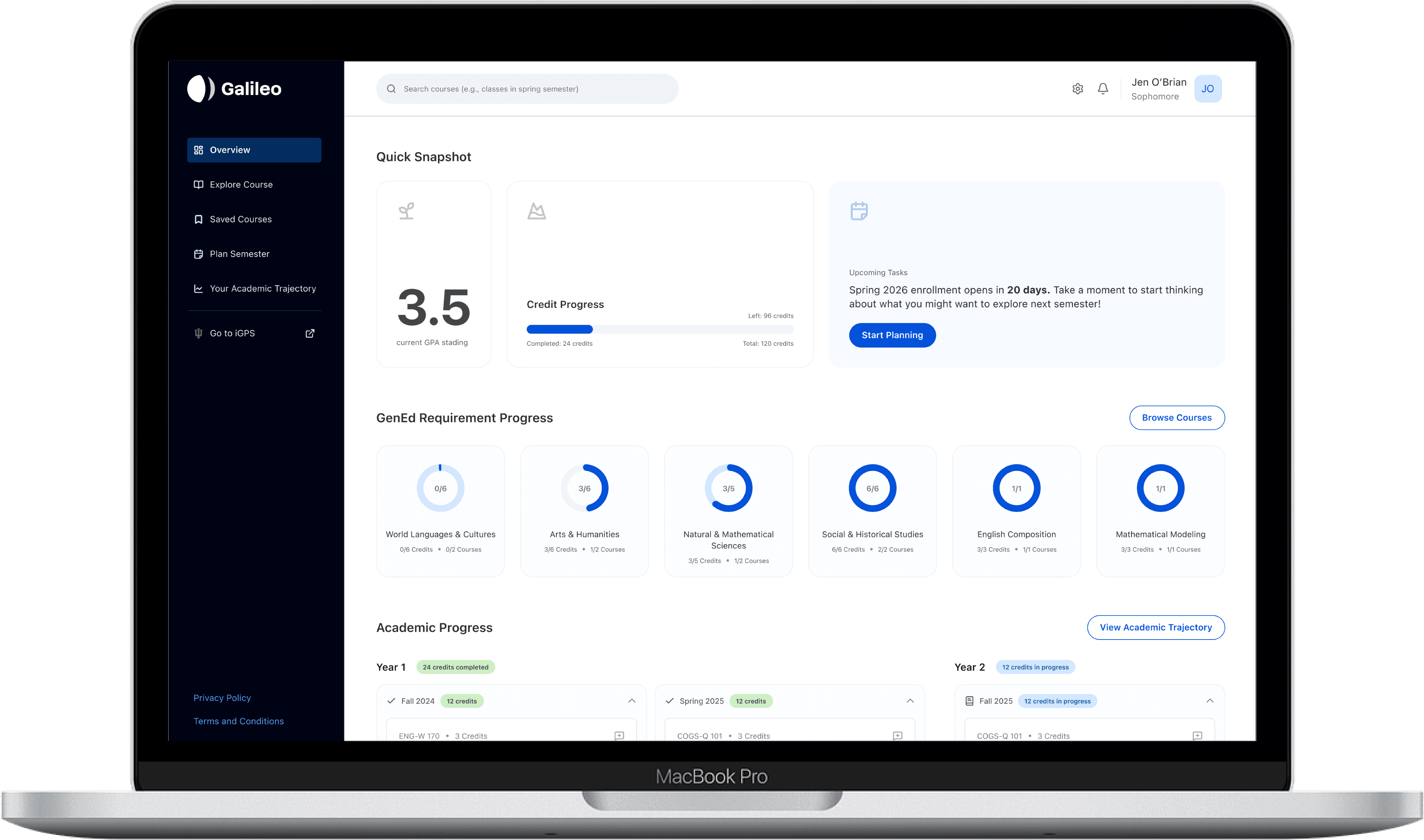
I designed a tool (Galileo) to help undeclared undergraduate students navigate their academic journey, from academic decision making to early career planning. I aim to do so by leveraging AI suggestions and the wisdom of the crowd to offer personalized guidance.
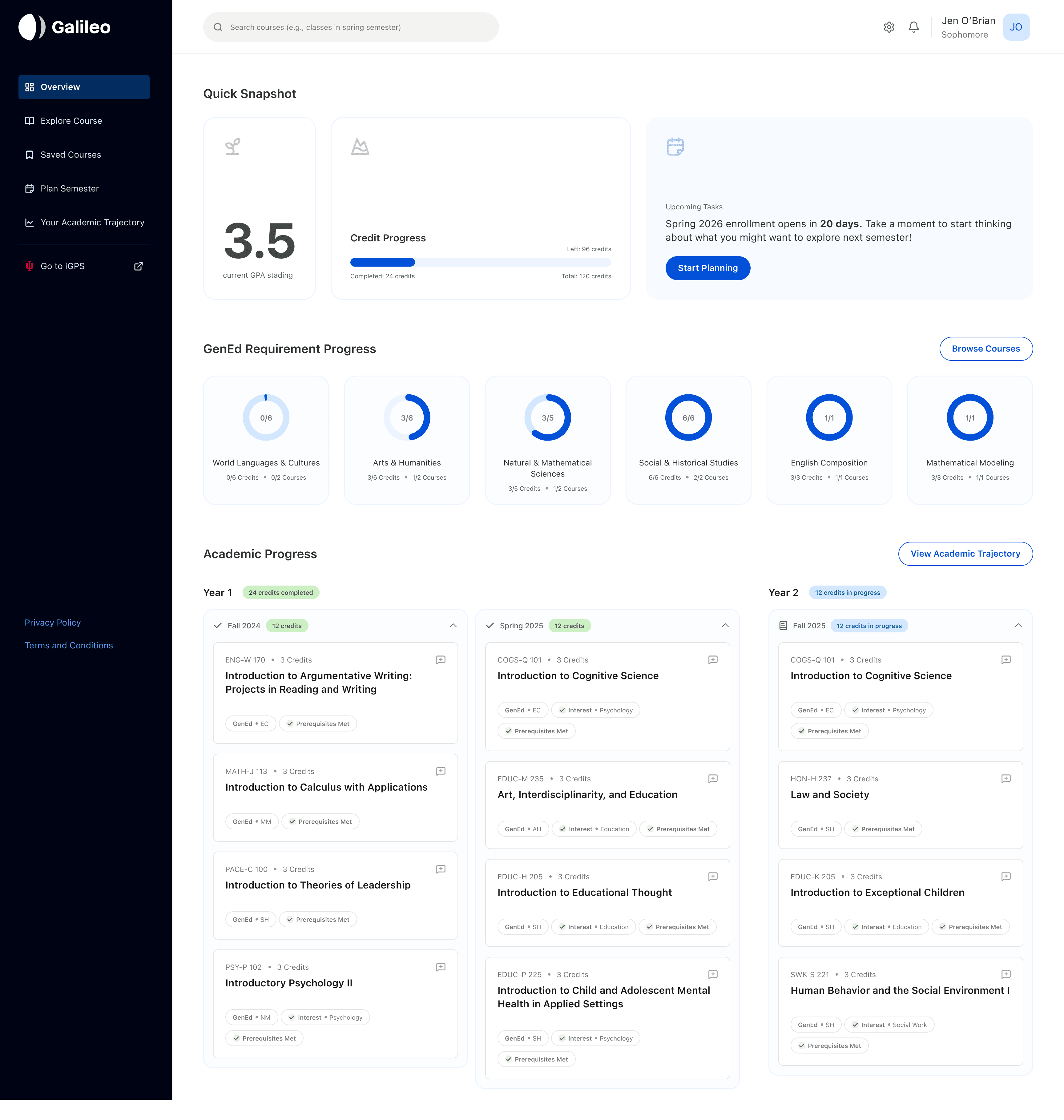
It works with existing academic software (e.g. iGPS used by Indiana University), helping students make sense of their academic choices providing more clarity than the current systems. Students can explore courses, comprehend their requirements, and plan their semesters all in one place rather than digging through fragmented information across multiple portals.
The Context
Course selection is a critical part of shaping students’ academic paths, interests, and future careers. However, many undergraduate students, especially those without a declared major, find the process confusing and overwhelming. While students often have a sense of what they enjoy, they struggle to understand how these interests translate into majors or career options.
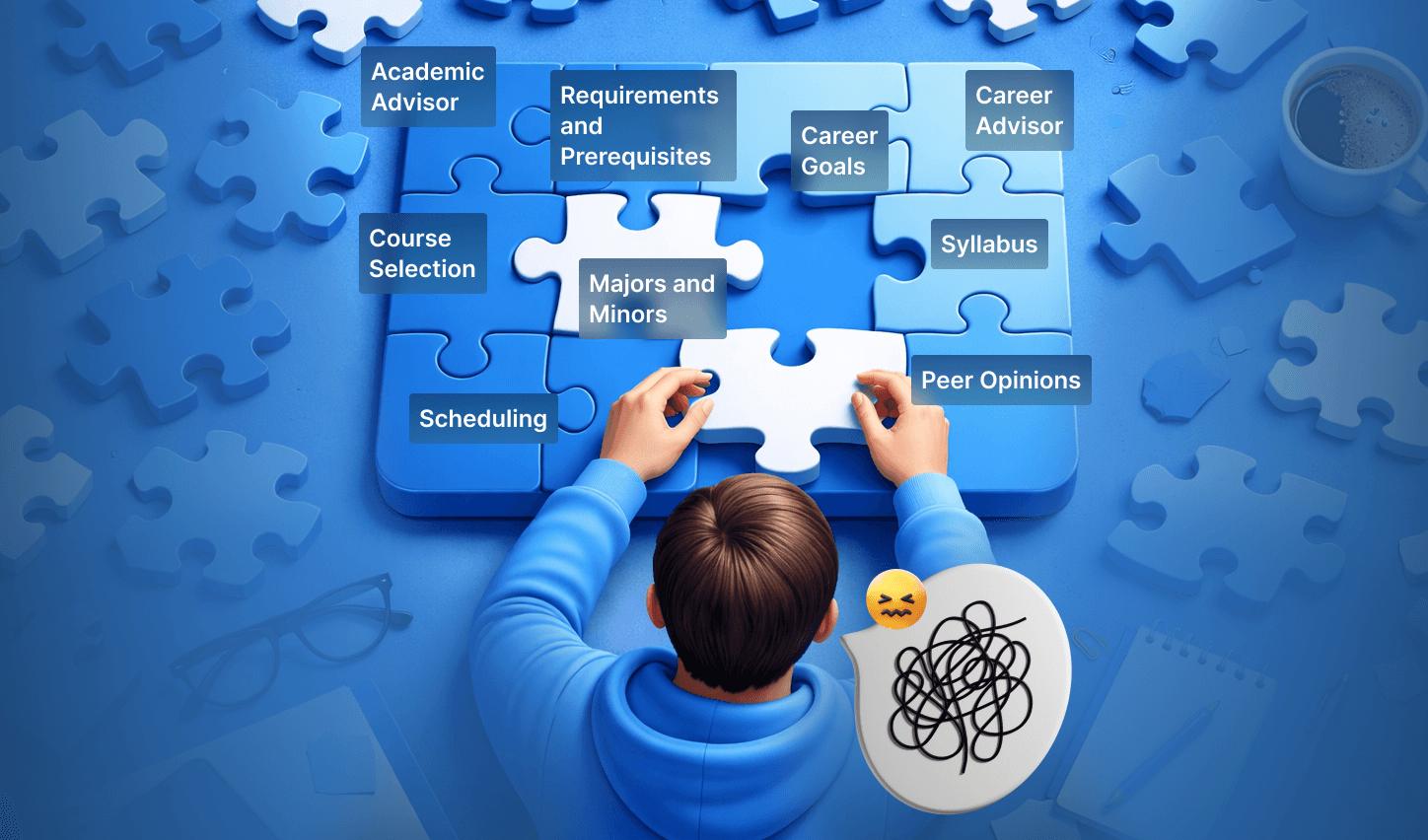
Existing university systems provide information about course offerings and requirements but lack personalized guidance and meaningful connections across courses, majors, and outcomes. This is majorly stemmed by fragmentation of information.
The Design Problem
The current process of course selection poses the following problems
Lack of personalization
Fragmented Systems
Planning Fatigue
Choice Overload
The Solution
An AI-driven tool that integrates with existing academic systems to help students explore, compare, and plan courses in one place. It provides targeted AI support to clarify course information, align options with student goals, and synthesize peer insights, empowering students to make informed decisions.
Constraints
We made sure our use of AI does not replace decision-making skills students are expected to develop
What did I do?
1.
Conducted 2/12 student interviews to identify key pain points and opportunity areas, then synthesized findings to uncover recurring themes.
2.
Created personas and an experience map to build a deep understanding of user needs and used it to define MVP features and workflows.
3.
Defined where and how AI should be applied across the platform, thoughtfully balancing usefulness with tradeoffs in each workflow.
4.
Wireframed, designed, and iterated on the shortlist and compare flows.
5.
Led the 'cohesion design sprint', ensuring consistency across the experience, and conducted user testing on all flows to refine and improve the designs.
User Research Findings
To understand what undergrad students value, suffer from and where does the current system break for them, the team and I conducted interviews.
12
students interviewed
4
student categories interviewed
Semi-Structured
interview method
100+
Insights collected and synthesized
Key Takeaways
Students face a choice and information overload in course selection
Information is fragmented and hard to discover
Students are unsure of how their goals and interests can translate to course options
Students value peer insights
“Current systems rely on us knowing what to search and where to search to find courses.“

Filling the gaps in current infrastructure.
The gaps identified in the current infrastructure, specifically fragmentation and lack of personalization, directly shaped the design space.
How was AI Used?
Since this tool was envisioned as an AI-driven platform, it was critical to clearly define how AI would function within the experience. This required a set of key decisions and planning considerations, including the following:
Where should AI be used?
Because the platform is designed for students, it was important not to replace student deliberation and decision-making with AI. Students need to learn how to make such decisions, hence it should not be replaced by AI. Instead, AI is used to support students by providing personalized context on how each course may benefit them, based on their background, goals, and interests.
Flow Name
Does it use AI?
How does it use AI?
Browse Courses
Personalized Recommendations
Search Page
Conversational Search
Academic Trajectory
Predictive Suggestions
Shortlist and Compare
No AI
Semester Planner
NO Ai
What data would it train on?
Profile and Onboarding
Data such as interests and goals would be captured via onboarding for personalization
Academic history
Past courses, grades, and declared or explored majors
Engagement and Activity
Course views, likes, bookmarks, and interactions
Course Information and Metadata
Descriptions, prerequisites, learning outcomes, credits, syllabus
Peer and Professor Feedback
Reviews, ratings, and qualitative insights
Historical trends and outcomes
Patterns linking courses to majors, careers, and student success
The Outcome
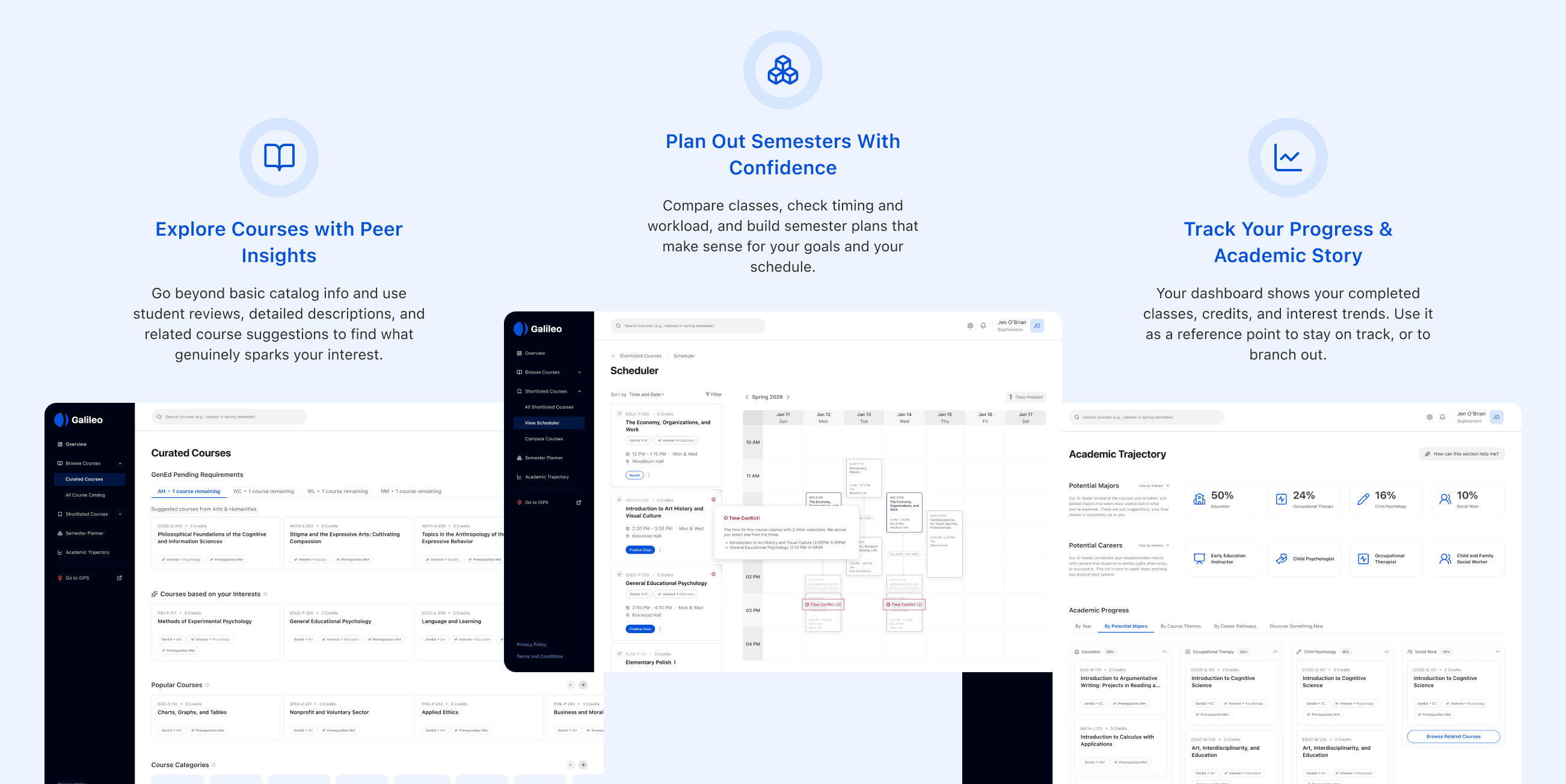
Galileo is an academic planning tool designed to help university students navigate course selection with clarity and confidence. The experience supports different planning styles by offering multiple paths through the same goal: building a semester schedule that aligns with both long-term academic intent and immediate enrollment needs.
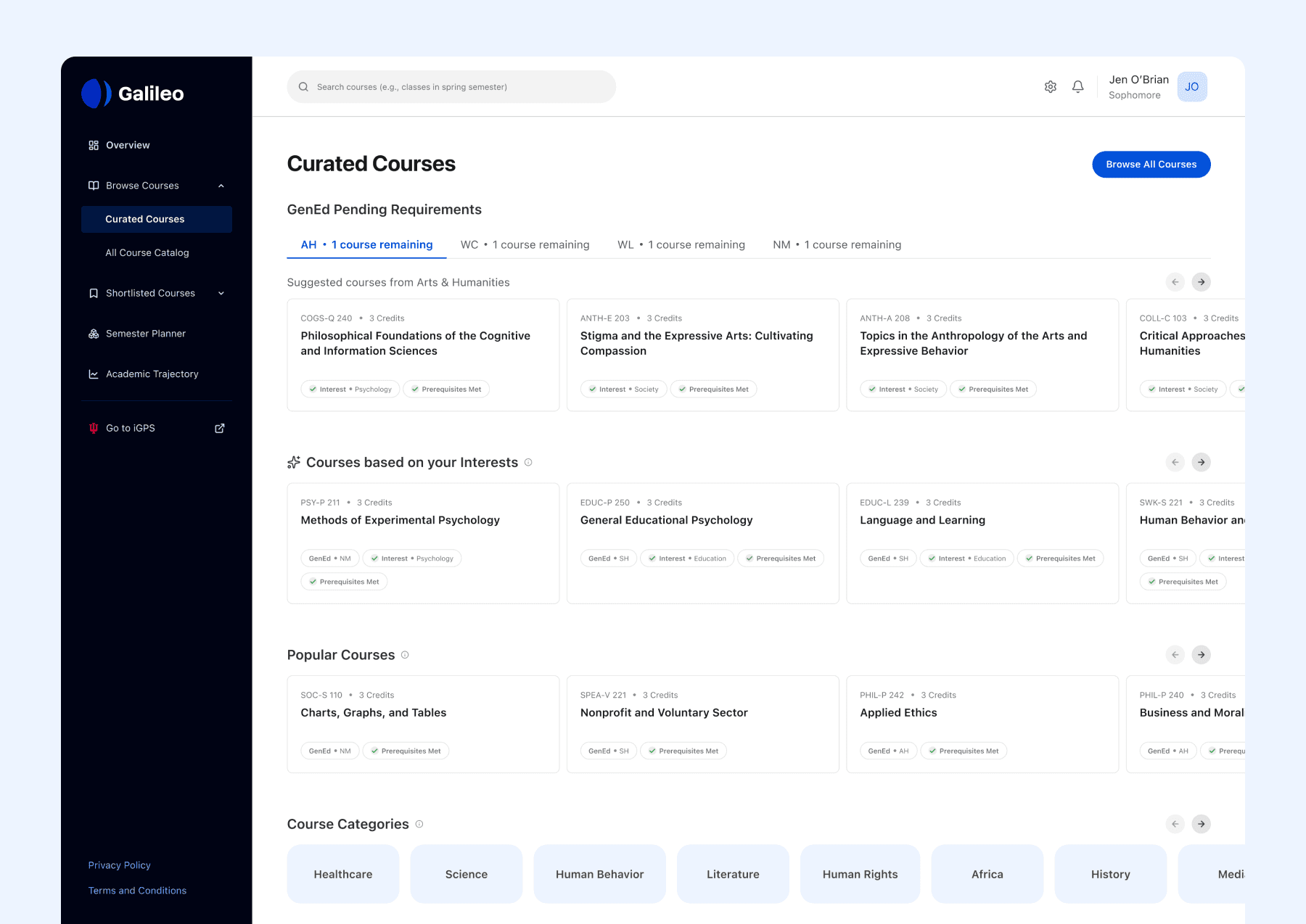
Course Discovery
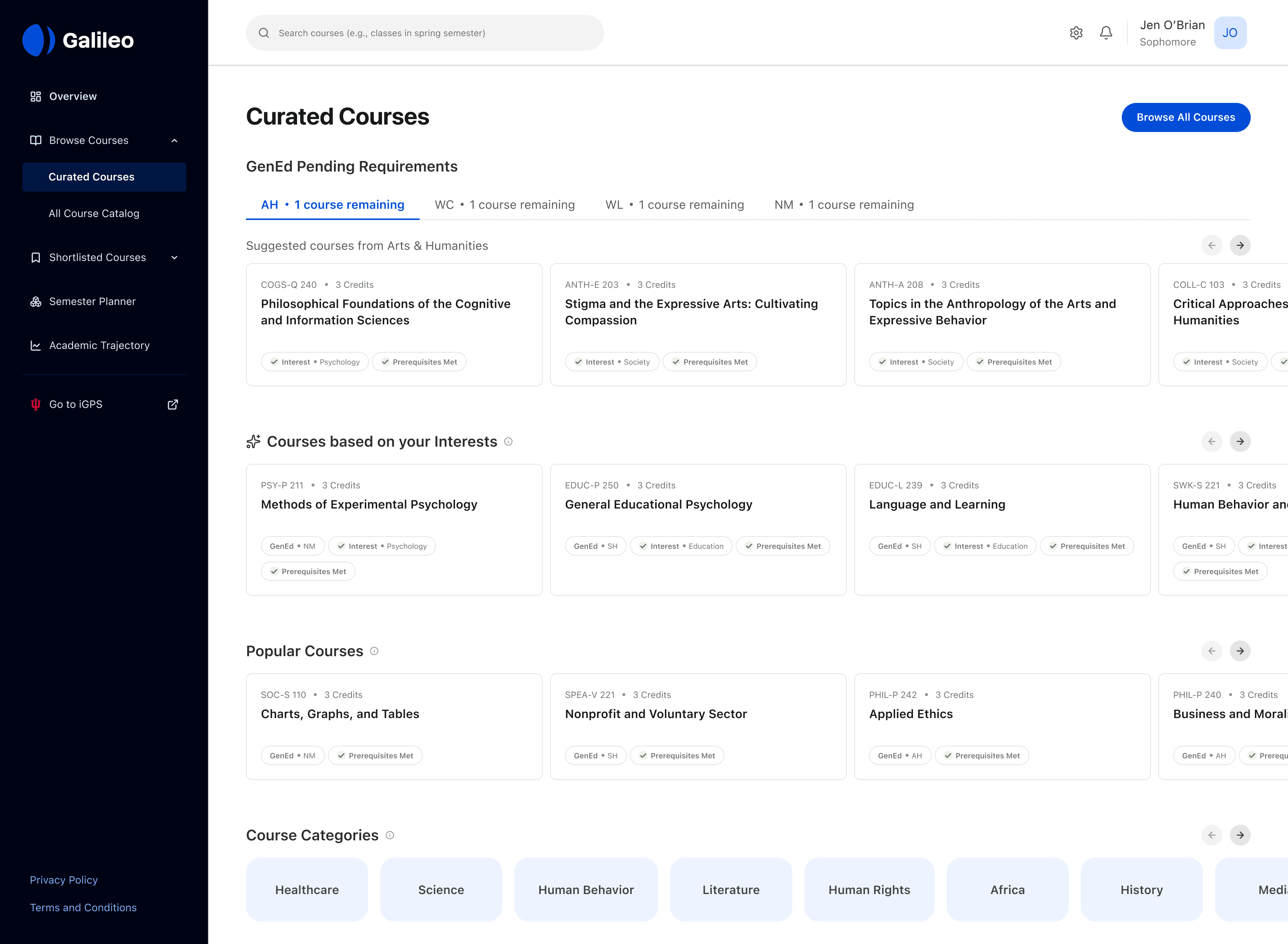
Students can explore curated courses tailored to their interests, requirements, and trending topics. Critical information like course name, credits, interest alignment, prerequisites helps students make informed decisions. This provides students with course personalized suggestions without having to know what to search for (identified problem)
AI Use
AI is used to generate course recommendations based on data such as user interests and goals (captured during onboarding)
Course Details
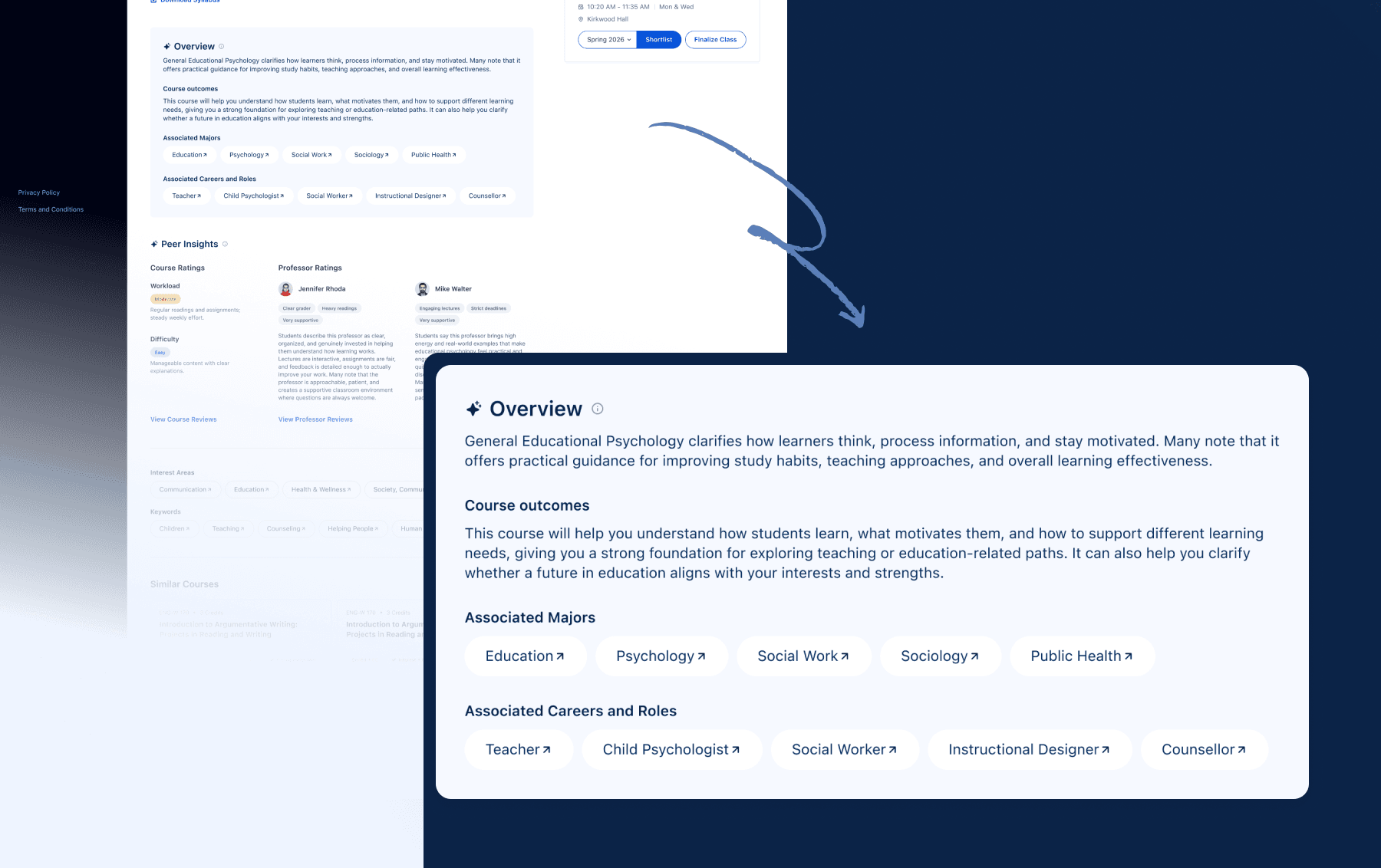
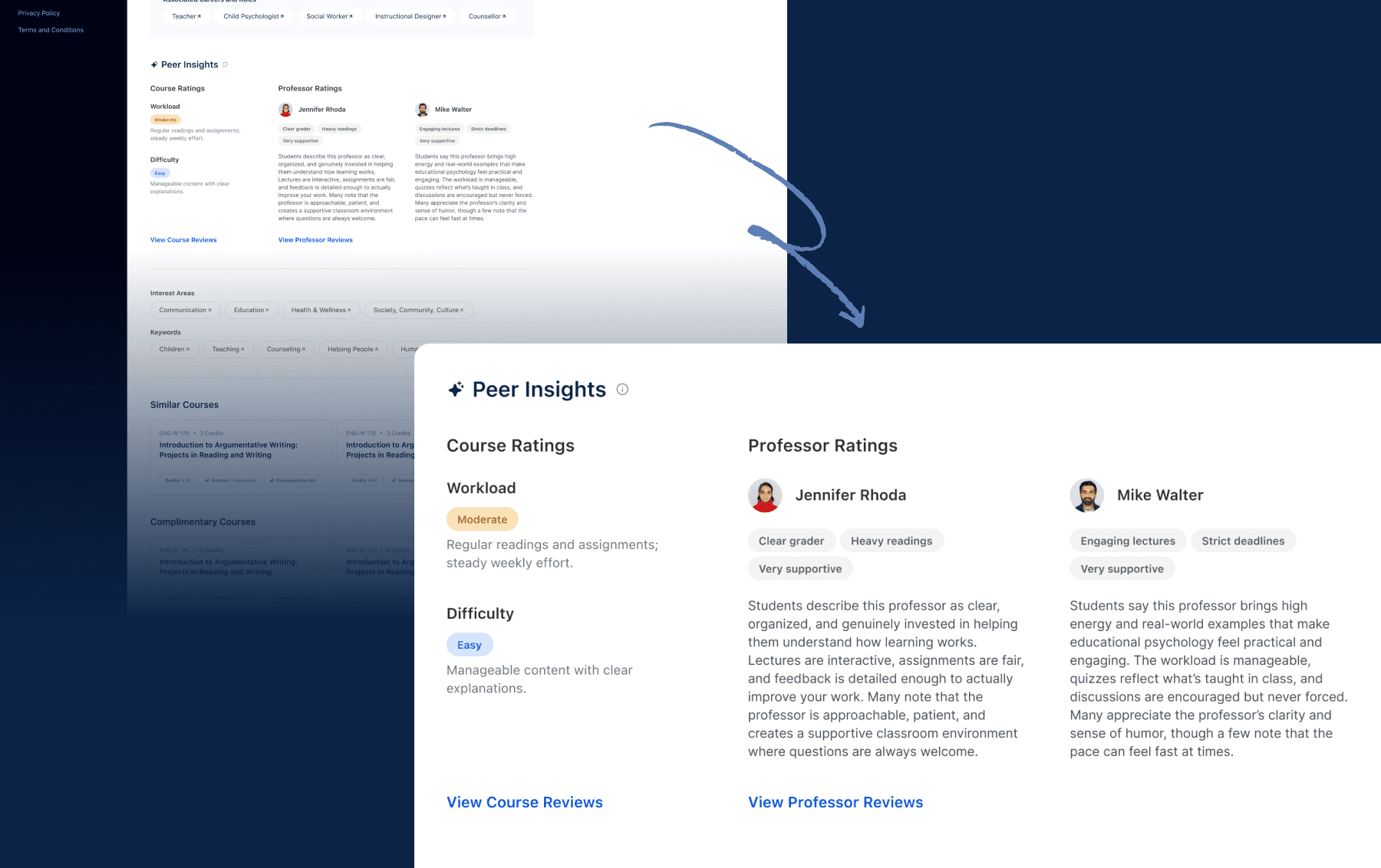
A centralized view of everything students need to evaluate a course, including the syllabus, course structure, sections, and instructor information, along with peer insights. Professor reviews and course reviews are presented in one place to help students make confident, informed enrollment decisions. Students can shortlist courses after reading about them.
AI Use
AI personalizes course value based on student interests and goals, summarizes course and professor reviews, and generates difficulty and workload tags for quick evaluation.
AI is used to translate course details into a personalized summary that explains how this course adds value for the student. It highlights the skills and concepts the student will gain, why they are relevant to their goals, and how the course fits into their broader academic journey. It suggests related majors and career paths commonly associated with the course, helping the student understand both immediate learning benefits and long-term opportunities.
AI is used to summarize peer insights such as course reviews and professor reviews and creates tags and descriptions bridging social and academic factors.
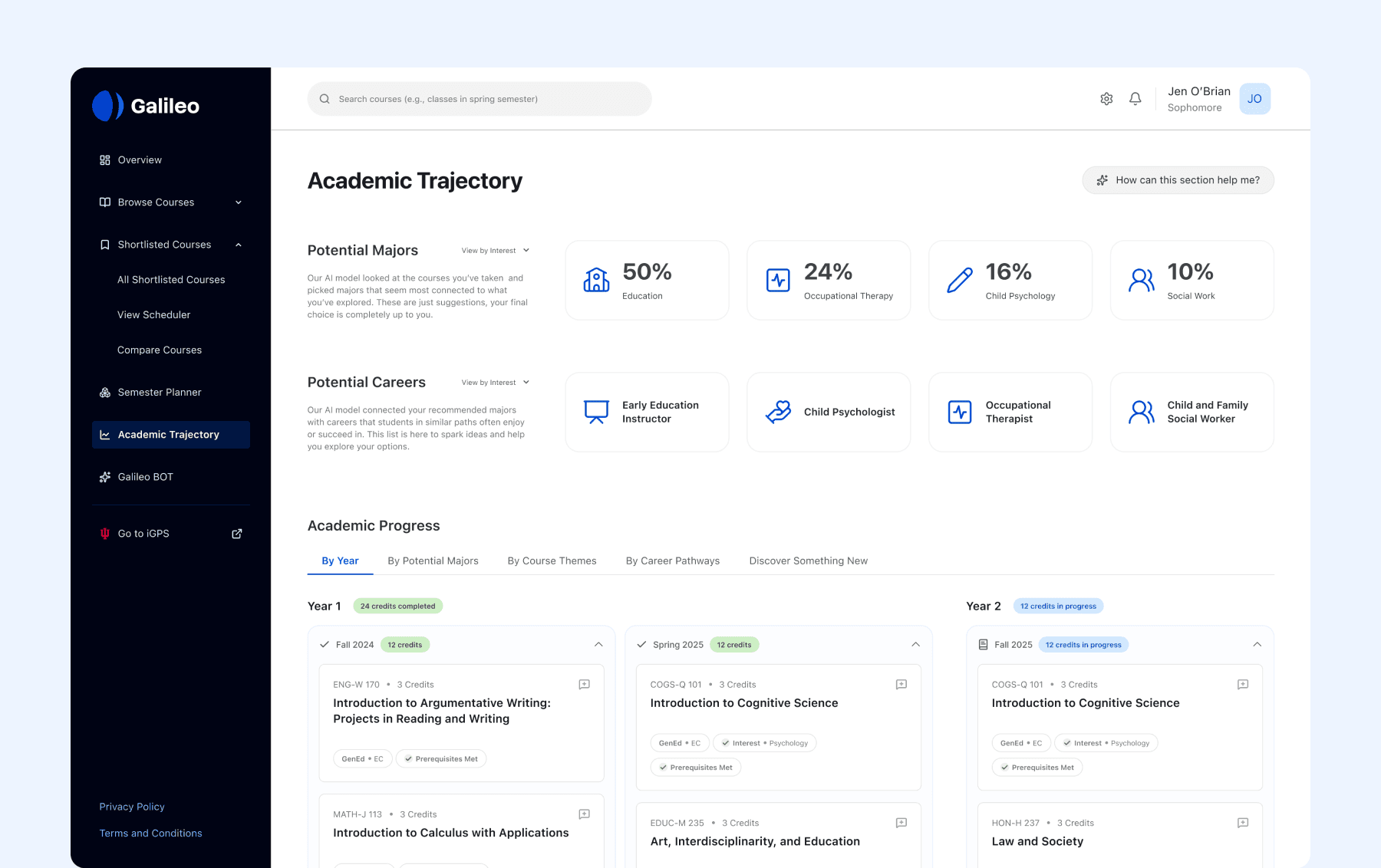
Academic Trajectory
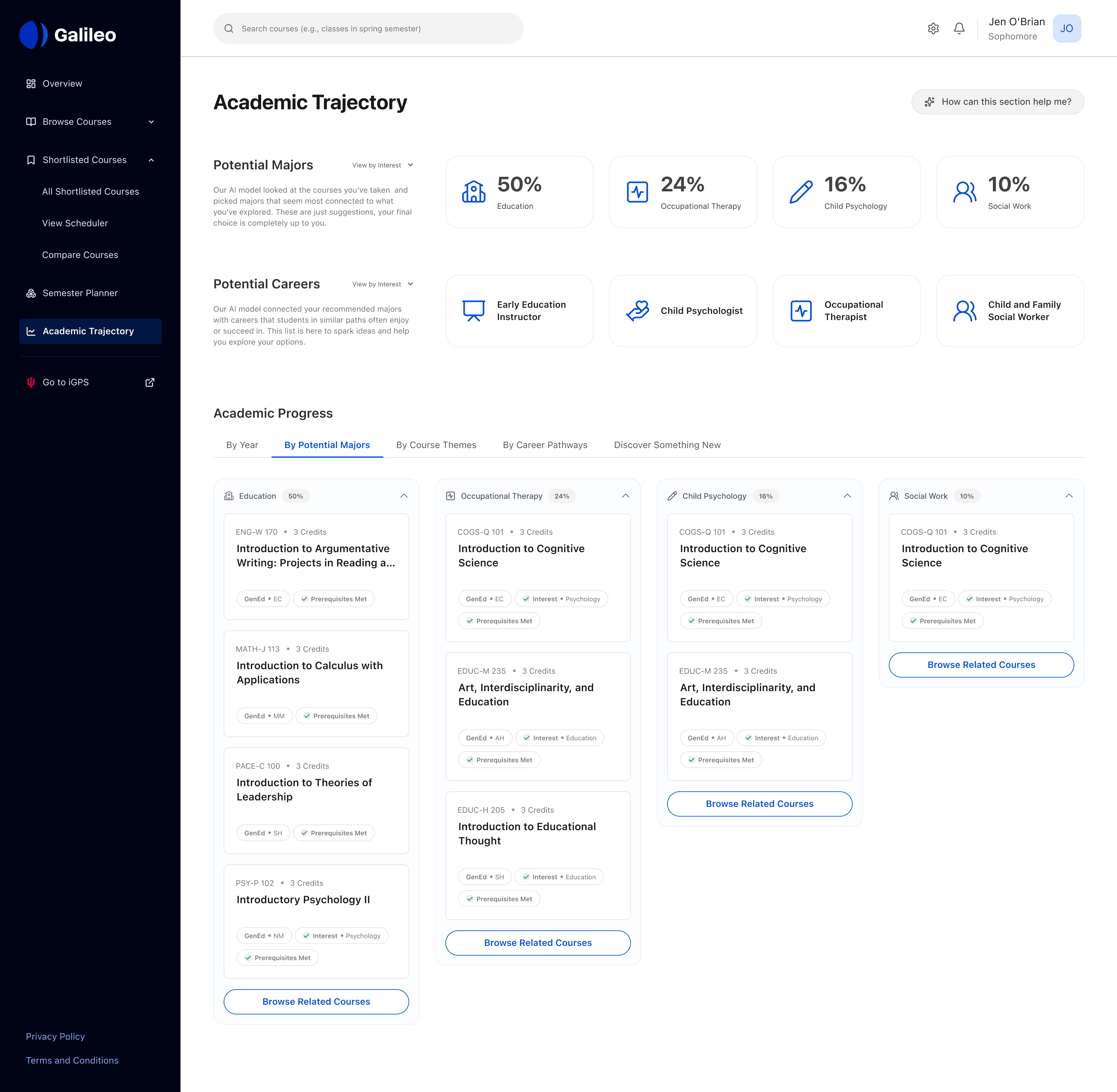
This section helps students understand what their current decisions are pointing towards. Be it a major or a career path, it helps them understand possible pathways based on previous enrollment trends.
View Shortlisted Courses by Schedule
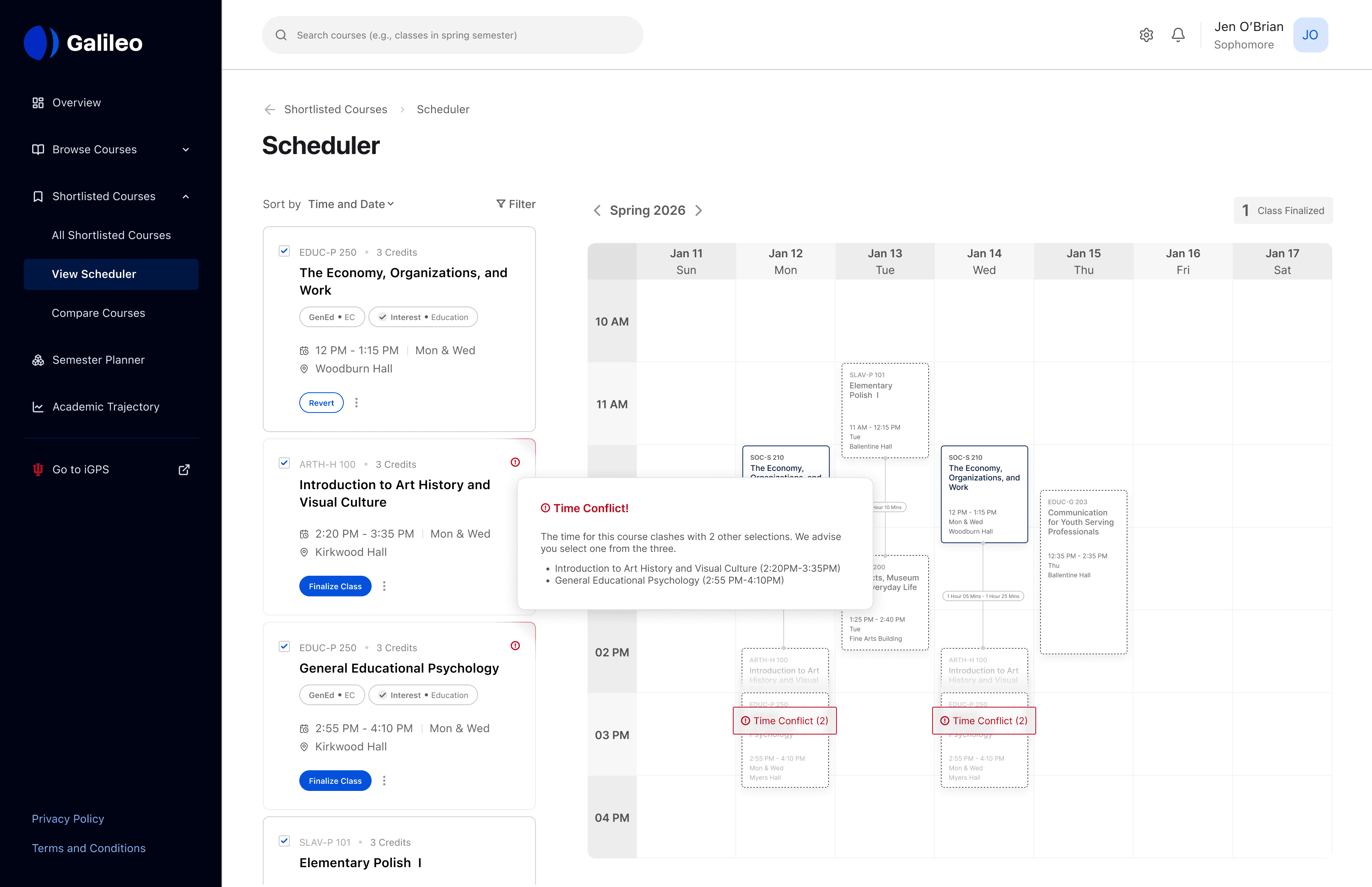
Students can view all their shortlisted courses in a single calendar to easily compare schedules by time, day, and location. This view helps them quickly spot class overlaps, avoid time conflicts, and see how much time they have between classes. With everything visualized in one place, students can confidently build a schedule that fits their daily routine.
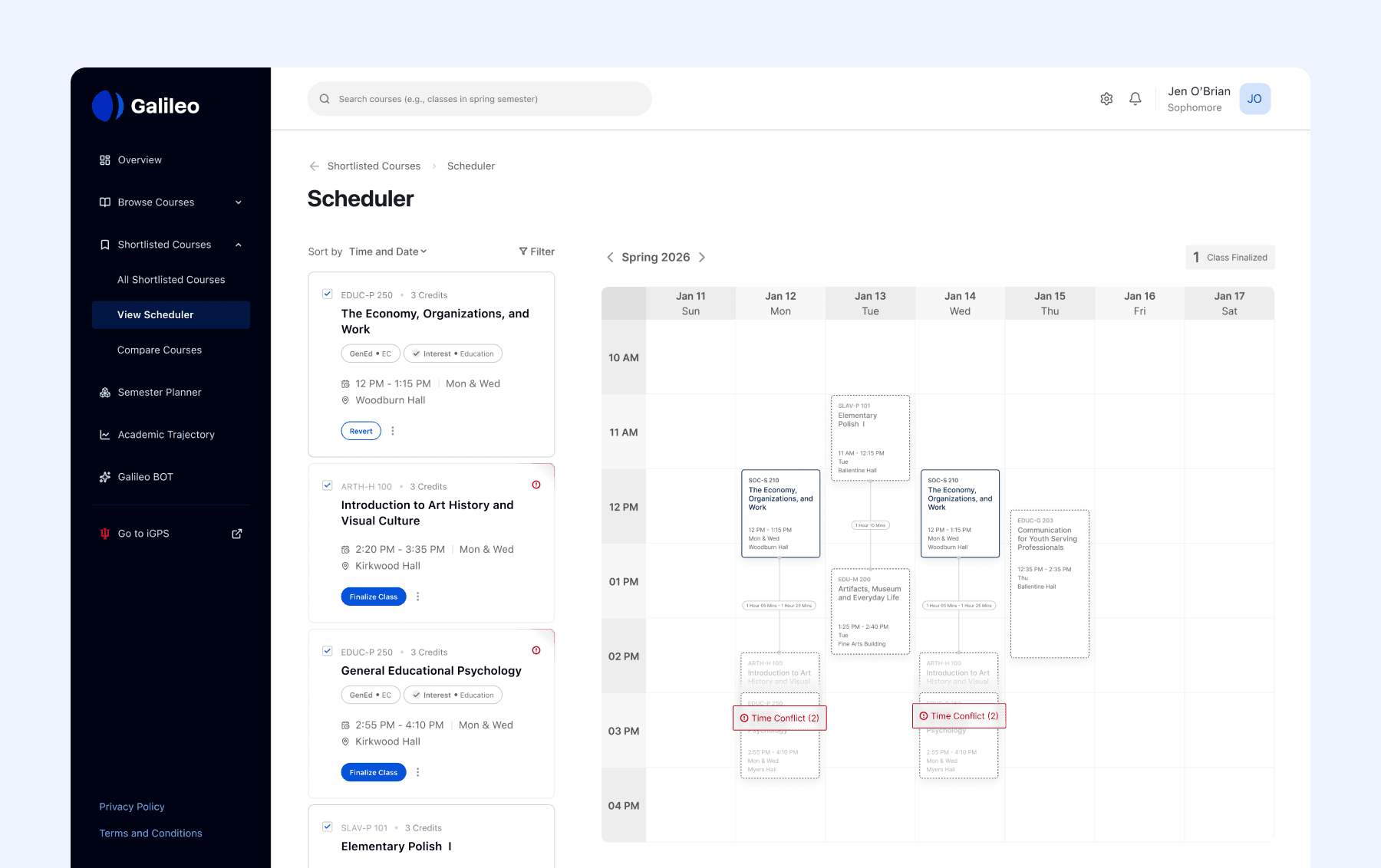
Students can resolve scheduling conflicts without removing shortlisted courses, making it easier to build a schedule that fits their needs.
Plugin
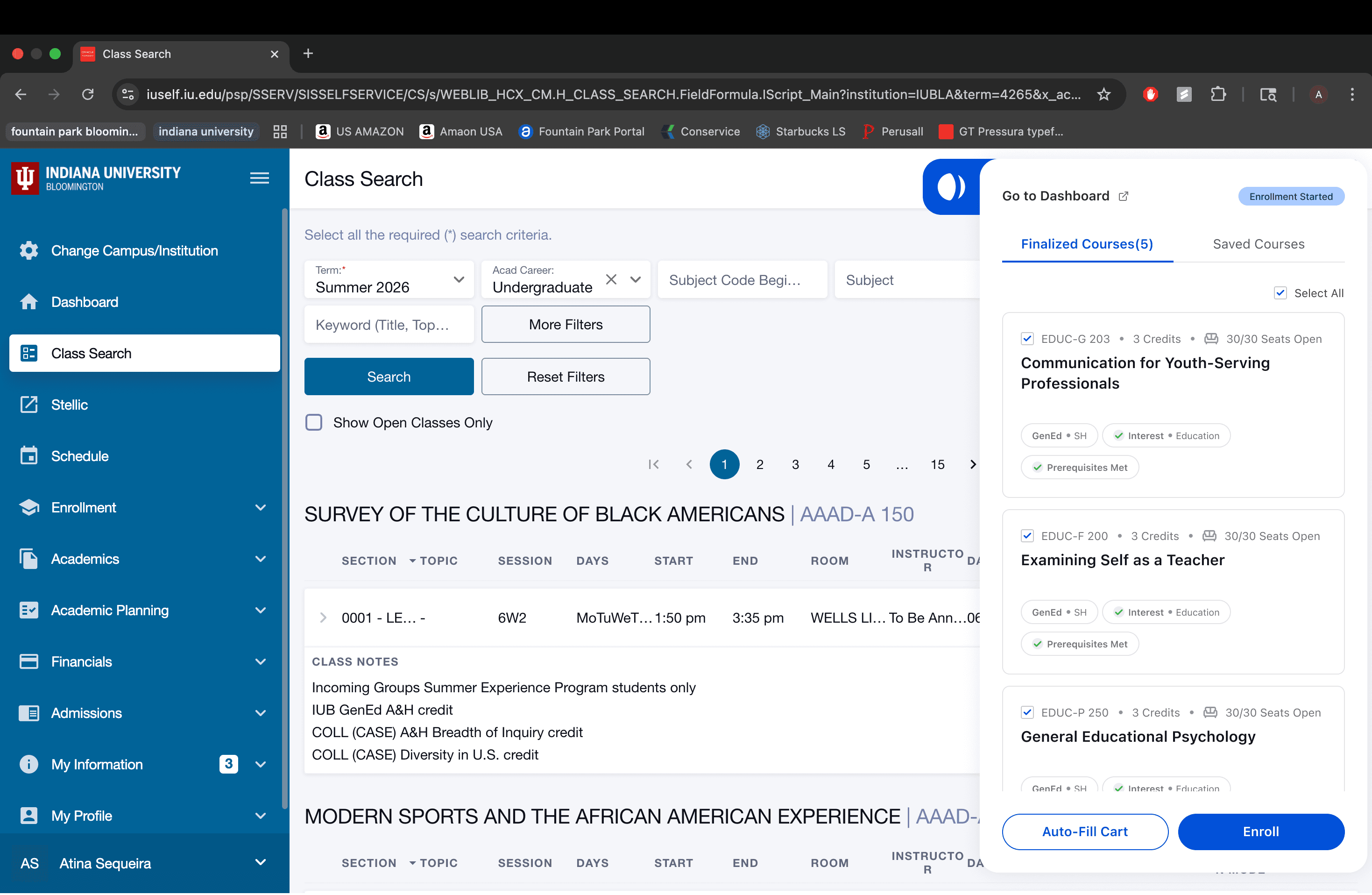
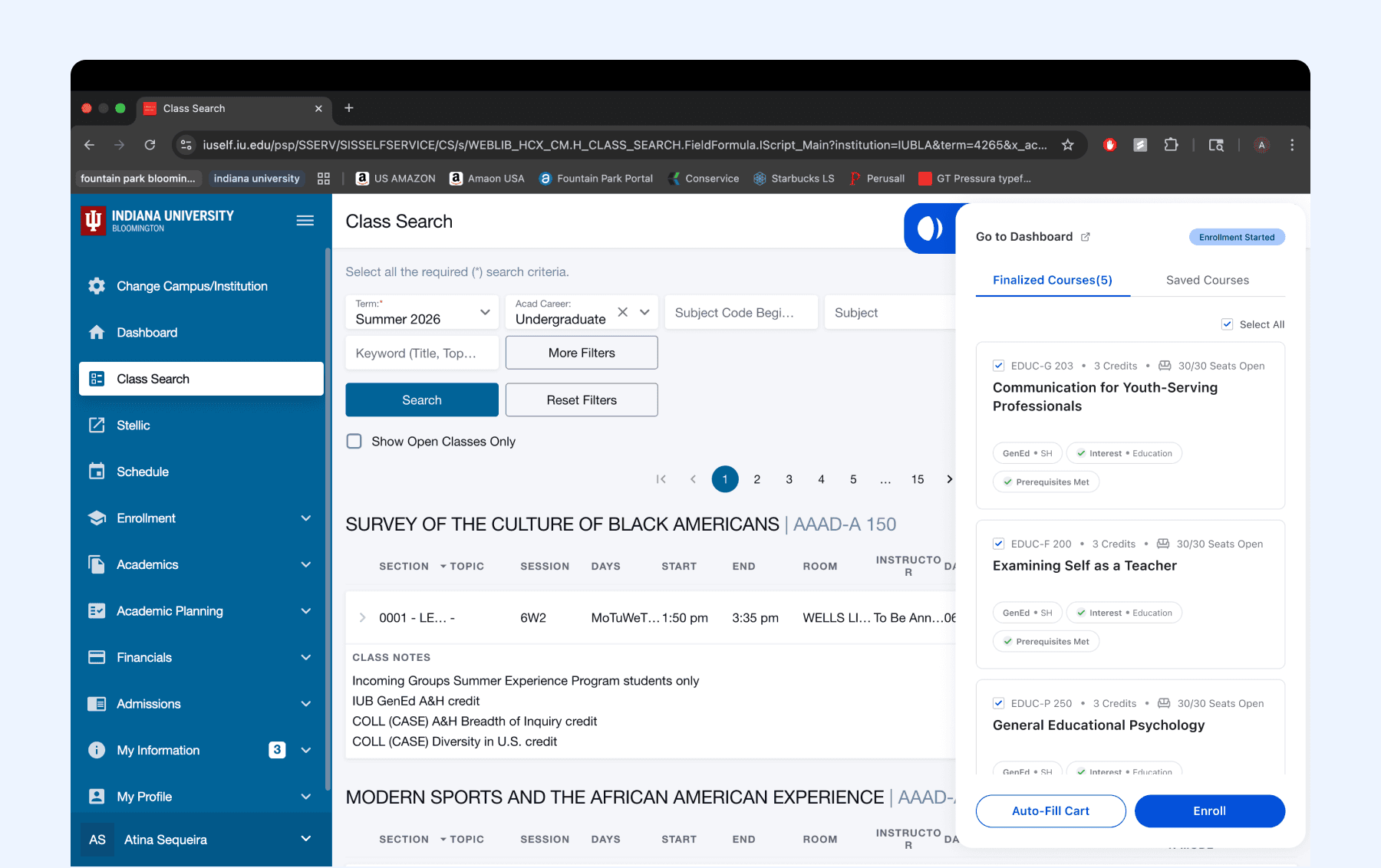
To address fragmentation and avoid becoming yet another disconnected tool, we designed a plugin that integrates directly with the university enrollment portal. When students enroll, all finalized and shortlisted courses are automatically populated, allowing them to auto-fill their cart and complete enrollment faster and with less friction.
What did I learn?
Designing AI Tools
This project provided me with exposure to design AI tools and deliberately introducing AI into workflows
Mapping and Planning AI
It helped me plan how AI will be integrating, defining the kinds of patterns and modality, and data used
Countering Fragmentation
Designing a system which relies on other infrastructure, yet tackles fragmentation