

Product Design
UX Research
Shipped

Project Type
Saas Dashboard
My Role
UX Research, Product Design
Team
8 Designers, 2 Product Managers,
2 Developers
Date
Aug - Dec 2024
5 Months
TL;DR
Giving the right users access and greater creative control through a redesigned Mission Control, driving higher product ROI
I designed Ylopo’s Mission Control agent dashboard to give real estate agents direct access to the tools they need to create and manage targeted ad campaigns. By curating existing Ylopo capabilities for agents, redesigning campaign creation for greater creative control, and giving them direct access to leads, the experience made campaign management faster and reduced follow-up time.
Impact
Decrease in Lead Follow-Up Time
Decrease in Ad Generation Time
Increase in Feature Adoption
Significant
Boost in customer satisfaction
CONTEXT
A bottleneck that lost revenue opportunities for its customers
Ylopo is a real estate tech startup that uses cutting-edge digital tools to help teams and agents attract, nurture, and convert potential home buyers and sellers. It's Mission Control dashboard enables users to create, manage, and optimize ad campaigns
Before 2024, Ylopo’s Mission Control was a single-access tool used primarily by administrative teams to run ad campaigns on behalf of real estate agents. While ad generation was most valuable to agents, they had no direct access to the tool.
Agents had to rely on admins to create and manage campaigns, then wait for leads to be handed off, creating delays and limiting their control over the campaign process.
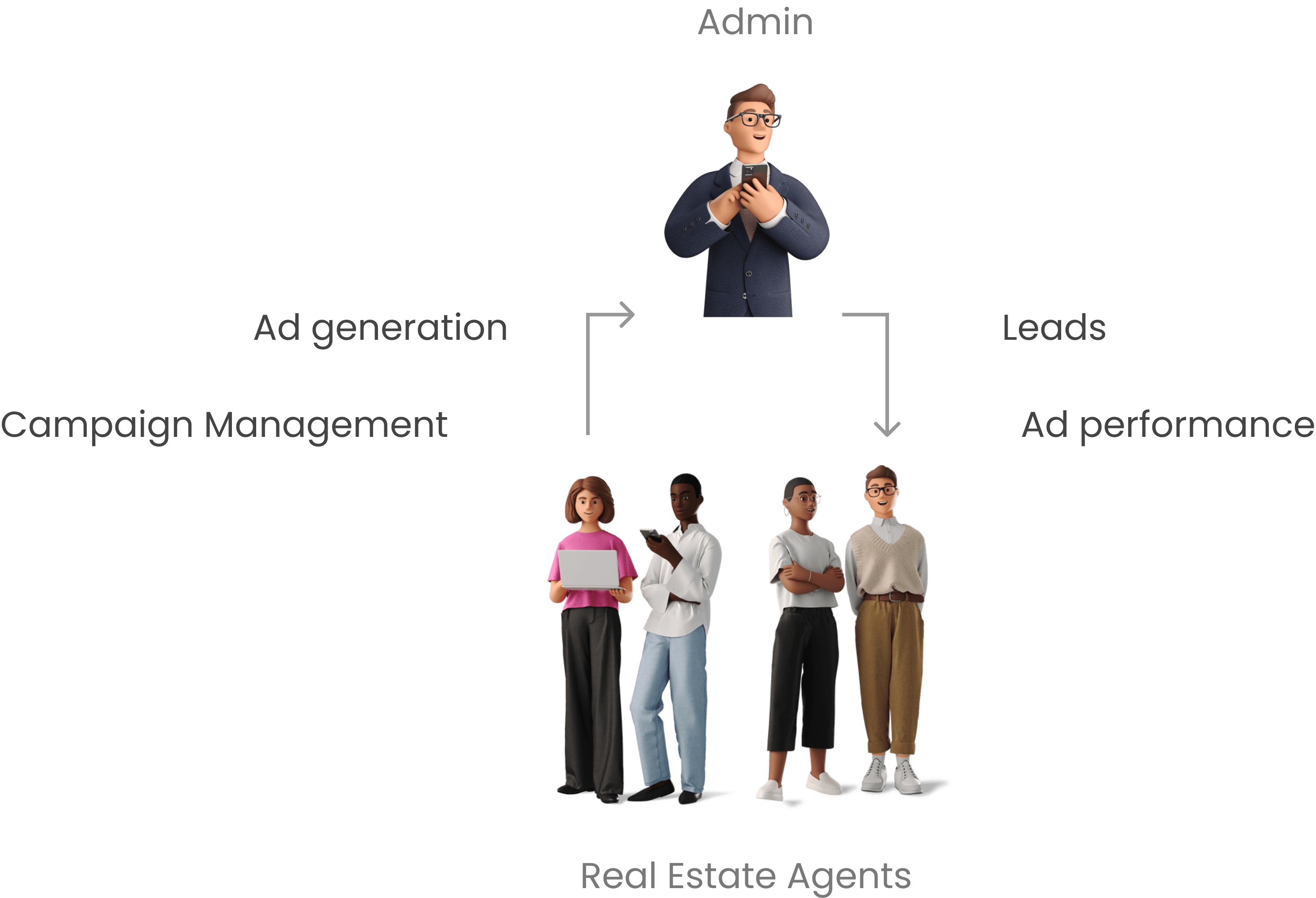
The existing workflow, built on agent dependence on admins, created several problems for the customer, including:
Delayed Ad Generation
Missed & Delayed Leads
No Control Over Campaign Management
No Ad Performance Feedback
PLATFORM
The platform made the ad outcome feel uncertain with no visibility and reassurance
The campaign creation flow in the existing mission control was short and simple, but did not give the users any visibility into how the ad might look like.

RESEARCH
Understanding what real estate agents want
The team and I conducted in-depth user research to understand agents’ pain points and what value do they seek from their dashboard.
All
agents want the control to modify and pause campaigns directly
All
agents want the immediate access to any lead generated
55%
agents care about personal brand and are frustrated that they don't know what their ad might look like


“We want to launch our own campaigns and have immediate access to every lead that is generated.“
-Real Estate Agent
Learned from
13
stakeholders interviewed
Semi-Structured
interview method
5
different teams interviewed
150+
Insights collected
PROBLEM
A product that did not work for it's customers leading to a low ROI
The current platform, though mighty in the solution it offers, didn't land as the design created issues such as
For Customers
Missed revenue opportunities
Uncertainty about ad outcome
For the organization
Low Product Satisfaction
Low Product Adoption
SOLUTION
A real-estate agent's dashboard with redesigned ad generation flows
By synthesizing user insights, we identified the most essential features and translated them into a focused MVP. After several cycles of wireframing, testing, and refinement, the team and I finalized the designs. With a tight project timeline, we intentionally scoped the MVP to address only the most critical flows for our user group.
Giving agents the autonomy to create ad campaigns
Redesigned
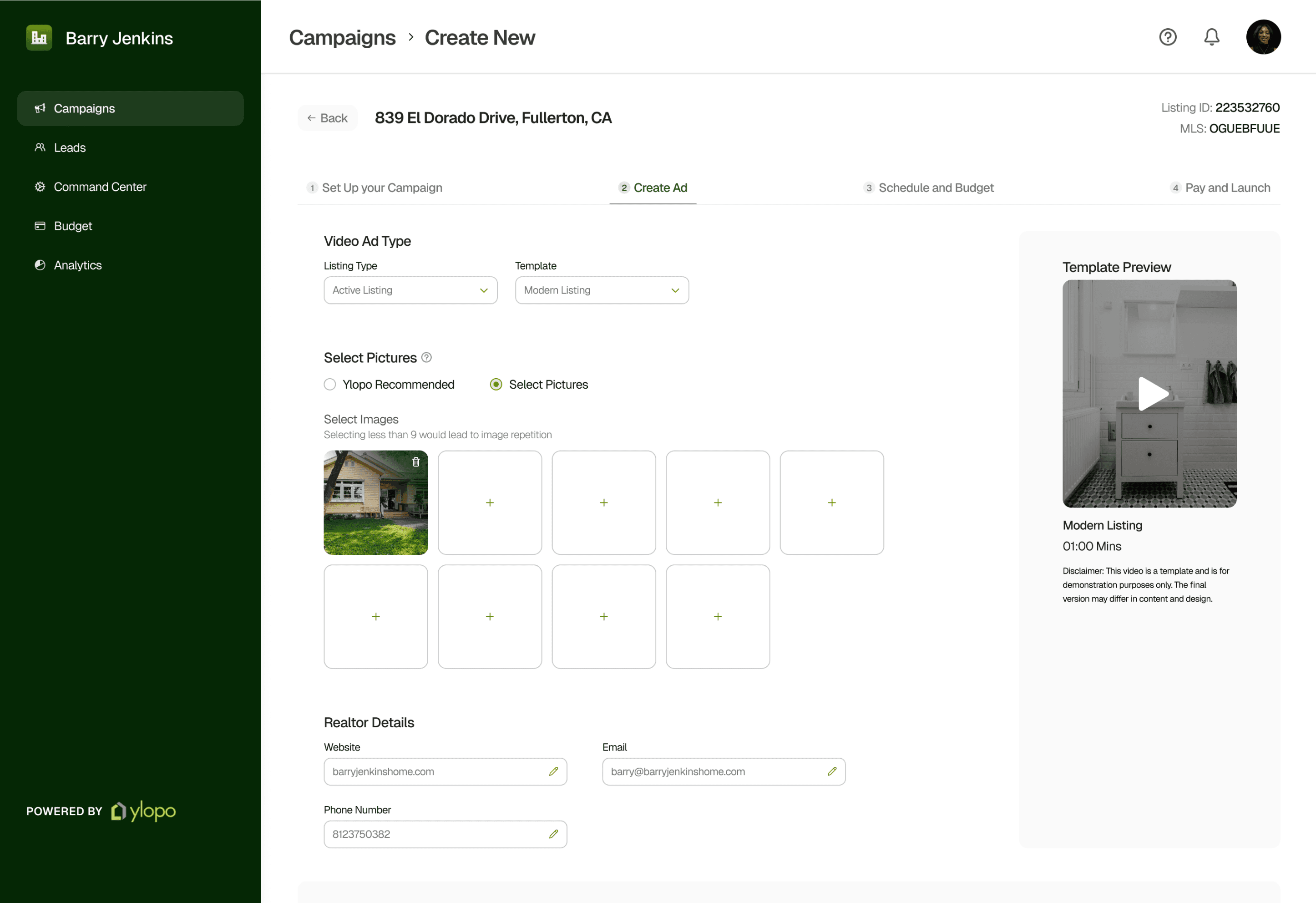
The core feature of Mission Control is Dynamic Video Ads (DyVA), which pulls property data from MLS to generate ads. The new design gives users creative control by inlining editing and preview features, eliminating the need to open separate pages as in the previous design.
Previewing template and images to piece together what the ad might look like
New
Constraints
While I initially wanted real-time ad previews during creation, the technology incurred a cost per preview generation. Allowing full previews at the campaign-abandonment stage wasn’t feasible, so I pivoted making the process more visual to help users imagine the final ad as much as possible.
Drag the arrows to see before vs after
Bringing personal brand into ads by uploading custom omages
New
Real estate agents regularly invest in professional photoshoots, but our research showed frustration around not being able to use those assets in their ads. The redesign gives agents the ability to upload custom images, giving them greater creative control and allowing them to create ads that better reflect their brand and listings.
Launching ads faster with Quick Launch Section
New
While some agents wanted more creative control, our research showed that almost everyone valued speed. Agents wanted to launch campaigns as quickly as possible.
The Quick Launch section gives them exactly that: a tap-and-launch experience for generating ads quickly, while making it easier to run more campaigns and support business growth.
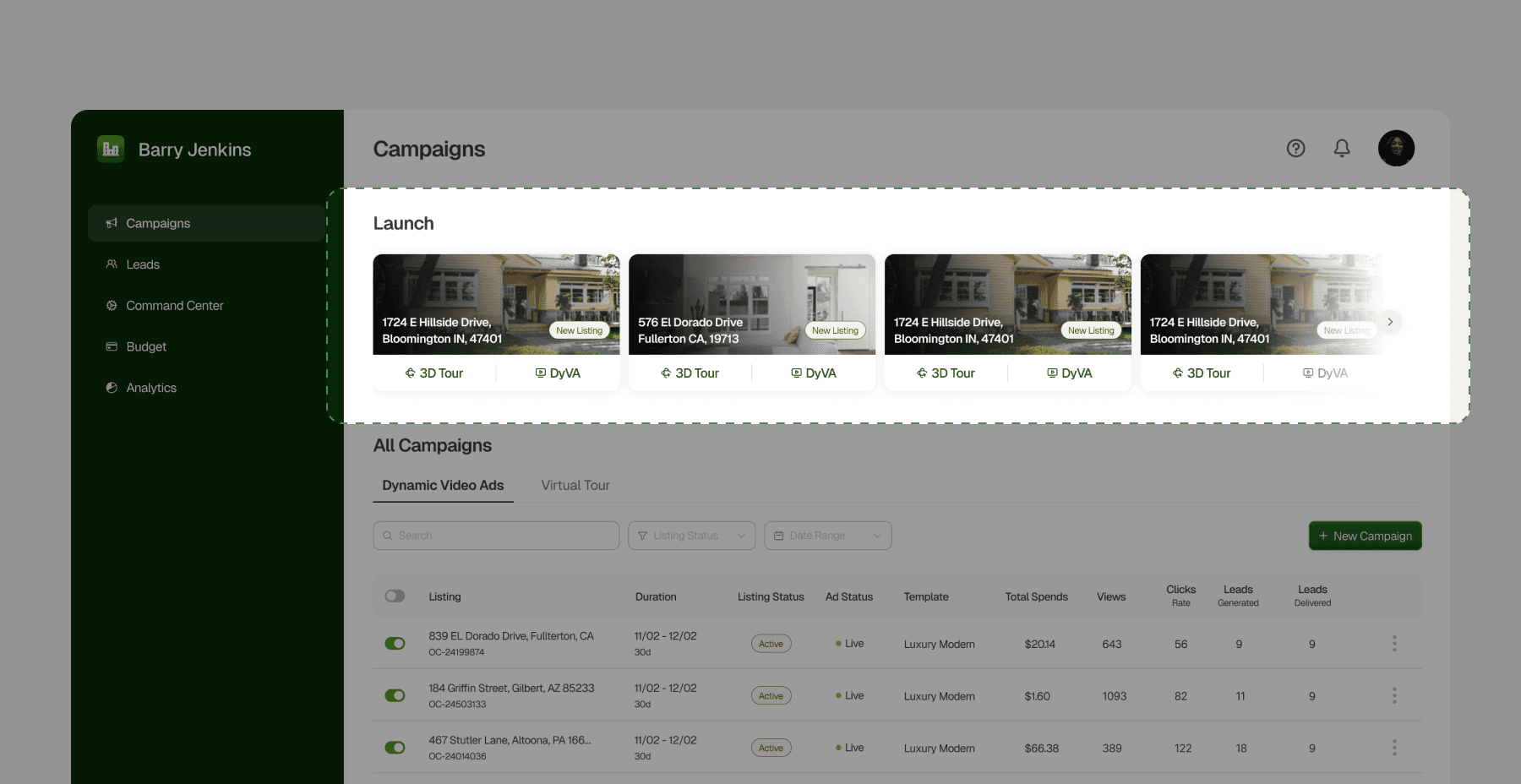
Allowing agents to manage ad campaigns autonomously
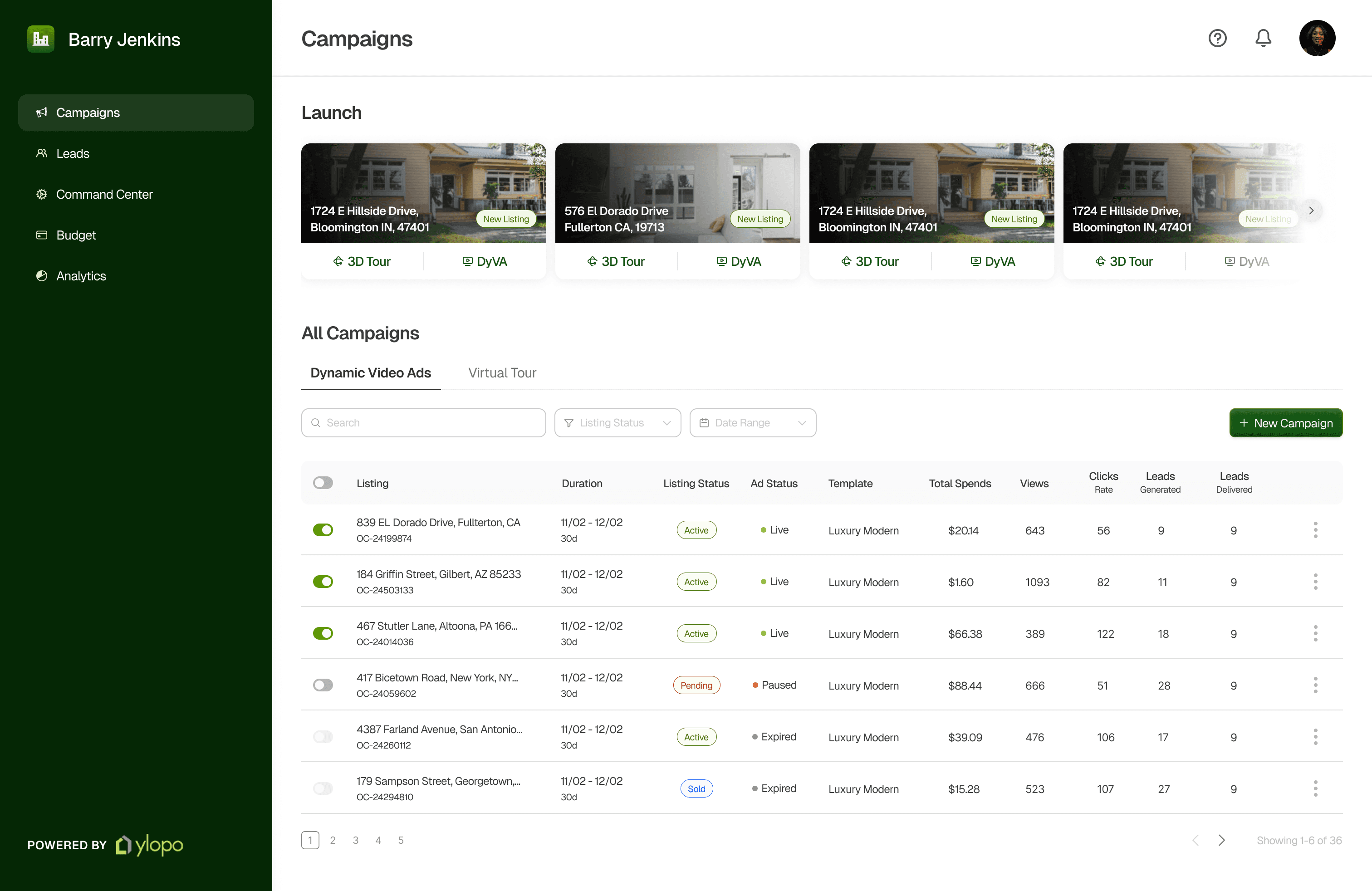
The Campaign page, also the landing screen for the dashboard which lets users launch campaigns instantly and view and manage all active campaigns.
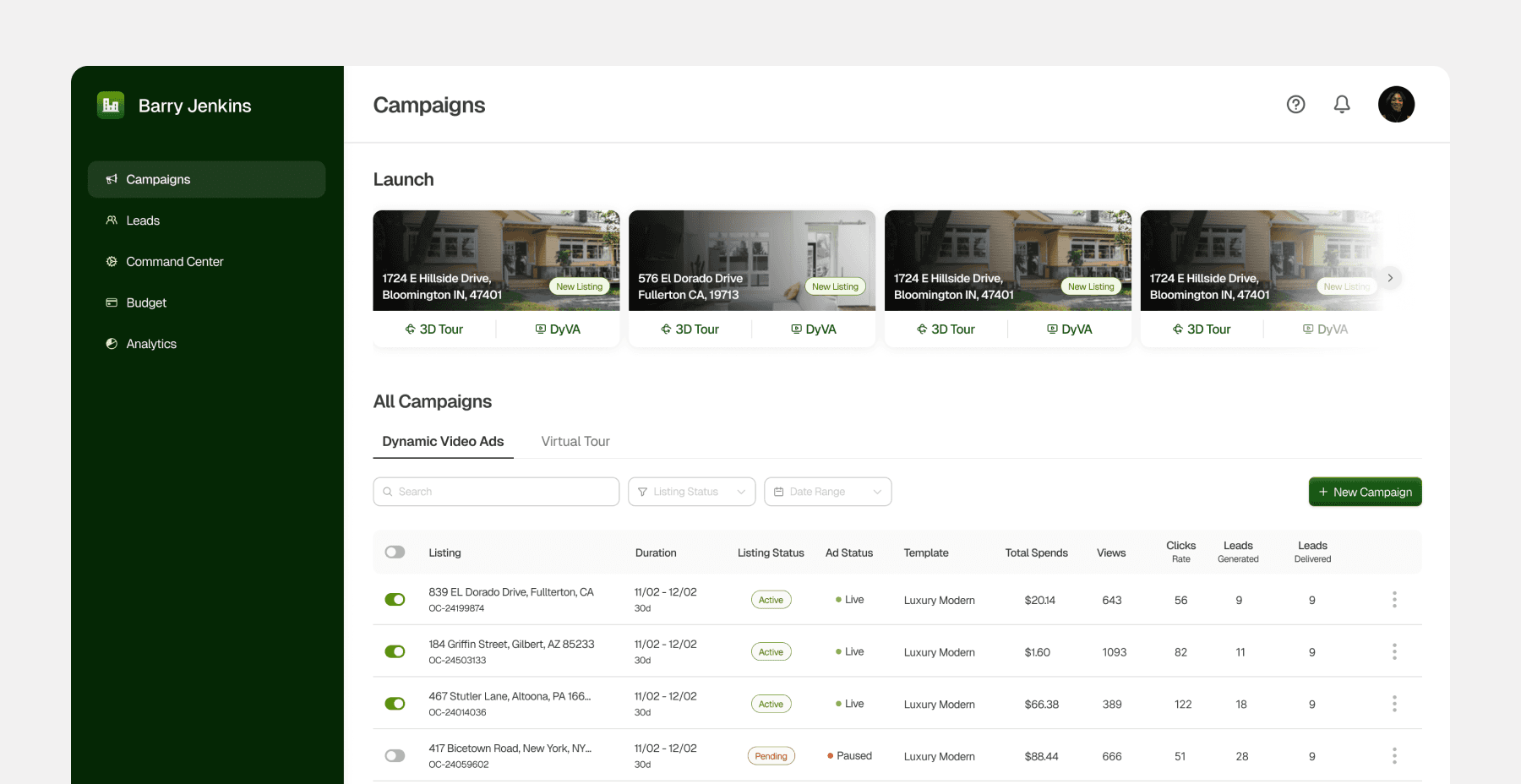
I redesigned the Campaign Management section simplifying campaign listing and streamlining different statuses which created the hierarchy issues in the older design.
The previous design used nested tabs for listing and ad statuses, which made navigation confusing. Representing them as list items with pills and tags simplifies the section and makes it more intuitive.
I also updated the status labels to make each distinct. The previous design used “Active” for multiple statuses, which caused confusion about their differences.
Drag the arrows to see before vs after
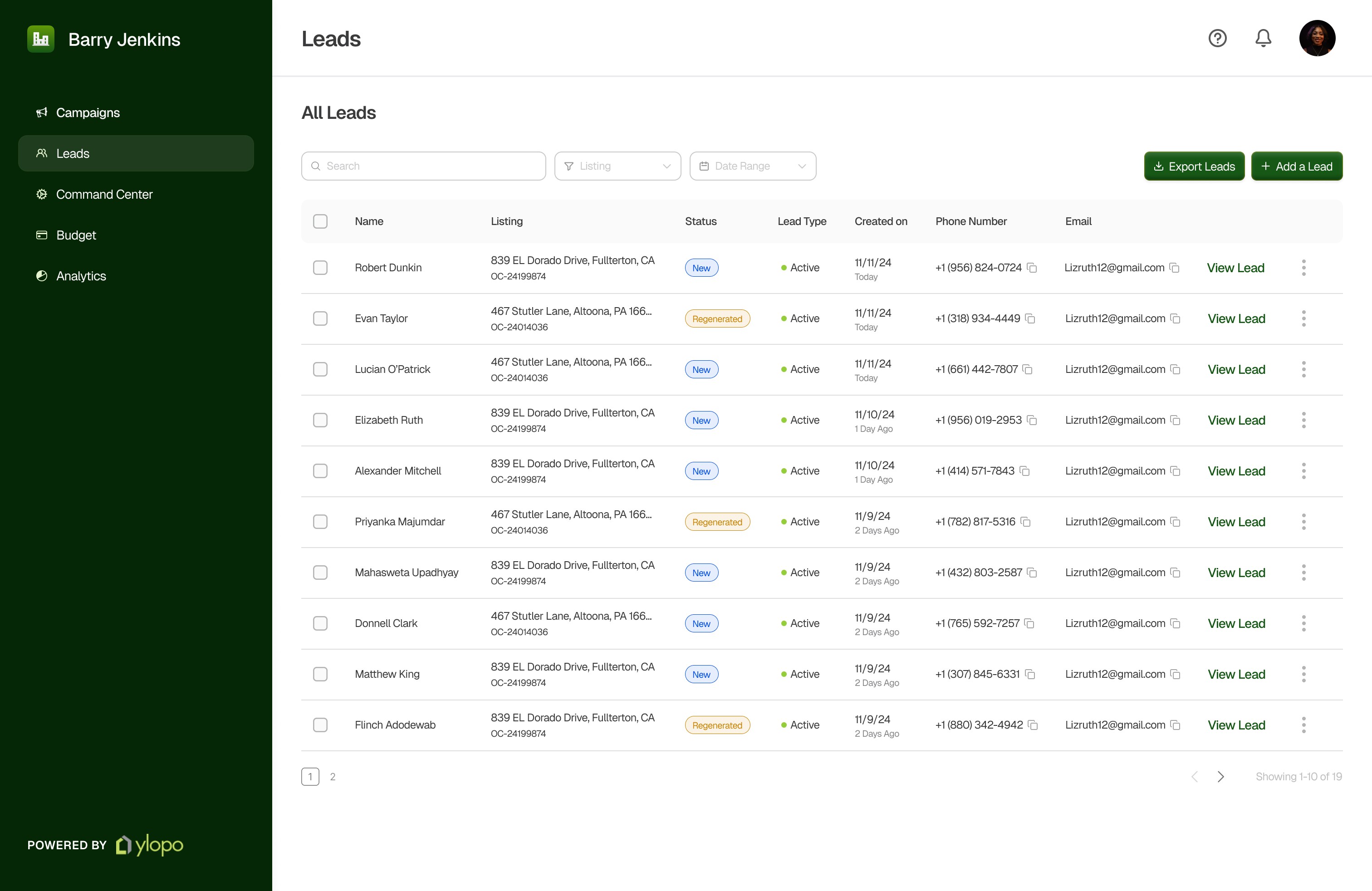
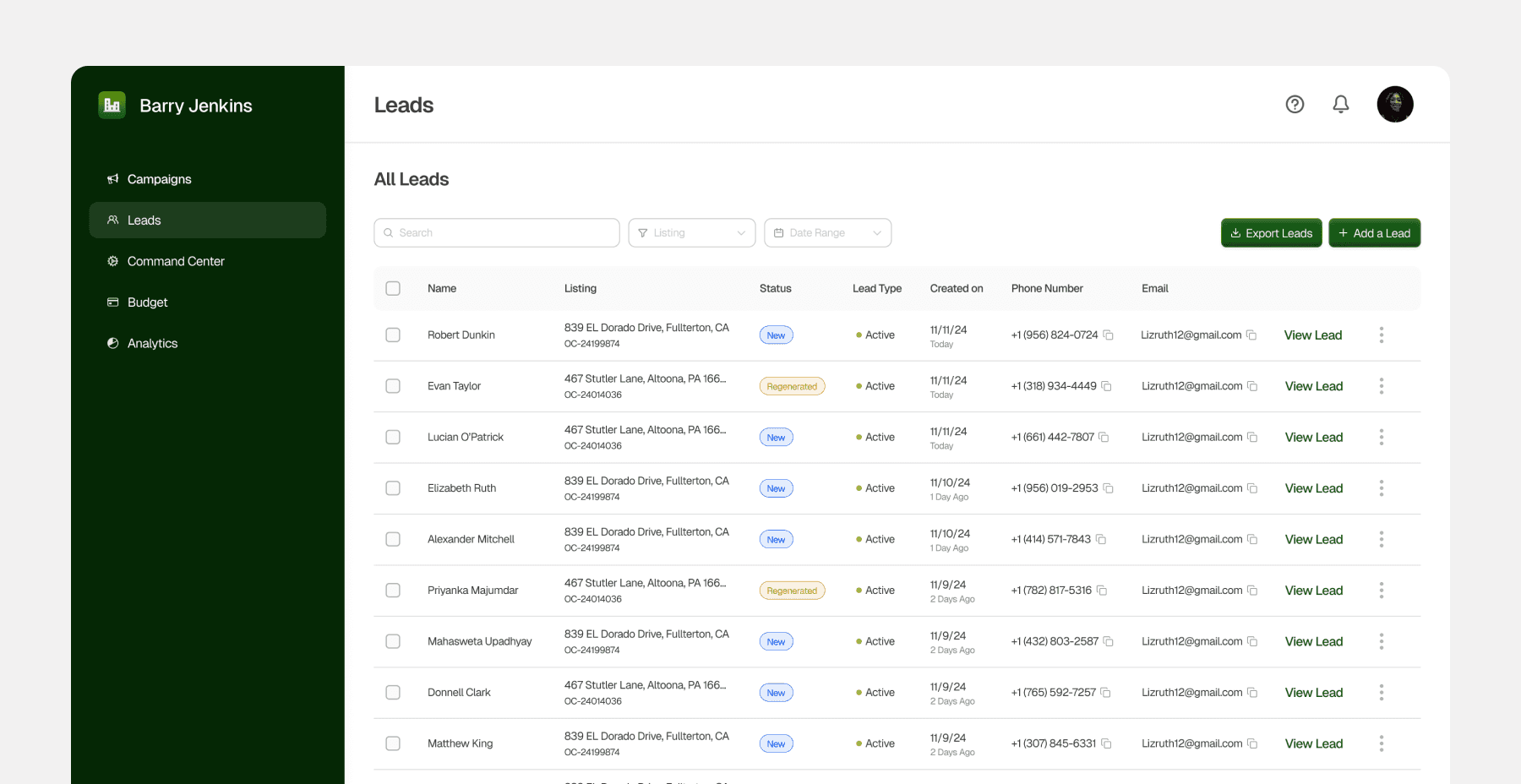
Letting agents access leads ASAP
New
Real estate agents can now access leads as soon as they are generated, eliminating the wait for a third party. This allows them to act quickly, maximizing conversions and reducing losses due to the time-sensitive nature of leads.
IMPACT
New UX + capabilities agents needed = Better value
Decrease in Lead Follow-Up Time
Decrease in Ad Generation Time
Increase in Feature Adoption
Significant
Boost in customer satisfaction
What did I learn?
Design Research
This project provided me with exposure to conducting design research to support rationales.
Feature Prioritization
This project gave me hands-on experience in scoping a project and determining what to include or exclude.
User + Business Needs
This project enabled me to design with a strong focus on business needs
New Domain
This project was insightful in learning how to design for a new field or industry while balancing ambiguity.
View More Projects
Designing an AI-powered dashboard that turns financial data into actionable insights
for a large Commercial and Investment Bank
Designing conversational onboarding to improve adoption rates and reduce turnaround time
for a Wealth Management Enterprise, New York