Password required
This case study is protected by NDA.

How I Simplified Service Request Workflows for Faster, More Reliable Completion
30% faster Task Completion
12% Decrease in Error Rates
45% decrease in Application turnover time
Project Type
Interaction Design
Workflow Optimization
My Role
UX Designer
Team
1 Designers, 1 BA, 1 PM, 1 Developer
Duration
3 Months
TL;DR
TSSA is the body that keeps Ontario's heavy equipment safe: boilers, elevators, amusement rides, and more. Getting anything done with them (a license, an inspection, an exam) ran entirely on paper. I designed the part of their new online portal where customers file these requests, turning dozens of repetitive paper forms into a handful of smart digital ones. Submissions got faster, errors dropped, and staff spent far less time processing paperwork.
Impact
Faster task completion
Fewer submission errors
decrease in application turnover time
Context
A safety authority functioning through paper
What do they do?
The Technical Standards and Safety Authority (TSSA) regulates the use of heavy devices in Ontario. It regulates six programs: boilers, pressure vessels, amusement rides, and more. If it can explode, fall, or fail catastrophically, TSSA licenses it, inspects it, and certifies the people who work on it.

Amusement Devices

Boilers and Pressure Vehicles

Elevating Devices

Fuels
Ski Lifts

Operating Engineers
Users
Organizations
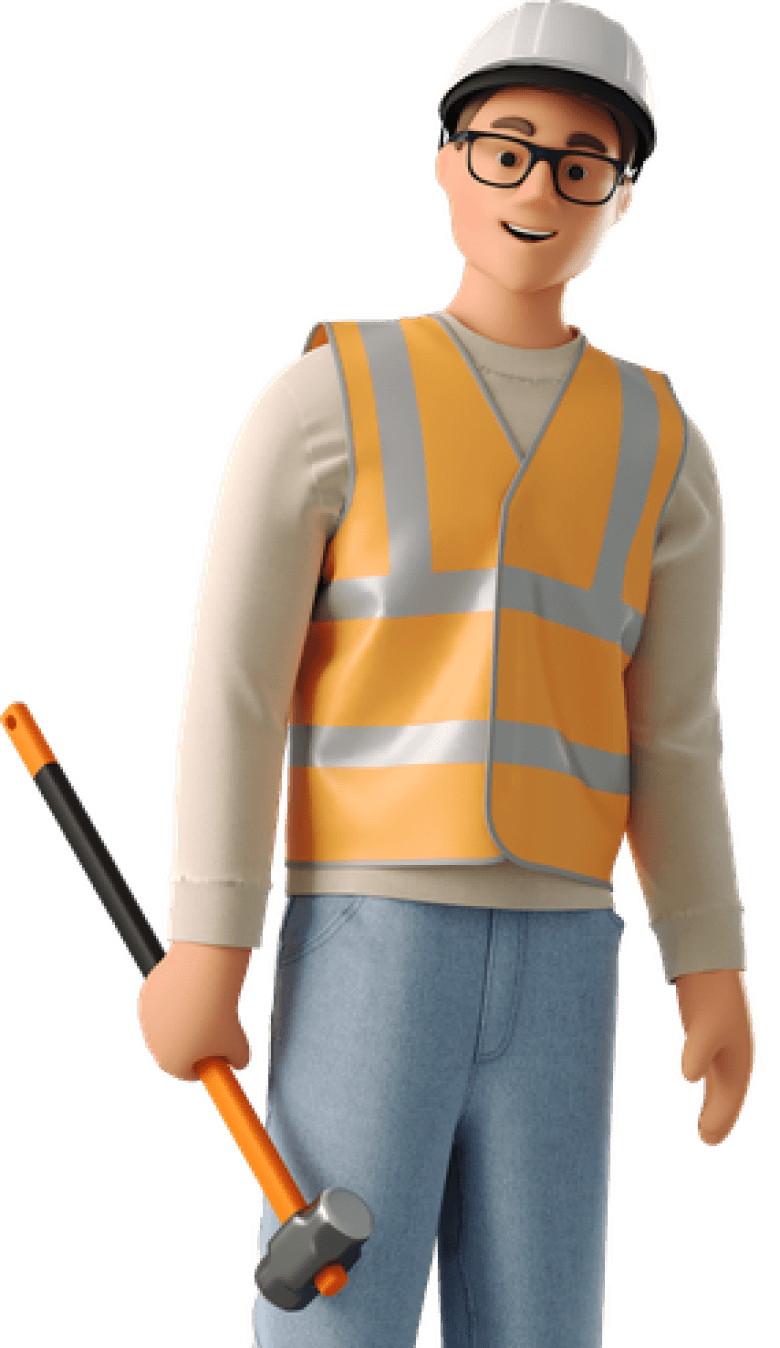
A single person or a team managing device compliance at a site. They reach out to TSSA to license their devices and to request services like inspections and maintenance.
Individuals
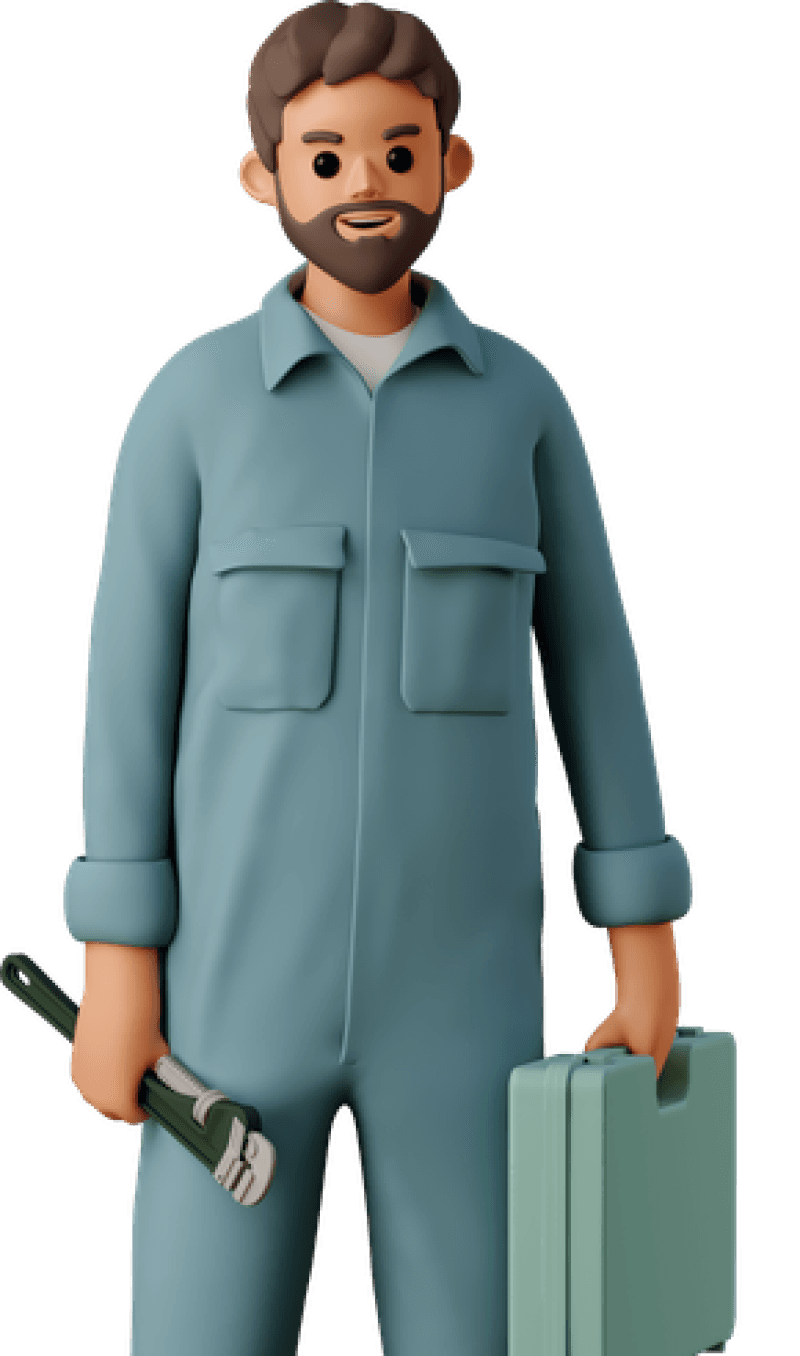
A single person who provides device-related services, such as inspectors or mechanics. They earn their certification from TSSA by passing an exam it administers, qualifying them to offer these services.
How they functioned before
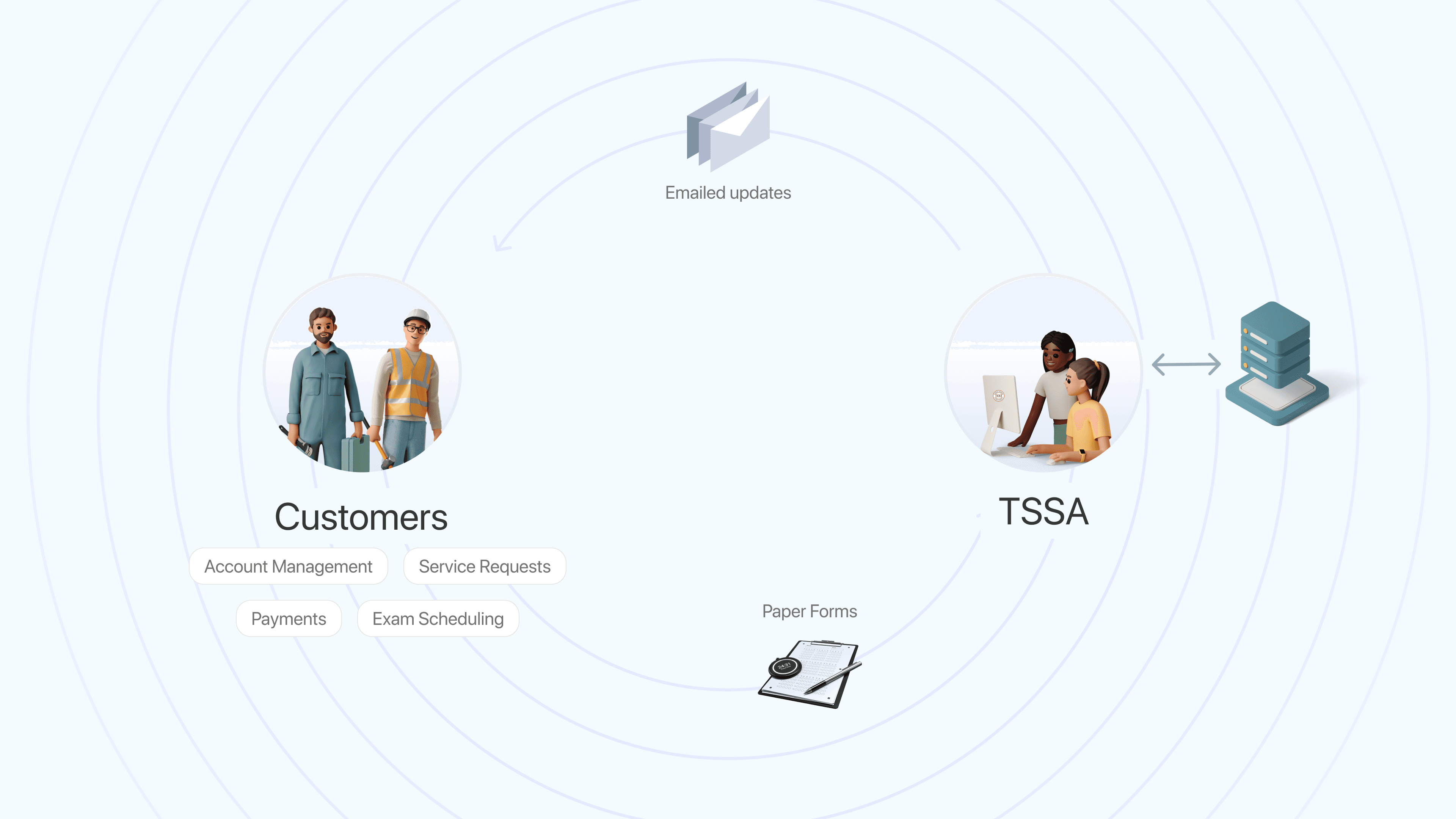
Fill out a printed form, attach documents by hand, and mail or email it to the department for that program. It entered a queue no one could see. Staff reviewed every submission manually, emailing back and forth to chase missing details. The only update you got was the last email someone happened to send. No live status, no single place to check.
The Problem
Manual processes that hurt the business and its users
For Customers
No real-time visibility
Risk of non-compliance
Delay in request confirmation
For TSSA
High service response time
High error rates in data entry
High operational cost per request
The Solution
Designing a user layer on a system that already existed
A web applications section for filing service requests, built within TSSA's new customer portal on Microsoft Power Apps Portal.
These applications were a part of the whole unified customer portal design. The new portal did three things: let people log in and see the right details for their role, let them see what they hold (equipment, certifications, renewal dates), and let them file service requests under the web applications section.
The Approach
Use Case First
Diverging from program based process to a user-centered use case first approach
Automating Input
Use the data we already have. Only ask people for what the system genuinely doesn't know.
Selecting rather then typing
Having data already meant letting users choose and auto populate details rather than enter all details
The Scope
172 forms. We couldn't redesign them all.
TSSA had 172 forms on its website, far too many to digitize in the timeline. So the first real decision wasn't about design at all. It was figuring out which forms actually mattered.
12,542 Forms
Submitted between Dec 2021 - Dec 2022
89% Submissions
were covered by 23 Forms
10 Use Cases
amongst those 23 forms
With the scope reduced to 10 use cases, I designed around user tasks instead of programs, combining multiple forms into one web app that works across all 6 programs and both user groups.
Exhibit A: Use Case First Approach
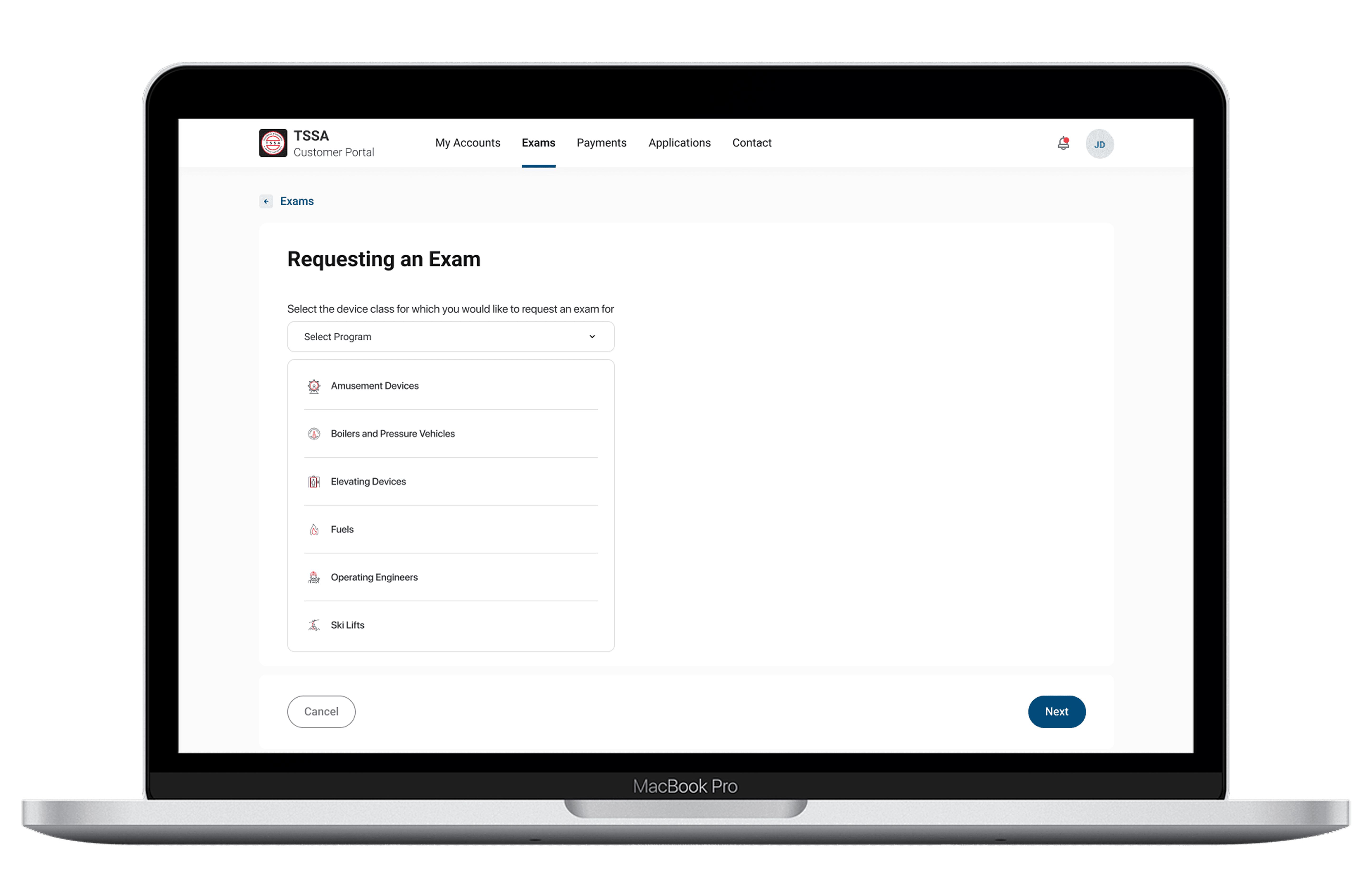
Merging six applications to request an exam into one
The Gist
Individuals get certified by passing a TSSA exam. Each of the six equipment types had its own exam form and its own rules. I merged them into a single form that quietly reshapes itself based on which the user picks.
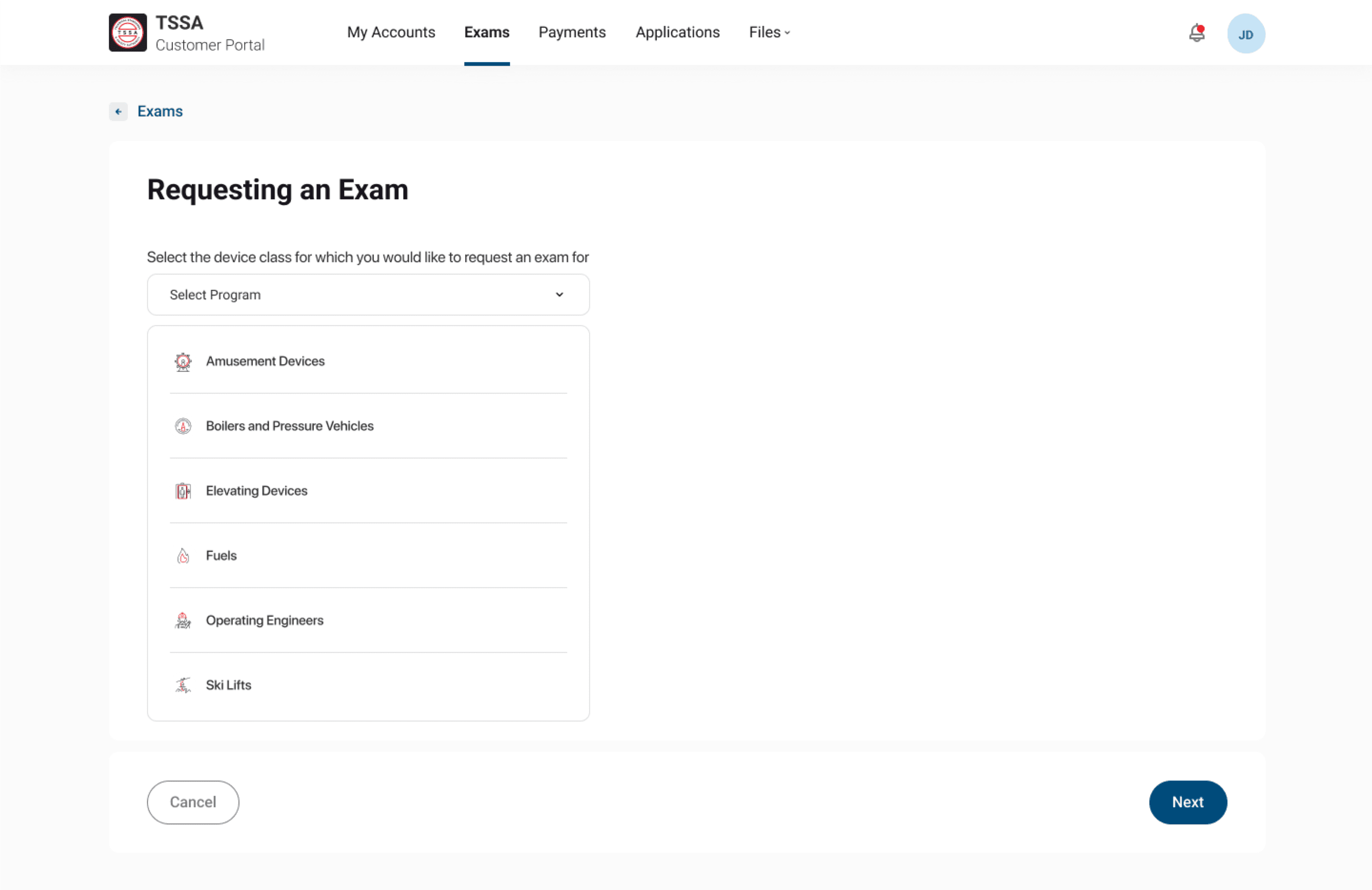
To work on regulated equipment, the users have to pass a TSSA exam. But "the exam" isn't one thing, each equipment type has its own rules for retakes, waiting periods, and what training they need first. Six rulebooks would normally mean six separate forms but that isn't the use-case-first approach we wanted to adopt. Instead, I built one form that adapts. You pick your program.
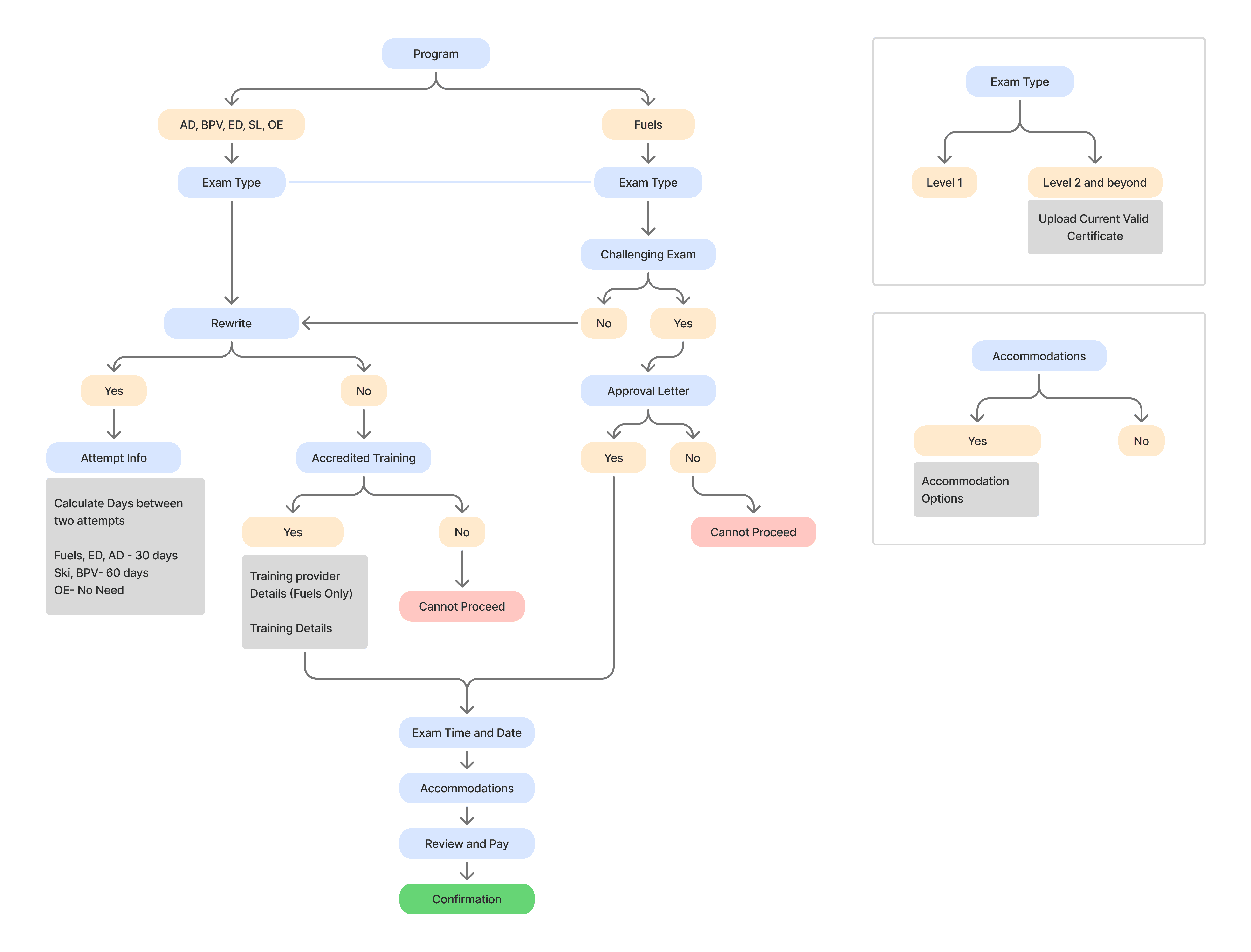
Using progressive disclosure, I ensured that only relevant fields are revealed as users make selections throughout the journey. This helped reduce cognitive load, minimize form complexity, and guide users step-by-step through the experience.
Exhibit B: Automating Input
Designing the installation inspection form to reduce errors and completion time
The Gist
When an equipment owner requests a safety inspection, the old form made them hand-write details TSSA already had on file. I redesigned it so the form fills those in, and the owner just picks and confirms.
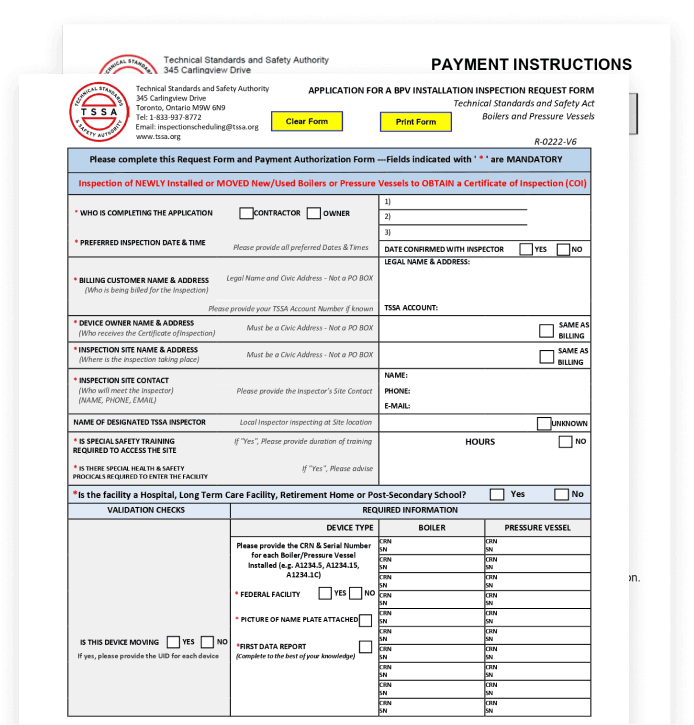
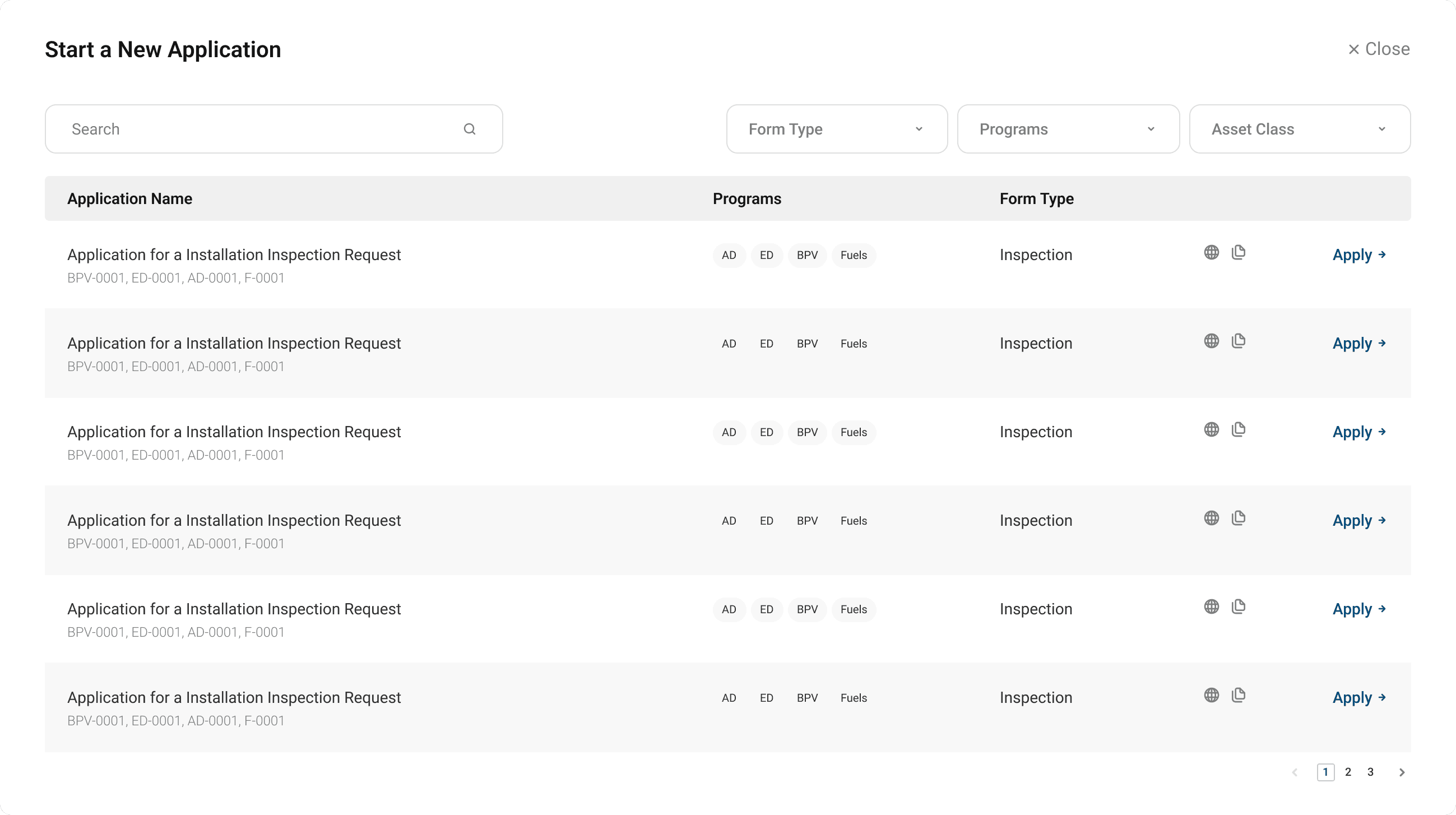
The Application for a BPV Installation Inspection
Note: An Application for an Installation Inspection exists only for boilers and pressure vehicles, hence there is no unification process in this case.
The original BPV Inspection Request form looked like this. A dense form with lot of details to input.
What the original form structure looked like
The old paper form had them write out the device ID, site address, and owner details by hand, every single time, even though TSSA already had all of it stored against their account.
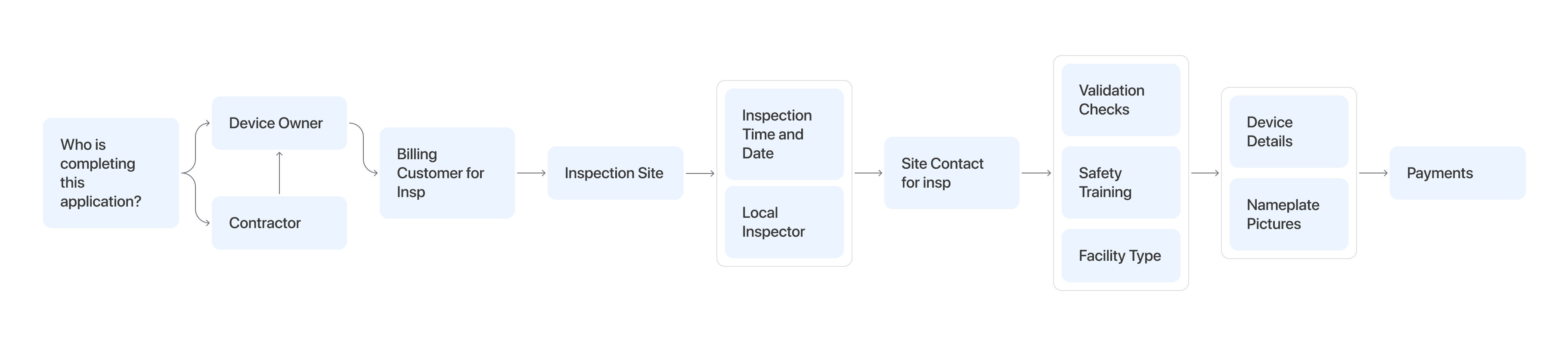
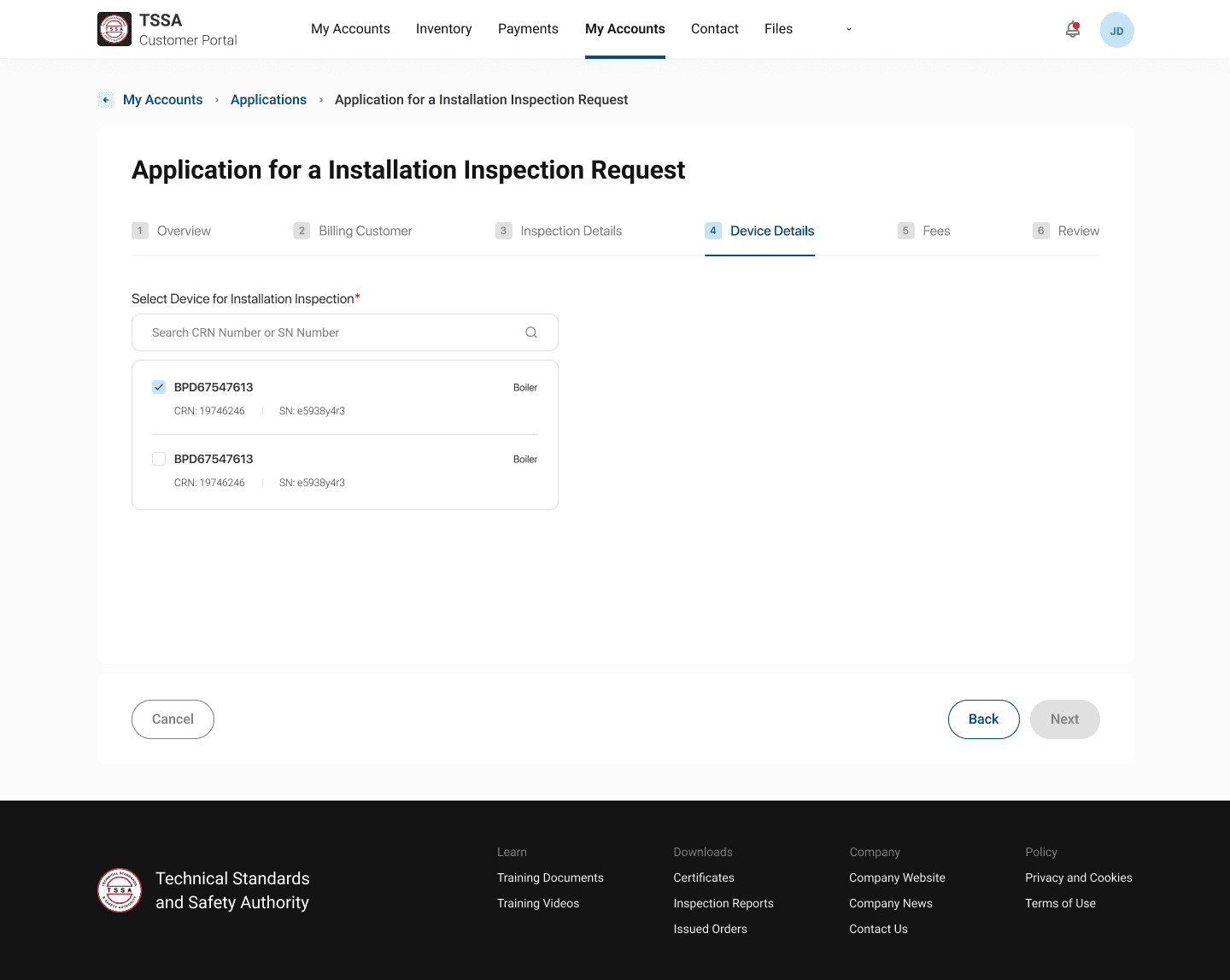
The optimized form filling process
The new form-filling experience uses profile and associated inventory data to auto-fill key details, reducing redundancy and streamlining the process.
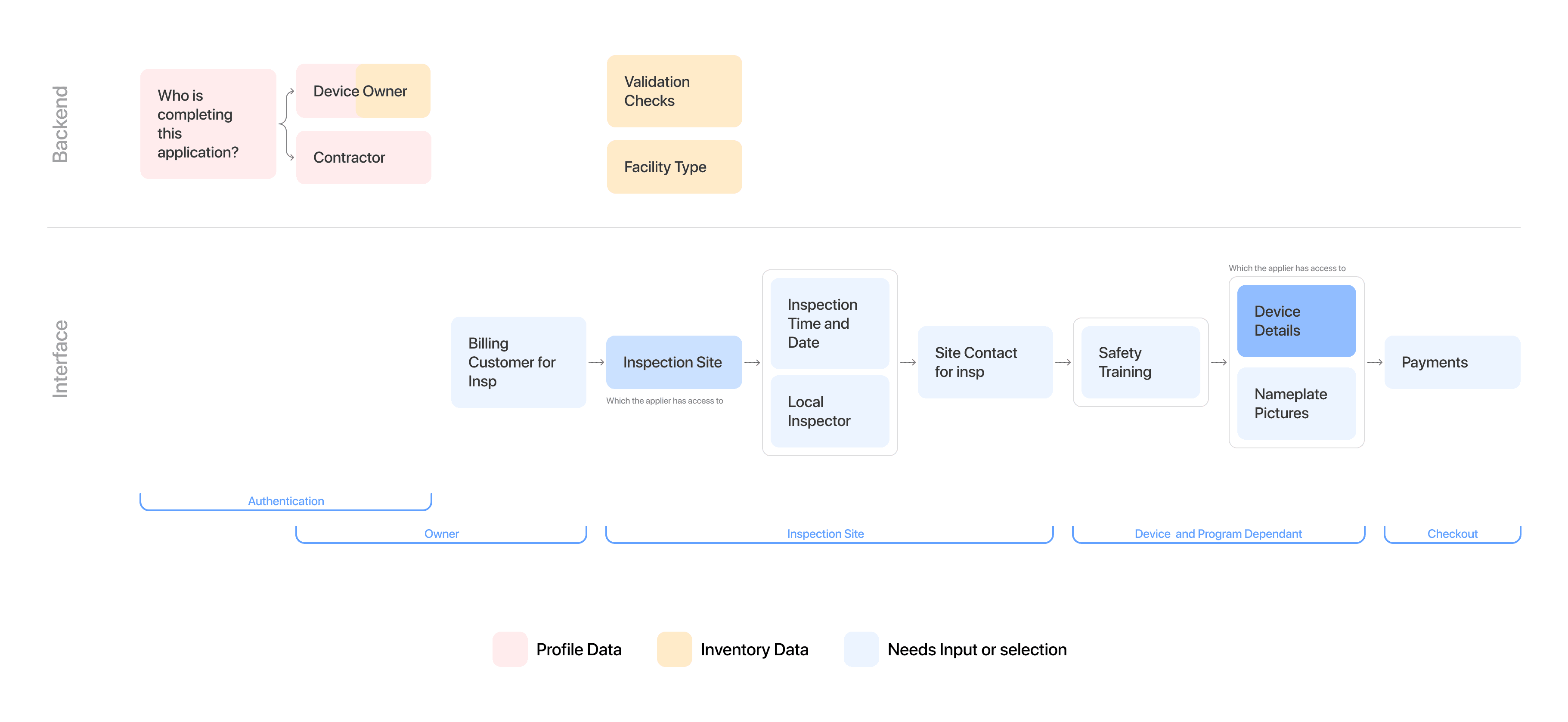
Can a user who does not have access to certain inventory still make applications for it?
While paper forms allowed anyone with access to the necessary information to complete the process, giving teams flexibility to divide work, introducing autofill alongside this openness created significant security risks.
Yes
Implication 1
Designing with data validation or two factor authentication in process
Yes
Implication 2
Certain data that we deemed should be auto-populated, selected or filtered down based on previous choices would need manual input instead
No
Implication 1
Only members with device access can apply for inspection requests.
Heavy reliance on access management.

Note: The portal design included access management in scope, making this decision aligned by other product goals
Exhibit C: Selection over Text Entry
Interaction patterns to avoid manual mishaps
Using selection first interaction patterns to avoid manual entry errors
Having structured data available for selection reduces typing errors and minimizes data discrepancies, leading to more accurate and consistent inputs across the system. It also makes the process of filling easier.
Auto-populating contact details to ensure accurate data entry and avoid duplication of records
Selecting inventory over entering inventory number manually.
The outcome
The applications launched in production, and the results mapped straight back to the problems on both sides: customers file faster and with fewer mistakes, and staff spend far less time pushing paper.
Impact
Faster task completion
What took 30 minutes now took 20 minutes (including supporting doc gathering)
Fewer submission errors
Internal teams reported 12% reduction in follow ups surrounding application material verification
decrease in application turnover time
TSSA teams were able to verify and vet applications faster by skipping manual re-entry into internal database
What I learned from this
The sharpest decisions here weren't about how things looked. They were about what to do for the user automatically, what to keep visible, and who should be allowed to do what. I used real data to find the direction, simplified the workflows, and chose patterns that made the right thing the easy thing.