
How I crafted a design system which improved consistency and scalability of the product
Sponsored by Ylopo
Streamlining Ylopo Product Ecosystem's design language to effectively mitigate user and development issues.

Project Type
Design System
My Role
UX Designer
Team
2 Designers, 1 Product Manager, 1 Developer
Duration
2 Weeks
TL;DR
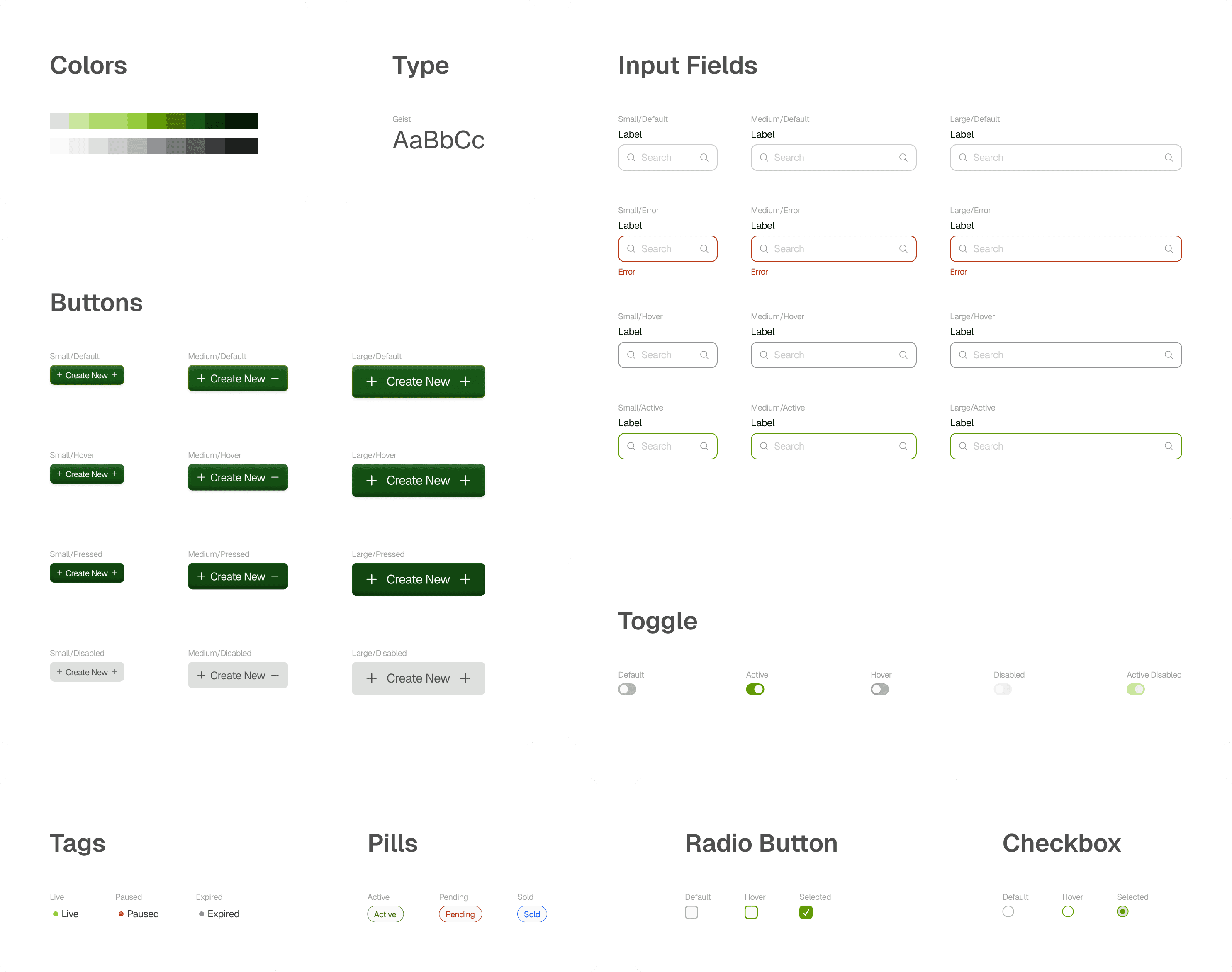
I designed an atomic design system for Ylopo's product suite, with a focus on Mission Control to define and create design tokens, components and design patterns using Figma libraries for an ease in implementation.
The Context
Ylopo’s product ecosystem consists of several products designed to help real estate agents identify, nurture, and convert leads. I joined the team to redesign Mission Control, a product that sits at the center of these workflows. On auditing the platform, I identified that there are a lot of issues which exist due to lack of consistency and hierarchy issues. Multiple design patterns were used across different contexts within the same platform, resulting in confusion.
The Problem
As I audited Mission Control and other products, we observed a recurring pattern of UI and UX inconsistencies that made the platform feel fragmented. These issues impacted the user experience.
Inconsistency
Interfaces looked and behaved differently across products
Hierarchy Issues
Information hierarchy was unclear and difficult to scan
Disjointed from Brand Identity
Visuals felt dated and lacked brand cohesion
After conducting a focus group with internal teams including developers, product managers and designers, we identified that these issues also created collaborative and development challenges.
Wasted Effort
Teams had to redesign components from scratch for every new feature
Lack of Design Guidelines
Developers interpreted designs differently, leading to inconsistent builds
Scalability Challenges
Teams focused on meeting current requirements, but lacked a long-term plan for how the design would scale.
What did I do?
1.
Conducted a design audit to identify types of interactions and design patterns used across platform
2.
Defined design tokens keeping WCAG accessibility standards in mind
3.
Created input fields including all variants such as sizes and states
4.
Created modular table elements with a focus on replicability and scalability, ensuring consistent usage and easy extension across the system
5.
Documentation and implementation of the Design System on Figma.
The Approach
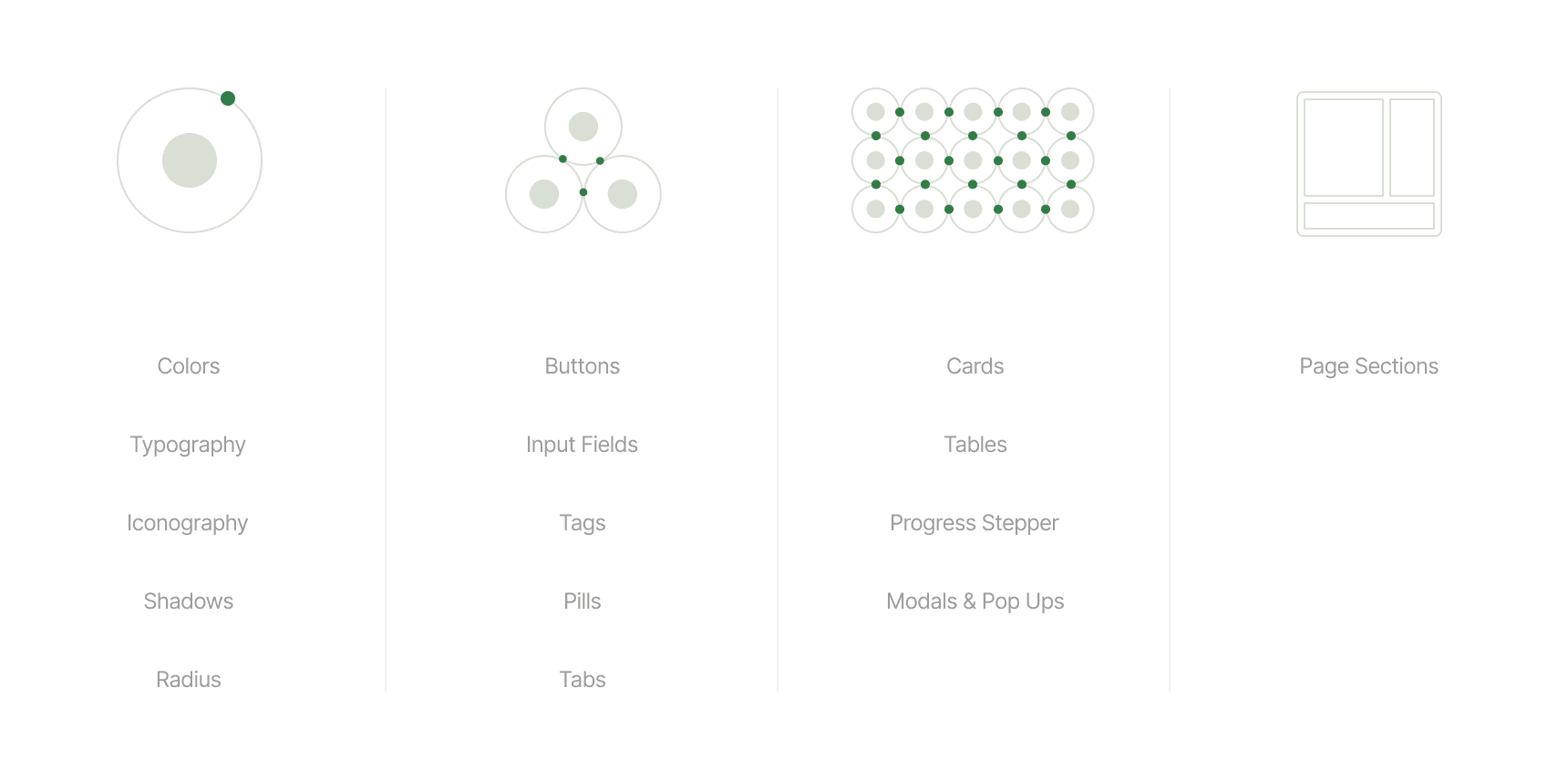
To address the issues identified, I developed an atomic design system. This modular approach allowed me to intentionally design every token, pattern, and component within the system. As a result, the system ensures consistency and efficient reuse while remaining highly scalable, enabling the seamless addition of new patterns and components over time.
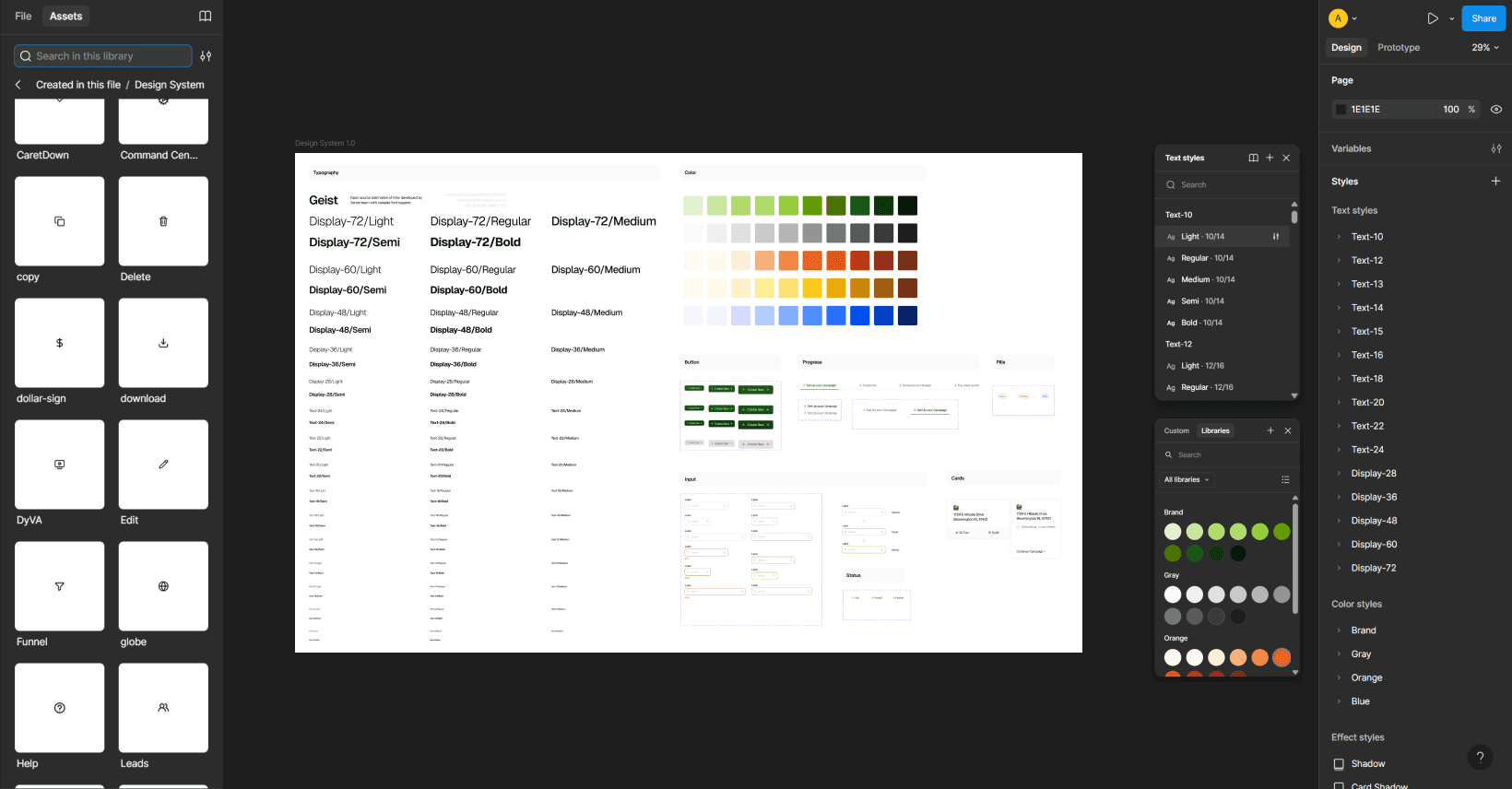
All tokens, components and patterns created were designed using Figma's Variants and Components. Since the team works on Figma primarily, this made implementation of the design system simpler. Other documentation was produced for the team too.
Design Tokens
The design team and I began by defining core design tokens such as color, typography, iconography, shadows, and border radius, using Ylopo’s brand guidelines as a foundation.
Colors
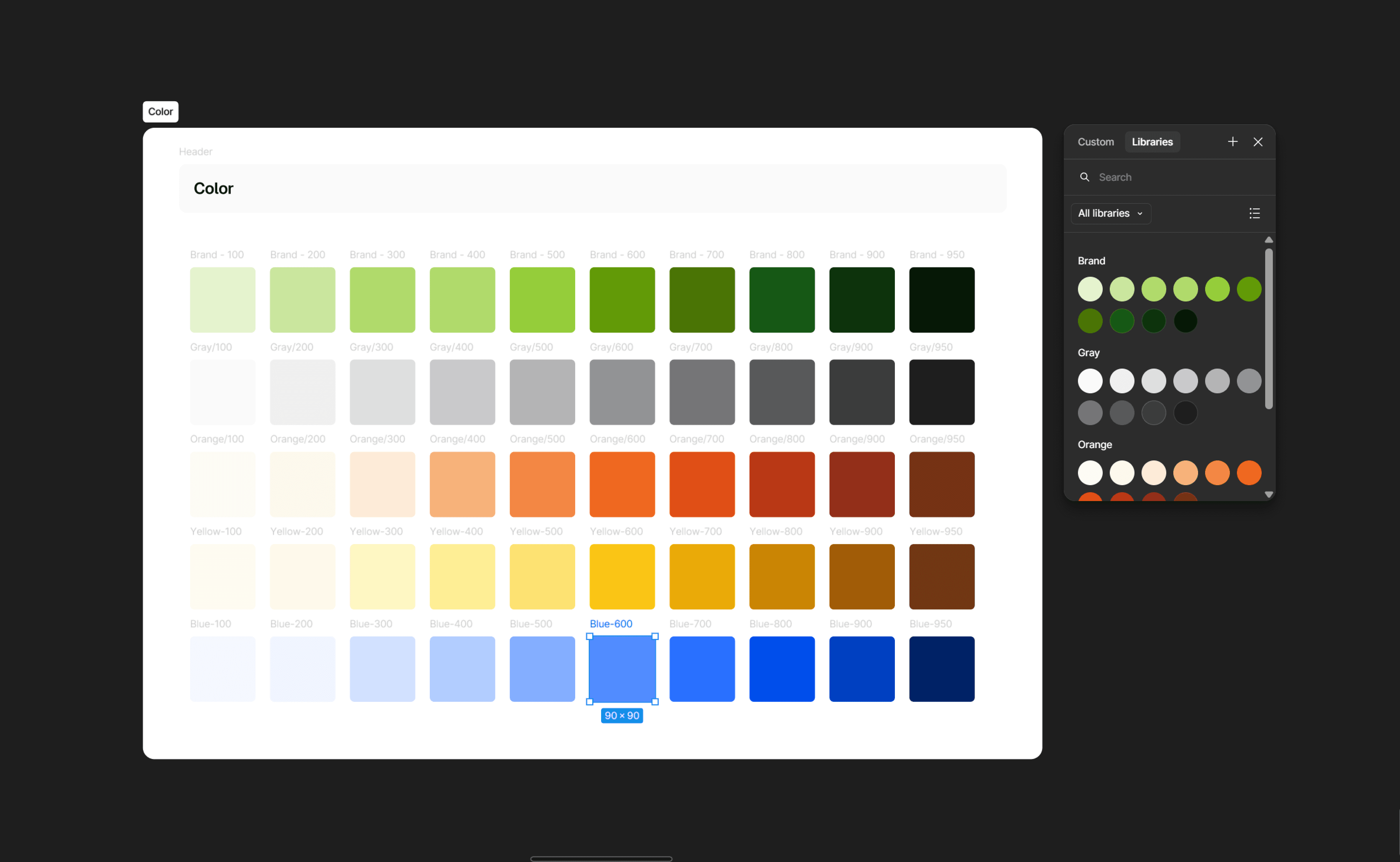
Ylopo’s signature green was established as the primary brand color, complemented by a neutral grayscale to create visual balance. Variations of the primary colors were introduced for elements like statuses and pills to support flexibility across use cases. To maintain clarity and avoid overusing the brand color, blue was intentionally chosen for positive actions, reserving green for CTAs.
Typography
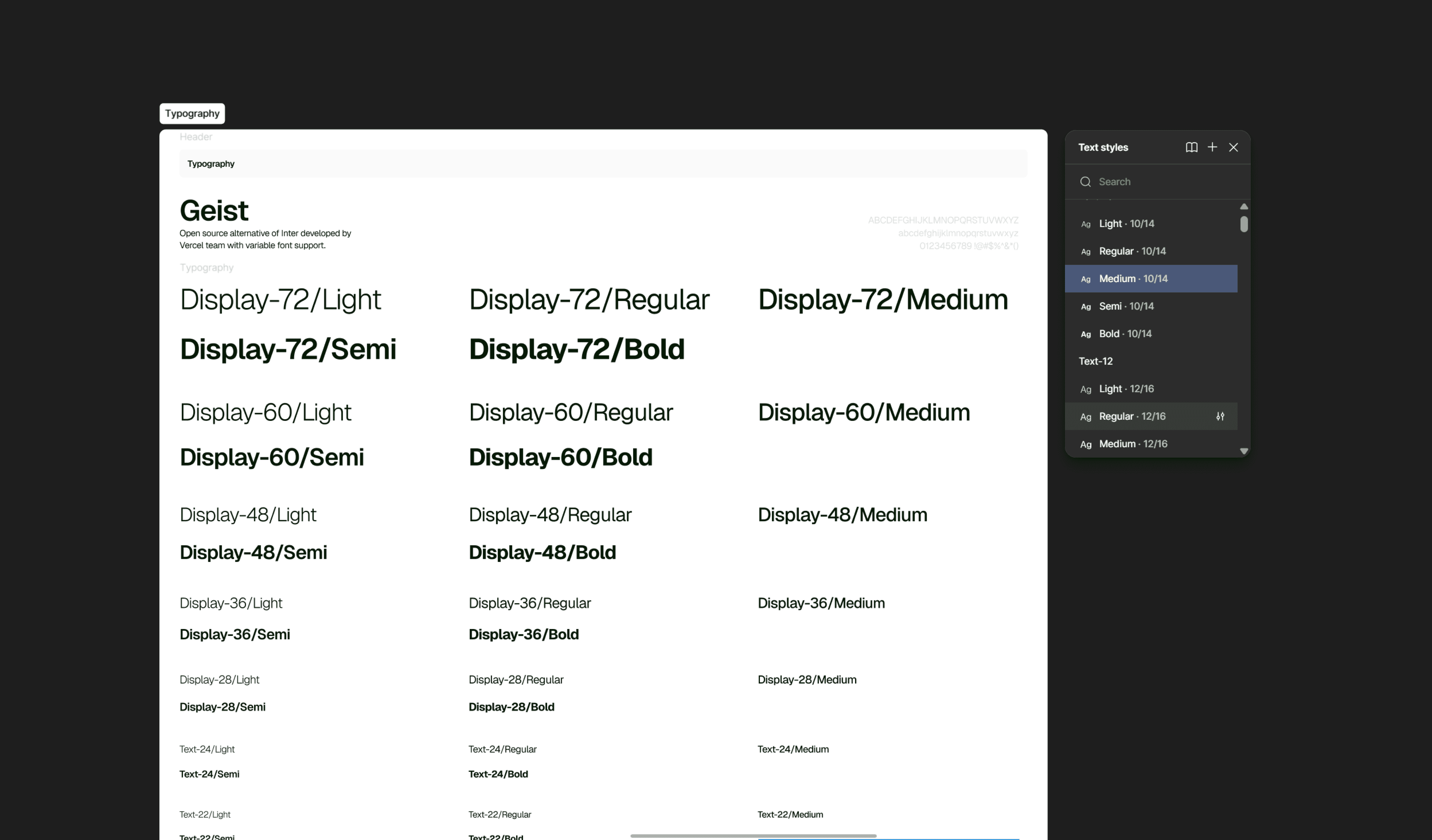
Keeping existing constraints and Ylopo’s logo in mind, we introduced the Geist typeface. Geist is a sans-serif font that closely resembles the typography used in the logo, ensuring visual consistency across the product. It is license-free and approved for commercial use, making it a practical and scalable choice. The family’s wide range of weights and styles including Thin, Light, Regular, Medium, Semi-Bold, Bold, Italic, and Condensed provides strong typographic flexibility and allows for clear, controlled hierarchy across interfaces.
Iconography
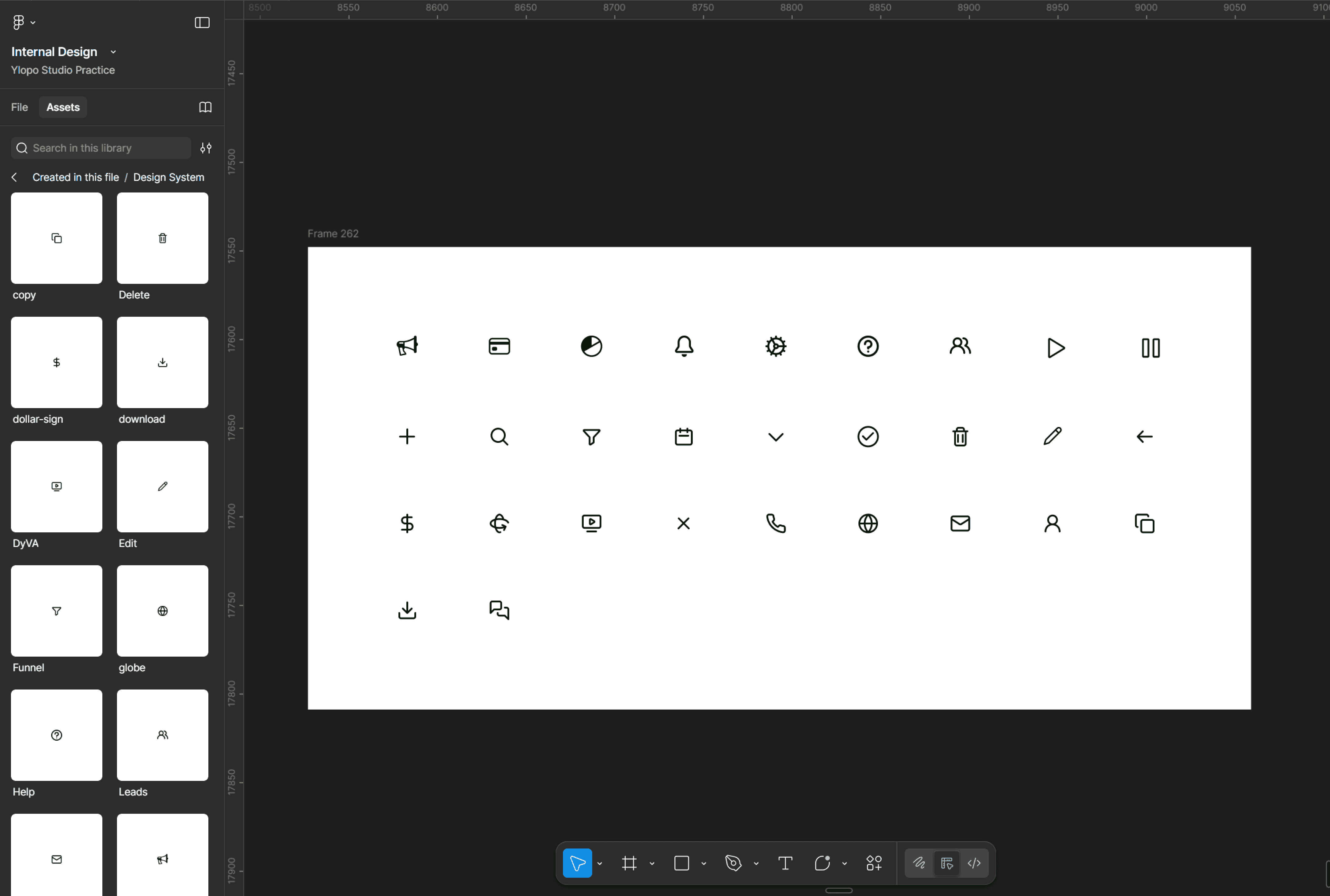
Icons were created with a similar line width to ensure visual consistency.
Building variable components for each state
After defining the design tokens and publishing them to Figma libraries, the team and I began building the foundational components used across the portal. We designed input fields, status pills and tags, buttons, and tabs, creating multiple variants and states for each to ensure consistency and flexibility across use cases.
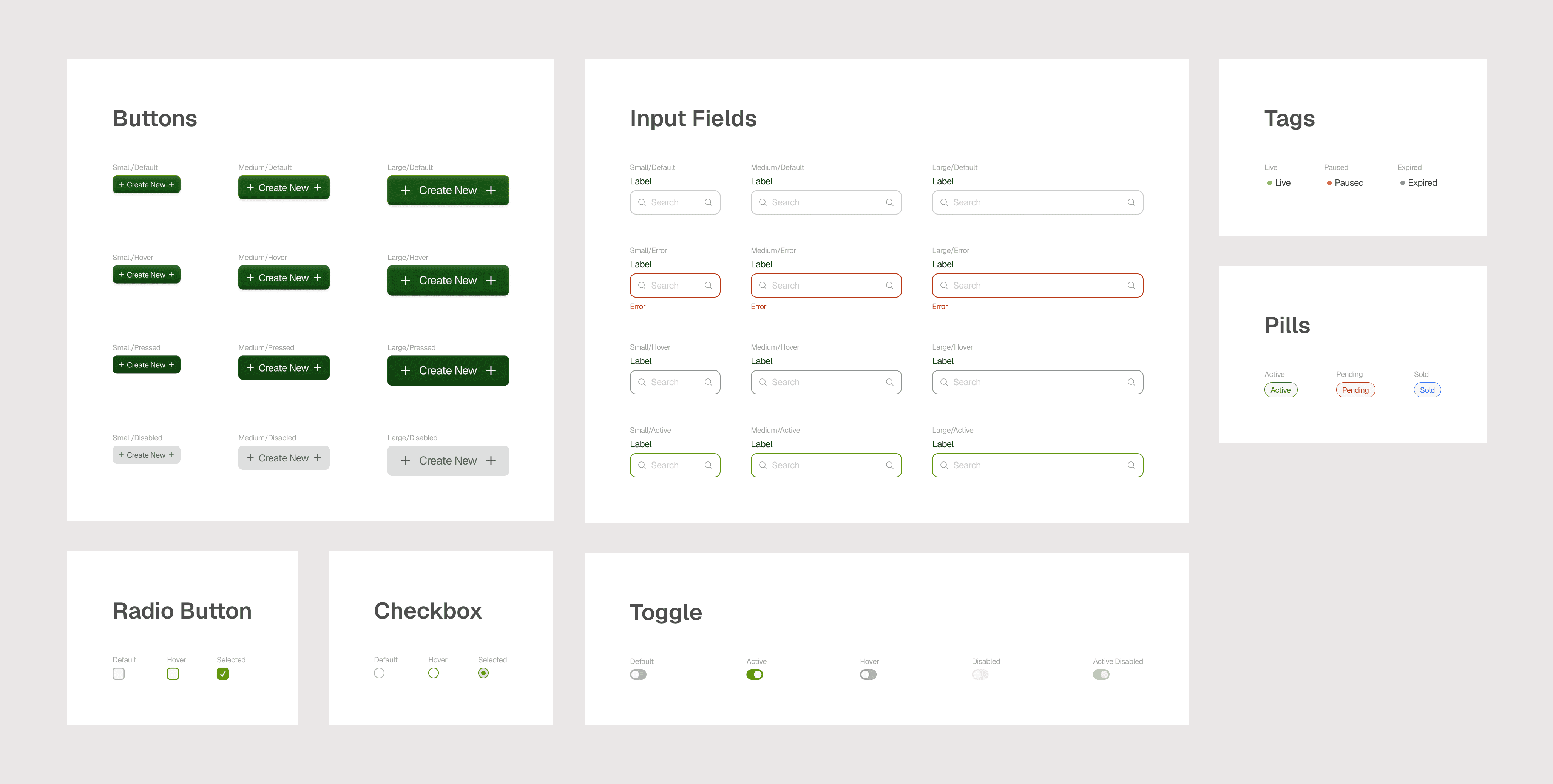
Using Figma components and variants, we created customizable components for every use case, ensuring consistency and smooth scalability across the system.
Designing Tables
Since tables were essential to Mission Control, each table row was built as a reusable component with cell content defined as variables. Elements such as pills and tags were also set up as variables, enabling the design team to switch content using Figma properties instead of manual updates.
How the design system was used
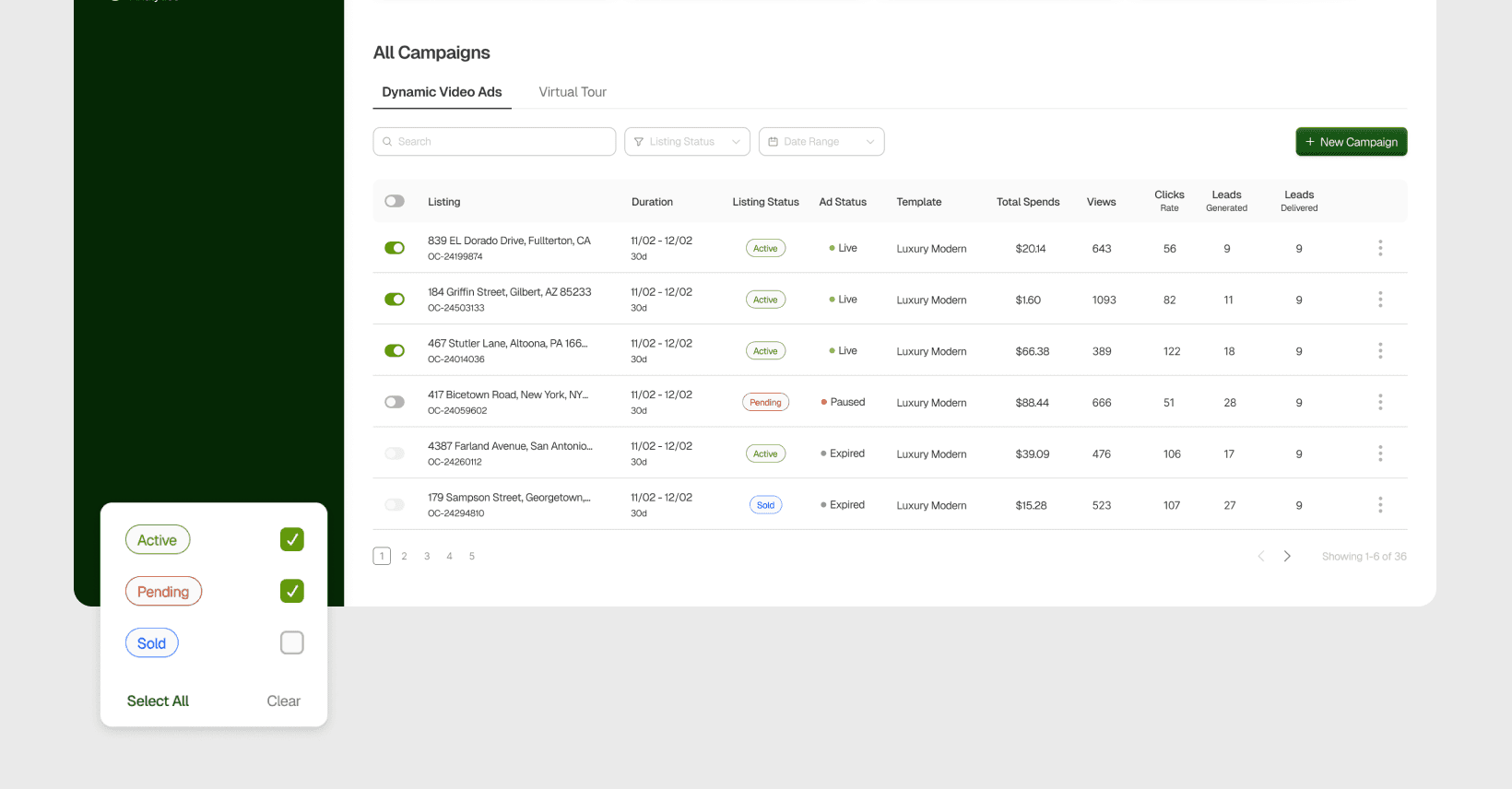
As we redesigned Mission Control while building the design system in parallel, we continuously analyzed which patterns were needed, the contexts in which they would be used, and created them accordingly. Every component was designed with scalability in mind to avoid duplicated effort in the future. The Mission Control landing screen is a clear example of how these components came together in practice. This design system was a living system, which is still being updated as the platform grows.
Impact
As we redesigned Mission Control, implementing the design system as Figma libraries helped us expedite the design process by reusing predefined, well-documented components. This ensured visual and functional cohesion across all designs. Since Mission Control was part of a broader ecosystem, developers were also able to replicate the system across existing products, enabling an instant and consistent rebrand.
The system also ensured consistency in interactions, making the tools more intuitive and improving overall usability.